

Base64 Encode and Decode
Paste text to get Base64, or paste Base64 to get your text back. Both directions run inside your browser, so nothing is uploaded. UTF-8 is handled properly, which means accents, Hindi and emoji survive the round trip. You can switch to the URL-safe alphabet, drop the padding, or wrap long output into lines.
100% private. Your text is converted entirely in your browser and never uploaded.
Why encode Base64 with frisqoo
100% private
Your text is converted inside your browser. It is never uploaded to a server.
Both directions
Encode, decode, and tap Swap to feed the result back and prove it round-trips.
Real UTF-8
Accents, Devanagari, Chinese, Arabic and emoji all come back exactly as you sent them.
The options you need
URL-safe alphabet, optional padding, and line wrapping for systems that want short lines.
No internet needed
Once this page has loaded, the conversion itself runs with no connection at all.
Any device
Runs in any modern browser on a phone, tablet or computer. Nothing to install.
How to encode or decode Base64
- Paste your text into the left box, or tap Load sample to try it.
- Choose Encode or Decode. Use Swap to send the result back to the left box and check it round-trips. Set the URL-safe alphabet, padding and line wrapping if you need them.
- Tap Copy result or Download to save the output as a text file.
Everything runs on your device, so it is fast and your text stays private, even with no internet once the page has loaded.
Why use Base64 at all?
Some systems can only carry plain text. An email header, a data URL in a web page, a token in an API call, a value in a YAML or JSON config file: each of these expects letters and numbers, not raw bytes. Base64 solves that by rewriting any data using just sixty-four safe characters, so it can travel through a text-only path and come out the other side unchanged.
The trade is size. Every three bytes become four characters, so the output is about a third bigger than what you started with. That is the cost of safe passage, and it is why Base64 is used for small values like keys, tokens and tiny images rather than for large files.
There is nothing to decrypt
Plenty of people come here looking for a way to decrypt Base64. There is nothing to decrypt. Base64 is a way of writing data, not a way of locking it.
Decoding needs no key, no password and no account. A decoder is all there is, and this page is one.
You can prove it in a second. Paste aGVsbG8= in the box and choose Decode. The word hello appears at once, and the tool says Decoded to text. Nothing was unlocked, because nothing was locked.
This matters most when the value is not yours. A key, a password or a customer name may sit in Base64 inside a log file or a web address. Treat it as text in the open, because that is what it is.
Encode, decode, and check the round trip
Both directions sit on the same page, because you almost never need only one. Paste text, read the Base64 on the right, then tap Swap. The result moves into the left box and the direction flips, so you decode what you just encoded and see your original text come back. That is the quickest way to prove a value survived a copy and paste, which is where most Base64 problems actually start.
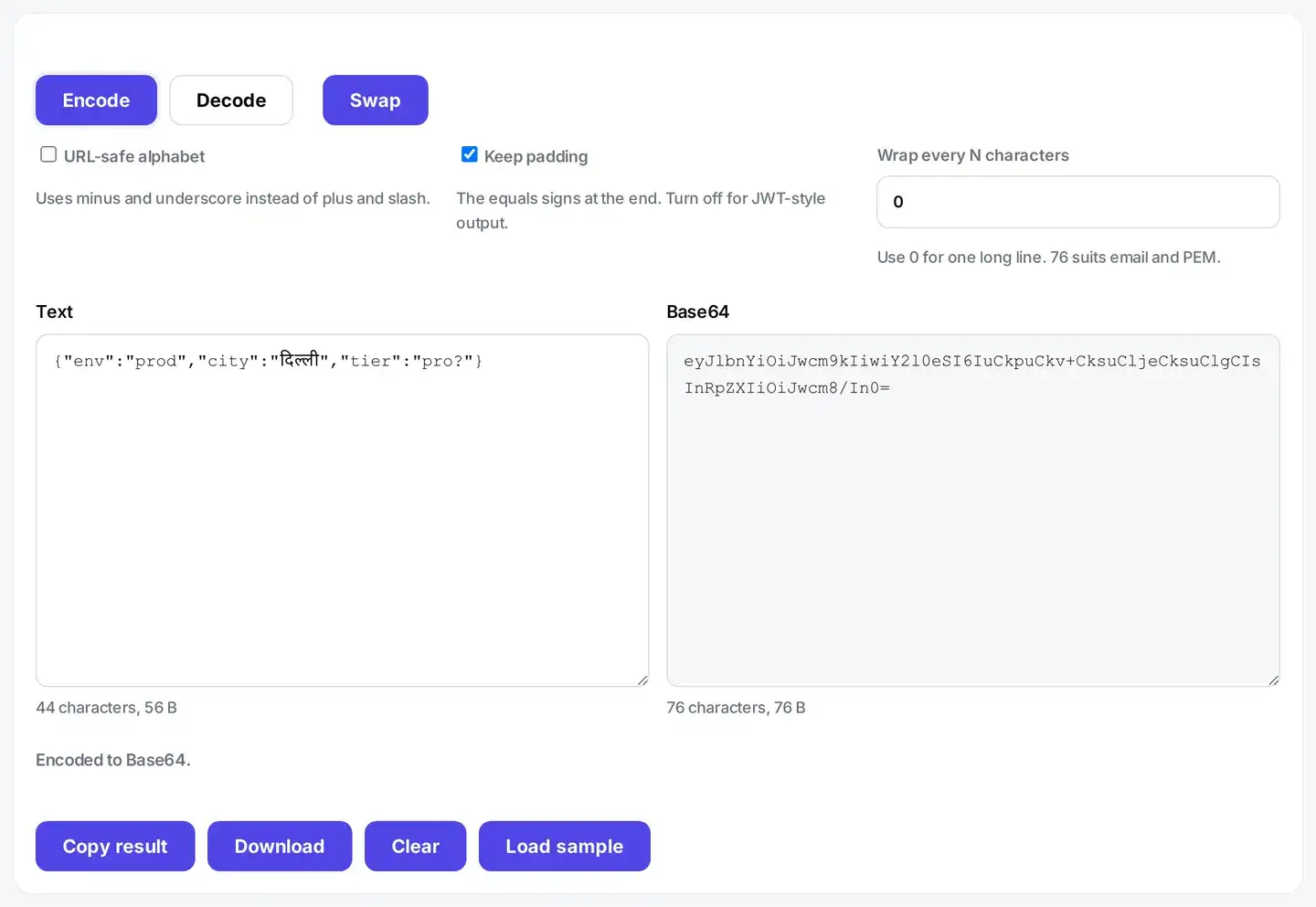
The counter under each box shows the character count and the size in bytes, so the one third growth is visible rather than something you have to take on trust.
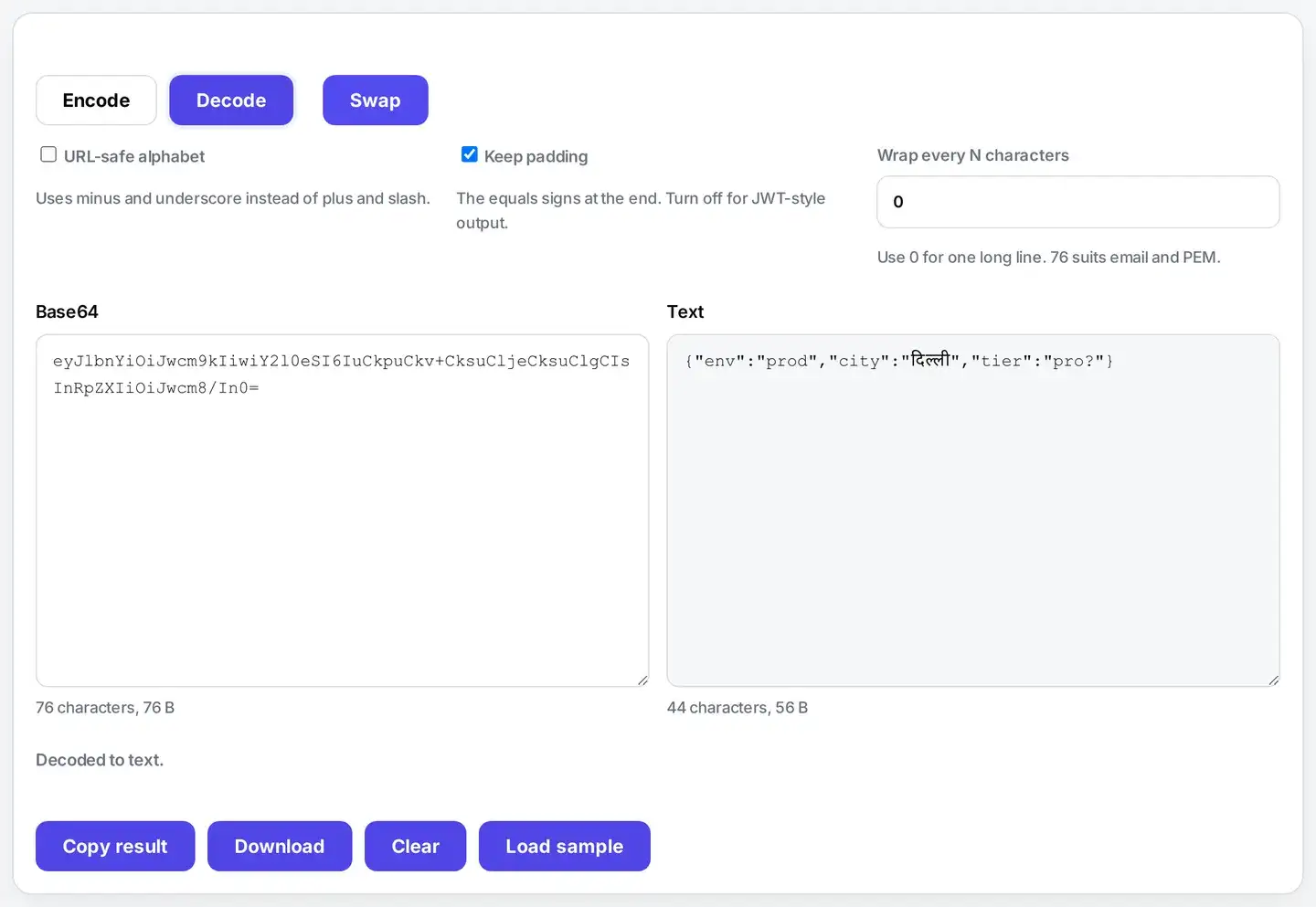
What does the URL-safe option change?
Standard Base64 uses plus and slash as two of its sixty-four characters. Both cause trouble outside plain text. A slash separates parts of a web address, and a plus can be read as a space in a query string, so a token pasted into a link can arrive damaged. The URL-safe alphabet swaps those two for minus and underscore, which pass through links and filenames untouched.
Decoding accepts either alphabet without being told which one you used, so you can paste a token from a link and it just works. If you are working with query strings rather than data, the URL encoder and decoder is the tool you want instead.
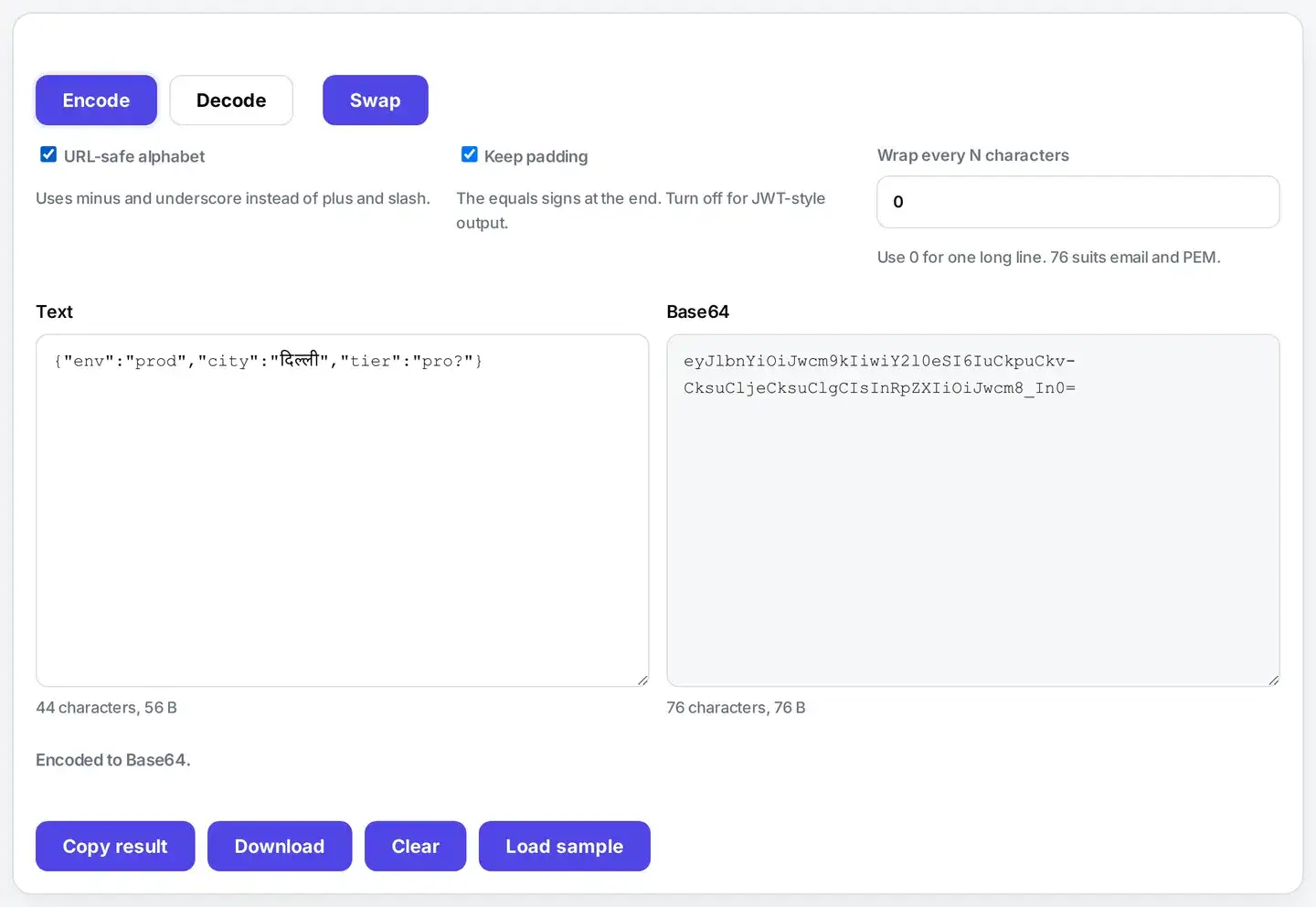
Padding and line wrapping
Base64 works in groups of four characters. When your data does not divide evenly, one or two equals signs are added at the end to fill the last group. Turn off Keep padding and those are removed, which some APIs and JSON web tokens expect. Decoding here works either way, because the missing padding can be worked out from the length.
Line wrapping is the other old convention. Email and PEM certificate formats want short lines, traditionally sixty-four or seventy-six characters. Set Wrap every N characters to match whatever your target format asks for, or leave it at zero for one continuous line.
Base64 in a terminal or in code
The same conversion exists everywhere, and the results match what this page shows.
On macOS or Linux, running printf 'hello' | base64 prints aGVsbG8=, and feeding that back through base64 -d returns hello.
Python does the same job with b64encode and b64decode, while Node uses Buffer.from. Both give that same short string.
Browsers have btoa and atob, which are the old shortcut. They break above the basic Latin range, so an accent or an emoji comes back wrong. This page reads your text as UTF-8 first, so those characters survive.
So use the page when you want to see a value and check it by eye, and use the command when it belongs in a script. Neither one sends your data anywhere.
Why does my Base64 fail to decode?
Nearly always because something came along for the ride. A quote or a bracket copied with the surrounding code, a stray character at the end, or text that was cut off partway through. Rather than failing with a vague complaint, this tool names the exact character that cannot appear in Base64, so you know what to delete. If the length itself is impossible, it says the text looks cut off instead, because that is a different problem with a different fix. There is a third message, and it catches the commonest confusion of all. Paste the Base64 of an image or a PDF and the text is perfectly valid, so it does decode, but what comes out is bytes rather than words. The tool says exactly that: That Base64 decoded to binary data, not text. It is probably an image or a file, not a message. Nothing is wrong with your paste. It simply is not text.
Spaces, tabs and line breaks are never a problem. They are ignored before decoding, so Base64 wrapped across many lines pastes in fine exactly as you found it.
Base64 images, PDFs and data URLs
A picture inside a web page is often written as a data URL. It begins with something like data:image/png;base64, and the Base64 starts after the comma. Paste the whole thing here and decoding stops with a precise complaint: That is not valid Base64. The character ":" cannot appear in Base64 text.
The message is right. That prefix is not Base64 at all. Delete everything up to and including the comma, and what remains will decode.
Use this page to check that a data URL is well formed. It also reads a token or a certificate out of a config file. To change a picture into another format, reach for an image tool instead.
To turn Base64 back into a real file, a terminal is the shortest route. On macOS or Linux, base64 -d in.txt > logo.png writes the bytes straight to disk. That is one command. It also keeps a large file off any web page, including this one.
Is it safe to paste sensitive text here?
Yes, and that is the point of building it this way. Many free Base64 sites send whatever you paste to their own server to do the work, which means your API key, session token or private note is now sitting in someone else's logs. This page does the conversion in your browser, so the text never leaves your device.
One honest warning that has nothing to do with this site: Base64 is not encryption. It is trivially reversible by anyone who sees it. Encoding a password does not protect it. If you need secrecy, encrypt first, then encode the encrypted result. For a wider look at what runs locally here, see the developer tools or convert structured data with XML to JSON.
FAQs about Base64 Encode and Decode
Is my text uploaded to a server?
No. The conversion runs inside your browser on your own device. Your text is never sent anywhere, so you can paste something private and it still stays with you. Closing the tab leaves nothing behind.
What is Base64 used for?
Base64 turns any data into plain letters, numbers and a few symbols. That matters when a system can only carry simple text, such as an email attachment, a data URL inside a web page, a token in an API call, or a value in a config file. It is a way to move data safely, not a way to hide it.
Is Base64 the same as encryption?
No, and this is the most common mix-up. Anyone can decode Base64 in one step, with no key and no password. Treat it as a wrapper, not a lock. If the data really needs protecting, encrypt it first and then encode the result.
Does it handle emoji, Hindi and accented letters?
Yes. Your text is read as UTF-8 before it is encoded, so accents, Devanagari, Chinese, Arabic and emoji all survive the round trip. Plenty of older tools fail here, because they use a shortcut that breaks on any character above the basic Latin range.
What does the URL-safe option do?
Standard Base64 uses plus and slash. Both have a special meaning in a web address and in a filename, so they often get mangled on the way. The URL-safe alphabet swaps them for minus and underscore. Use it for tokens in links, values in a query string, and filenames.
Can I remove the equals signs at the end?
Yes. Turn off Keep padding. Those equals signs pad the output to a multiple of four characters. Most decoders can put them back, and this one does, but some strict systems still want them. Keep the padding unless something asks you to drop it.
Why is the Base64 longer than my text?
Base64 stores three bytes in four characters, so the output is roughly one third larger. Line wrapping adds a few more characters. The counter under each box shows the size, so you can see exactly what changed.
Why does it say my Base64 is not valid?
Something in the text cannot appear in Base64. The usual causes are a stray character pasted in by accident, a quote or bracket copied along with code, or text that was cut off partway. The message names the character that cannot be there, so you know what to look for. Spaces and line breaks are fine and are ignored.
Can I decode a Base64 image or file here?
This page converts text. If your Base64 holds an image, a PDF or any other file, it decodes to bytes that are not text, and the tool tells you it decoded to binary data rather than text, instead of showing you broken characters. Use it for text, tokens and config values.
Is it free?
Yes. No sign-up, no watermark, and no size limit beyond what your own device can hold. It works the same on phones, tablets and computers in any modern browser.