

Grayscale PDF converter
Convert a colour PDF to grayscale in your browser. Every page becomes a 144 dpi JPEG-backed image in a new PDF, so the result is black and white but its text and interactive document structure are not retained. Frisqoo does not upload the source file for processing.
100% private. Your files are processed entirely in your browser and never uploaded.
Why use this grayscale PDF converter
Browser-local processing
Conversion runs on your device. Frisqoo does not upload the source PDF for this task.
Fixed 144 dpi output
Each page is rendered at twice the 72 dpi PDF base and encoded as a grayscale JPEG.
Clear raster tradeoff
The page keeps its visible appearance as an image, while selectable text and interactive structures are left behind.
Honest size result
The result shows the original and output sizes, including when the grayscale copy is larger.
Sequential batch
Add several PDFs for individual downloads and a Download all as ZIP option.
Narrow-screen layout
On a small screen, About this conversion opens the document details in an overlay.
How to convert a PDF to grayscale
- Choose a PDF, or add two or more files if you want to make grayscale PDFs as a batch.
- For one file, review page one and the fixed 144 dpi explanation in the side panel.
- Select Convert to grayscale, then download the
-grayscale.pdfcopy. A batch can also be downloaded asfrisqoo_grayscale.zip.
The source PDF stays unchanged. Keep it when you need selectable text, links, forms, metadata, or the original password protection.
See the grayscale conversion steps
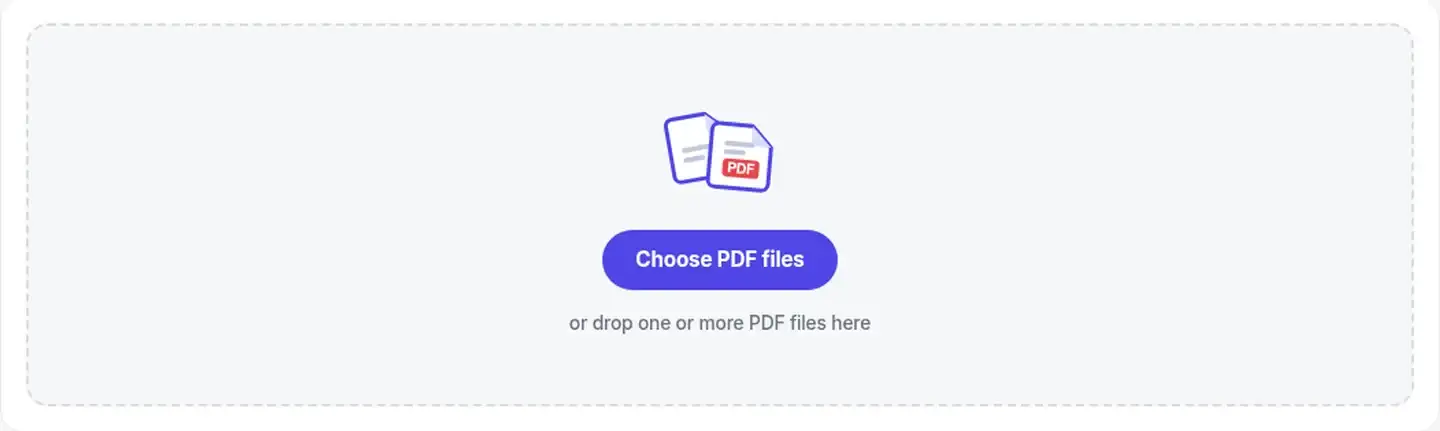
Start with the PDF drop area. One file opens the editor, while two or more files stay on the page and start the batch runner.
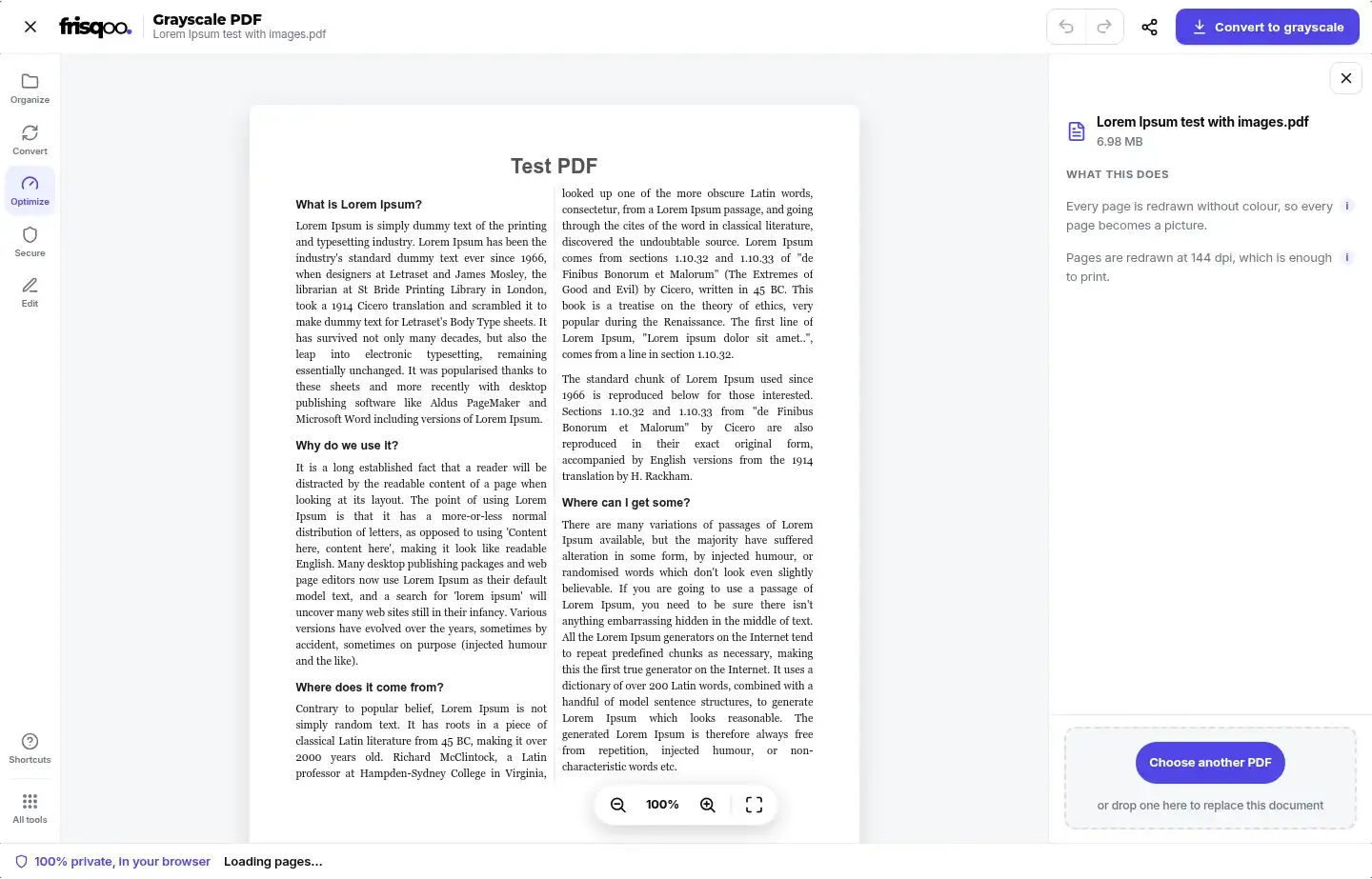
The single-file editor previews only the first page. The side panel names the document, states that every page becomes a picture, and gives the fixed 144 dpi setting before conversion.
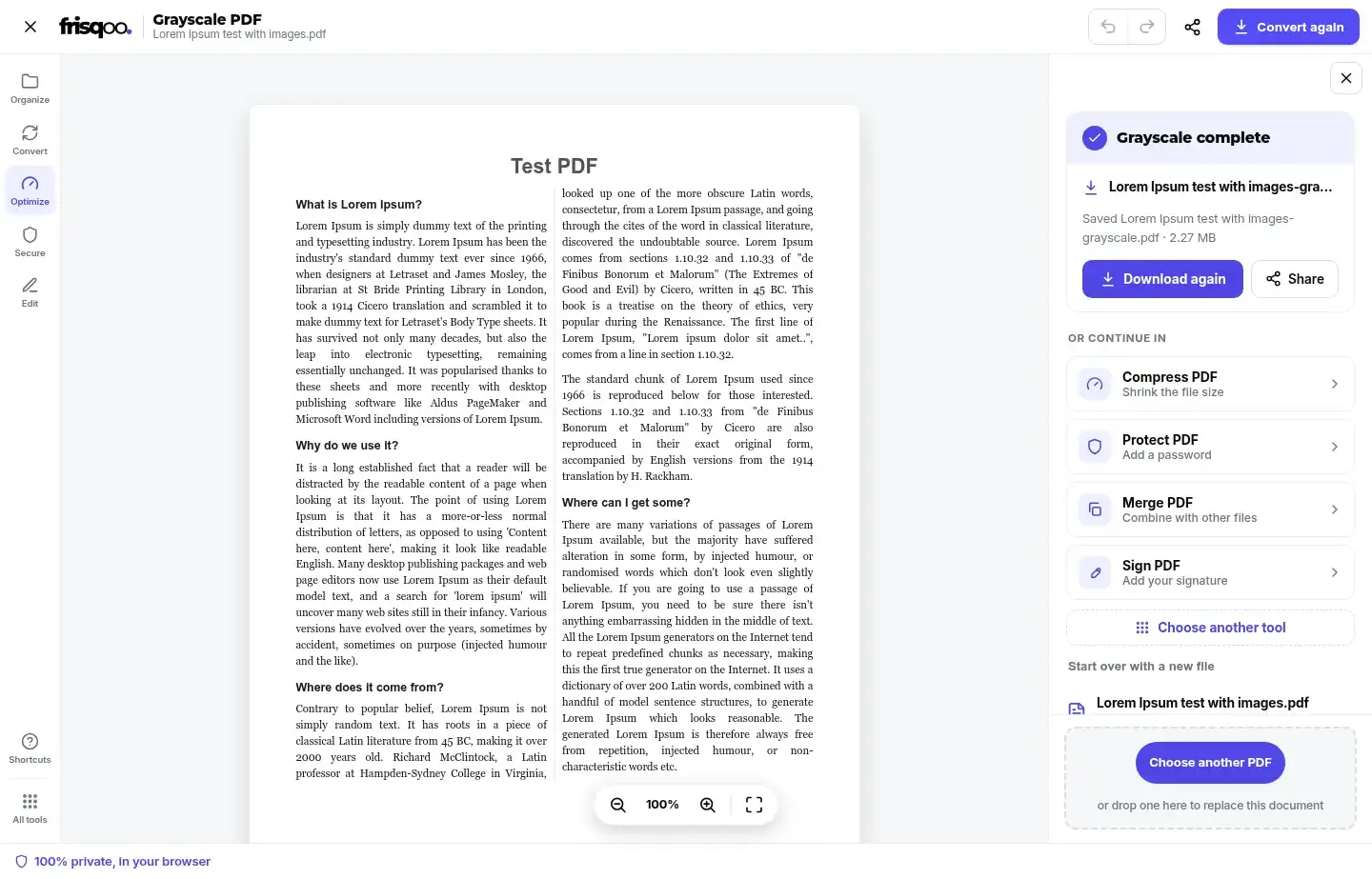
After conversion, the result panel names the saved file and reports its size. It also offers Compress PDF, Protect PDF, Merge PDF, and Sign PDF as follow-on tools.
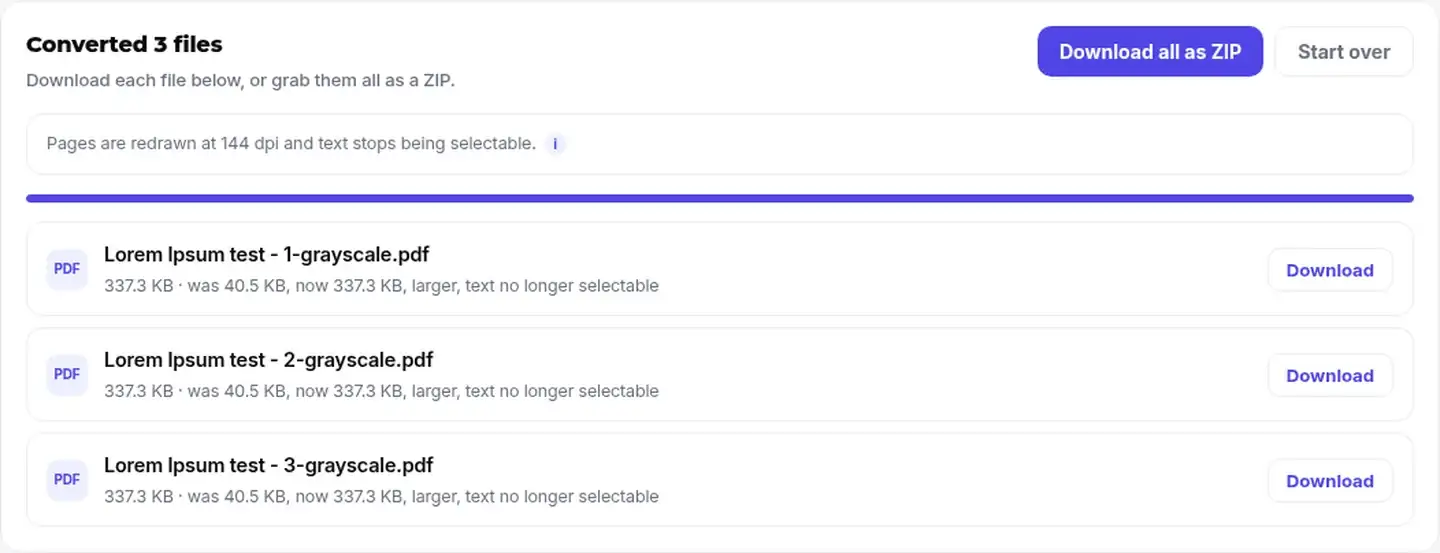
A completed batch lists each output separately. The note under a row says when that image-backed result is larger and reminds you that text is no longer selectable.
How the PDF to grayscale conversion works
The tool renders every accepted page at scale 2 against the PDF base of 72 dpi. That produces a 144 dpi canvas. It places the rendered page on white, removes colour, encodes the page as JPEG at quality 0.82, and embeds that image in a new PDF.
This fixed path is why there is no quality menu. Changing the resolution or JPEG setting would change page detail and file size rather than the amount of grayscale. Use Compress PDF after download when file size is the next task.
The editor shows page one as a quick visual check, not as a complete proof of every page. The conversion still processes the accepted pages in order and keeps their original page dimensions.
What stays in the grayscale copy
The rebuilt PDF keeps page count, page order, and the dimensions of each page. Its visible page content is captured in the grayscale image. Review fine lines, shaded areas, small type, and any detail that depended on colour before using the result.
- Pages remain in source order and keep their original dimensions.
- Visible text, photos, drawings, and page backgrounds appear inside the new page image.
- The source PDF on your device is not changed by the conversion.
- Selectable and searchable text is not retained.
- Links, bookmarks, form controls, annotations, attachments, metadata, and layers are not retained.
- Digital signatures and the original password protection are not carried into the rebuilt copy.
If you need searchable text in an image-backed result, try OCR PDF and check its recognition before relying on the new text.
Why a grayscale PDF can be larger
A black and white PDF converter does not promise a smaller file. An efficiently stored text PDF can be compact because it holds characters, font instructions, and vector shapes. Grayscale conversion replaces each complete page with a JPEG image. That image can need more bytes than the original page description.
Photo-heavy pages and scans may shrink when colour information is removed and the page is re-encoded. Text-heavy files can grow. The finished panel compares the two sizes instead of assuming a saving, and each batch row marks a larger output. Keep the grayscale copy if it suits the task, then use Compress PDF if a smaller upload or email attachment is required.
Password-protected PDFs and dynamic XFA forms
You can grayscale a password-protected PDF when you know its open password. Enter the password in the inline prompt and select Unlock. The password opens the working copy in your browser. It is not a recovery feature, and the new grayscale PDF is not automatically re-protected. Use Protect PDF after checking the result if the downloaded copy needs a password.


Dynamic XFA forms take a different path. Their visible form can be created by Adobe software when the document opens, so a browser redraw may capture only a fallback message and discard the working form. The single-file action is disabled with an explanation. In a batch, that PDF is left out and named in the skipped-file note.
Grayscale several PDFs in one batch
Add at least two PDFs to use the batch runner. Files are converted one after another rather than all at the same time. This path gives every successful output a separate Download button and creates frisqoo_grayscale.zip through Download all as ZIP.
Output names follow the source name with -grayscale.pdf added. A row reports the old and new sizes and says when the result is larger. If an input cannot be converted, the rest can continue. Dynamic XFA files are omitted and identified in the note above the completed rows.
Using Grayscale PDF on a phone
The page can adapt to a narrow browser window, but performance still depends on the PDF and available device memory. In the single-file editor, the side panel becomes an overlay reached through About this conversion. Close the overlay to return to the page preview.
Files over 40 pages show a long-document message and page progress because every page must be rendered and encoded. Keep the tab open while it works. For a large or complex document, a laptop or desktop with more free memory may complete the same browser-local job more comfortably.
Review the downloaded grayscale PDF
Open the downloaded copy before printing, sharing, or deleting anything. Check the page count and order, then inspect small text, thin lines, photos, shaded tables, and colour-coded labels. A grayscale image can make two different colours look similar.
Test the features that matter to the next step. Text should be expected to behave as an image, and links or form controls should not be expected to work. Confirm the reported file size suits the destination. If the input was protected, decide whether the new copy needs a fresh password. Keep the original PDF until the grayscale result has passed those checks.
Reasons to make PDF black and white
- Prepare a colour report for a monochrome printer.
- Make PDF pages grayscale before photocopying handouts.
- Remove colour from a scan when the colour information is not needed.
- Create an image-backed review copy when selectable text is not required.
- Check how diagrams and colour-coded tables will read without colour.
FAQs about Grayscale PDF converter
Do my files get uploaded?
Conversion runs locally in your browser. Frisqoo does not upload the source PDF for processing. Your browser still needs enough memory to open, render, and rebuild the document.
What does grayscale do to a PDF?
It redraws every page without colour, encodes that page as a JPEG image, and places the image in a new PDF. Page count, order, and page dimensions are retained by this rebuild path.
Can I select or search the text afterwards?
No. Every output page is a picture, so its original text layer is not retained. Links, bookmarks, form controls, annotations, attachments, metadata, and layers are also not carried into the rebuilt copy. Keep the source PDF when you need those features.
Why is there no quality setting?
Grayscale PDF uses one fixed path: 144 dpi and JPEG quality 0.82. A lower-resolution choice would mainly change file size and page detail, so file-size work is kept in Compress PDF.
Will grayscale make my PDF smaller?
It may, but it can also make the file larger. A compact text PDF often grows when each page becomes an image. The result panel shows both sizes and says when the new copy is larger.
Can I convert a password-protected PDF?
Yes, when you know the open password and the file can be read by the browser tools. The password opens the local working copy. The grayscale output is a new PDF and is not automatically protected with the old password.
Can I convert several PDFs at once?
Yes. Add two or more PDFs to start the sequential batch path. Each successful result has its own Download button, and Download all as ZIP creates frisqoo_grayscale.zip.
What happens to a dynamic XFA form?
It is not converted because redrawing can remove the form that Adobe software creates when the file opens. A single-file job is disabled with an explanation. A batch leaves that file out and names it in the skipped note.
Is there a file-size or page limit?
There is no stated fixed page or file-size cap in this tool. Practical limits depend on browser memory, the PDF, and the device. Files over 40 pages get a long-document note and page progress.
Can I grayscale a PDF on my phone?
The layout adapts to narrow screens. The conversion details move into an overlay opened with About this conversion. Large or complex PDFs may be more practical on a device with more memory.
Is the grayscale PDF converter free?
Yes. It is free to use, with no sign-up or watermark. Device memory and browser support still set practical limits for large or unusual files.