

JPG to WebP
Turn JPG photos into smaller WebP files that keep the same look. Add your JPG files, set the WebP quality, then press Convert. It all runs in your browser, so Frisqoo processes the files locally without uploading them.
100% private. Your files are processed entirely in your browser and never uploaded.
Why convert JPG to WebP with frisqoo
Local processing
Processing runs in your browser, and Frisqoo does not upload the source files for this task.
Smaller, faster files
WebP packs the same photo into a lighter file than JPG, so web pages load quicker and storage goes further.
A modern format
Every current browser reads WebP, which makes it a safe pick for websites, apps, and sharing.
Quality you control
Set the WebP quality to trade file size for sharpness, or keep it high for photos that should look the same.
A whole batch at once
Convert many JPG files with the same settings, then download them one by one or together as a single zip.
Free, with no caps
No sign-up, no watermark, and no daily quota. Your device memory is the only real limit.
How to convert JPG to WebP
- Add your JPG images. Drop them on the box or pick them from your device, one or many.
- Set the WebP quality. Keep it near 90 percent for photos that look the same at a smaller size.
- Press Convert. Save each WebP on its own or download them all in a zip.

When to convert JPG to WebP
WebP is the format to reach for when a JPG needs to be lighter without looking worse. It was designed for the web, so it is the natural choice for photos on a website, images in an app, or a large folder you want to store more efficiently. At a matching quality the WebP is usually the smaller of the two.
Keep the JPG when you are sending a photo to a program that only opens JPG, or when someone has asked for that format by name. For almost everything shown in a browser, WebP gives you the same picture in less space. It is one reason so many sites now serve their images that way.
JPG and WebP, and what each format is good at
JPG has been the standard photo format for decades. Almost every device and program can open it, which makes it the safest format to hand to someone else. The trade is that its compression is older, so a JPG is often heavier than it needs to be for the quality it shows.
WebP is the newer format, with compression tuned for photographs and graphics alike. It fits the same picture into a smaller file, and it can also hold transparency and animation, which JPG cannot. Converting from JPG to WebP is about getting that lighter, web-ready file while keeping the picture looking the same.
What the tool does to each image
Each JPG is decoded into raw pixels, painted onto a canvas, and written back out as a WebP, all on your own device. The quality you pick decides how hard WebP compresses the result, and the size before and after is shown on each card so you can see how much you saved.
Because the file is rebuilt from the decoded image alone, the extra data a camera tucks into a JPG does not come along with it. Nothing is sent anywhere while this happens, and the conversion starts only when you press Convert, so you can line up the whole set and remove any you change your mind about first.
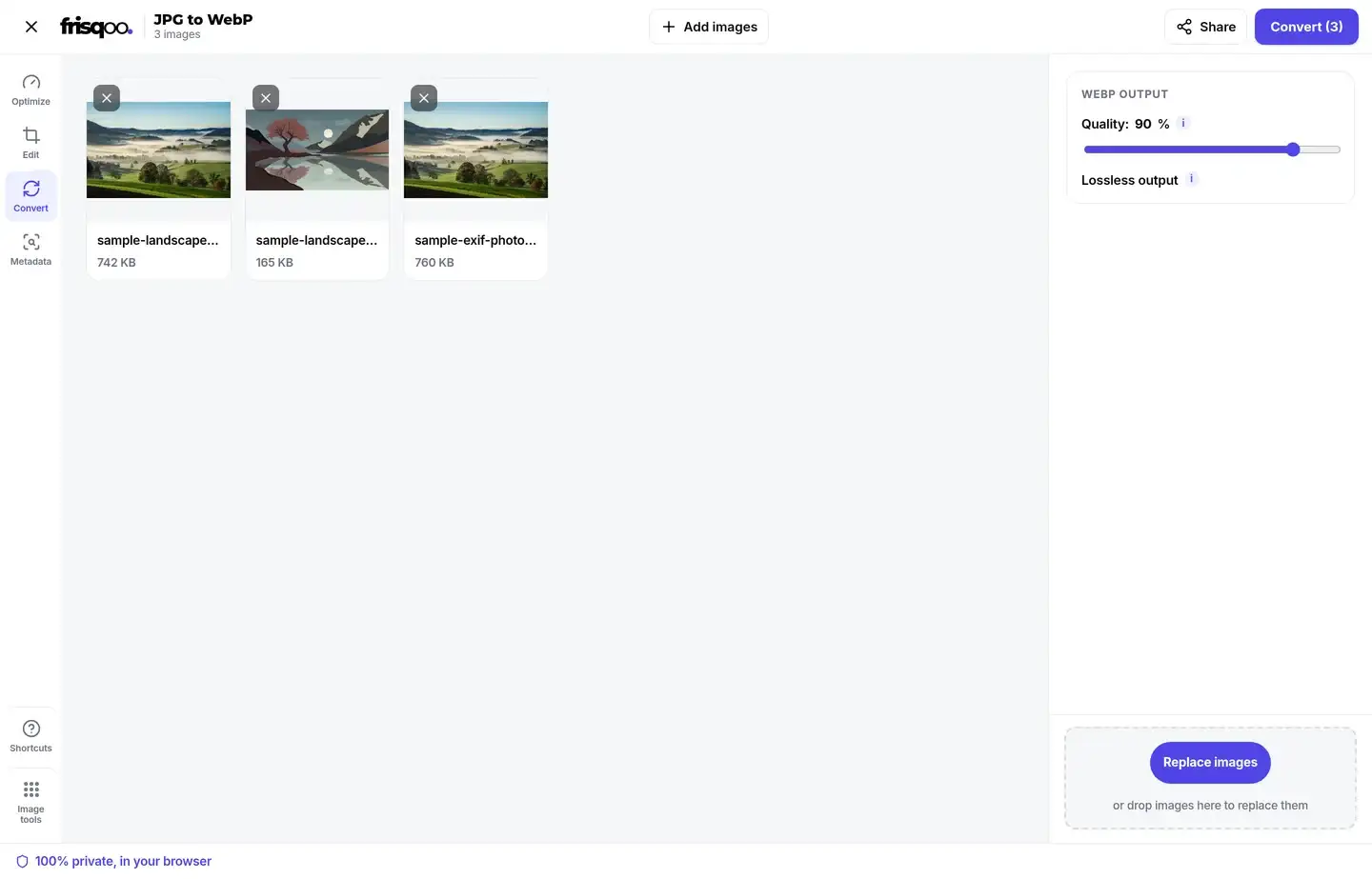
Choosing the WebP quality
The quality control sets how hard WebP compresses the picture. A higher number keeps more detail and makes a larger file, while a lower number saves more space and can start to show soft blocks in smooth areas like skies.
For most photos, a setting between 85 and 92 percent gives a file that keeps a close visual match to the original while cutting the size well. Push higher when the picture has fine texture you want to protect, and lower only when a small file matters more than a near-original appearance. The same setting is applied to every image in the batch, so you can convert a whole folder to one consistent standard.
How much smaller WebP files are
It depends on the picture, but at a matching quality a WebP is often around a quarter to a third smaller than the same JPG. Detailed photographs tend to save the most, while very simple images save less. Keep the quality near 90 percent and the WebP looks the same as the JPG to the eye, so you get a lighter file at no visible cost.
The saving adds up across a folder or a whole website. Lighter images mean pages that load faster and less storage used, which is the main reason WebP has become so common online.
Will the WebP keep my photo's location or camera data?
No. A JPG straight from a phone or camera often carries the GPS location, the camera model, and the date and time in its hidden EXIF fields. Rebuilding the image through a canvas writes a fresh WebP that holds only the picture, so those details are left behind.
If you want to see what a file is carrying first, open it in the EXIF data viewer. To clean a photo while keeping it as a JPG, the remove EXIF data tool strips the hidden fields without changing the format.
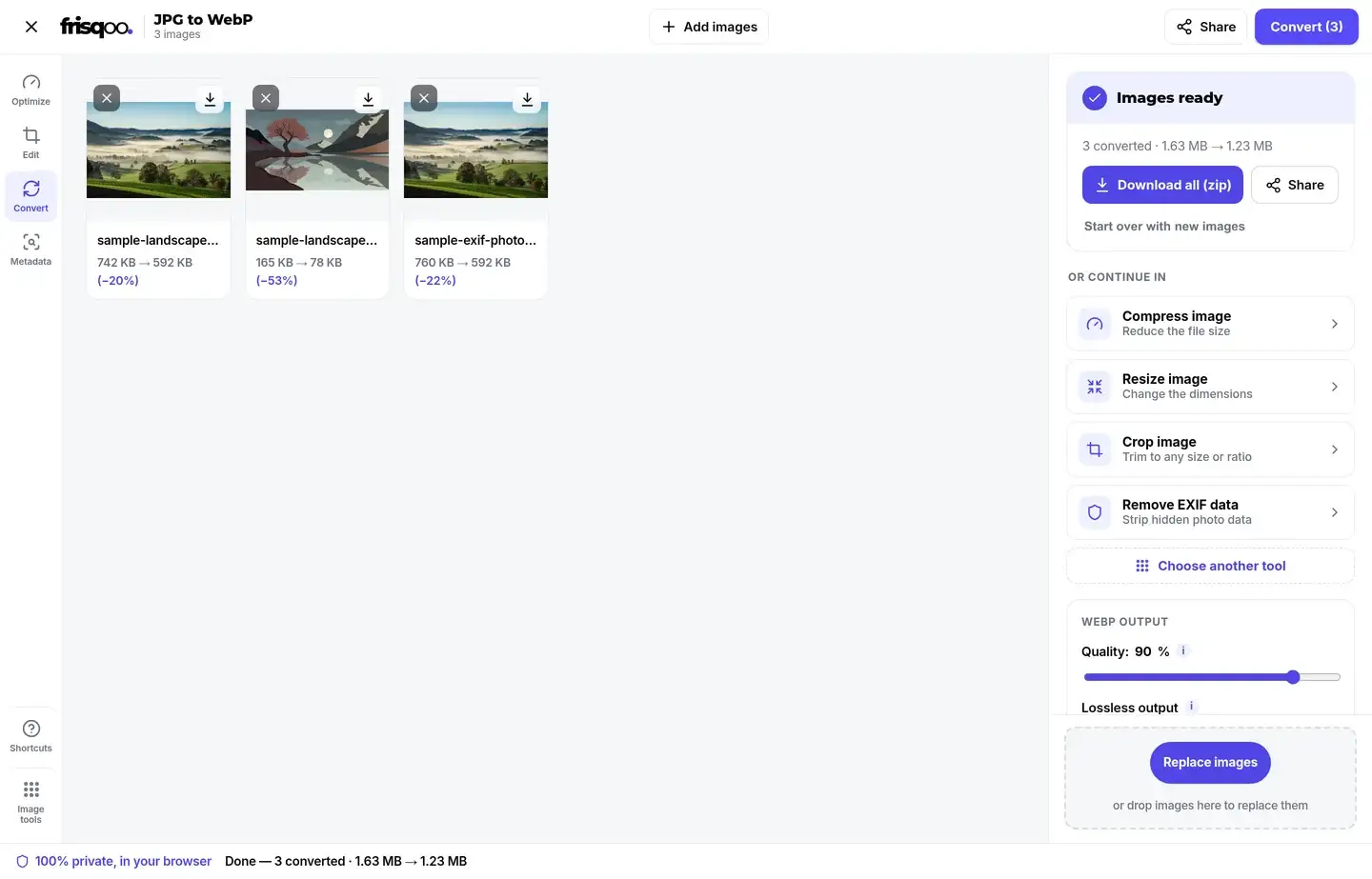
Convert a whole batch at once
A folder of images is quicker to handle in one go. Add as many JPG files as you like, set the quality once, then press Convert. The button carries the count, so it reads Convert followed by the number waiting. An Add images button lets you drop in more before you start, and a small x on any card removes one you did not mean to include.
When more than one image is ready, the button becomes Download all (zip) and saves everything as frisqoo_jpg-to-webp.zip, with each file keeping its original name and a .webp ending inside the archive. A single image gives you a plain Download button instead. Once a batch is done, a short row of cards offers to pass the WebP files straight into another tool, so you can compress, resize or crop without saving and adding them again. The whole set is handled one file after another, so a large batch will not freeze the page while it works.
Convert JPG to WebP on an iPhone or Android phone
The page works the same on a phone as on a computer. Open it in Safari or Chrome, tap the box, choose the JPG images from your files or camera roll, set the quality, then press Convert. Every step runs on the phone itself, Frisqoo does not upload the source file for processing. There is no app to install or account to create.
Saving works the usual way for your phone, either straight to Files or Photos or through the share sheet. A big batch of high-resolution images asks more of an older phone, since the whole job runs in its memory, so convert in smaller groups if the page starts to slow down.
Is it safe to convert images here?
Yes. Many free converters upload your images to their own servers to do the work. This tool does the conversion in your browser instead, so your images are never uploaded, stored, or seen by anyone else. That makes it a sound choice for personal photos, screenshots, and anything else you would rather keep off a server you do not control.
You can check it for yourself. Open your browser's network panel before you convert, run a file through, and watch that no upload takes place while the WebP is made.
Common ways people use JPG to WebP
People reach for this conversion for a handful of everyday reasons.
- Shrinking photos for a website so pages load faster.
- Saving storage on a big folder of JPG images.
- Preparing images for an app or theme that prefers WebP.
- Cutting the weight of product or gallery photos before upload.
- Converting a whole folder of JPG files in one pass and saving them as a zip.
FAQs about JPG to WebP
How do I convert JPG to WebP?
Add your JPG images, set the WebP quality, then press Convert. Each image is converted on your device, and you can save them one by one or all together as a zip.
Is it free to use?
Yes. There is no sign-up, no watermark and no daily quota. Add as many images as you like. The only real limit is your device memory, since all the work happens on your own device.
Are my images uploaded anywhere?
No. They are read and converted by your own browser. Nothing is sent to a server, so even private photos stay with you.
Why convert JPG to WebP?
WebP usually makes a smaller file than JPG at the same quality, so pages load faster and images take less space. Every modern browser can display it.
Will converting lose quality?
WebP is a lossy format at these settings, so there is a small change. Keep the quality at 90 percent or higher and a converted photo keeps a close visual match to the original to the eye.
How much smaller are WebP files?
It depends on the picture, but a WebP is often around a quarter to a third smaller than the same JPG at a matching quality. Detailed photos tend to save the most.
Can I convert many JPG files at once?
Yes. Add as many as you like, convert them together with the same settings, then download them one by one or as a single zip named for this tool.
What quality should I choose?
For photos, 85 to 92 percent gives a strong balance of size and sharpness. Push higher when the picture has fine detail you want to protect, or lower when a small file matters more than a near-original appearance.
Does the WebP keep my camera or location data?
No. The image is repainted onto a fresh canvas, so the GPS location, camera model and timestamp stored in the JPG are left behind and do not travel into the WebP.
Is WebP supported everywhere?
Every current browser on desktop and mobile can display WebP, and most apps and content systems accept it. A few older desktop programs still prefer JPG, so keep the original if you need to open it in one of those.
Does it work on my phone?
Yes. It runs in current desktop and mobile browsers on a phone, tablet, or computer, with nothing to install. The whole job runs on the device itself.
Can I turn a WebP back into a JPG?
Yes. Use the WebP to JPG tool for that. Remember that each lossy conversion drops a little detail, so avoid converting back and forth more than you need to.