

Crop PDF
Crop PDF online free in your browser. Drag the area to keep or type exact margins in points, pixels, centimeters, inches, or percent. Edit one file page by page, or crop PDF files in a batch and download the results.
100% private. Your files are processed entirely in your browser and never uploaded.
Why use this Crop PDF tool
Local workflow
The source file is opened and cropped in your browser instead of being uploaded for processing.
Drag or enter margins
Draw the visible area, resize its handles, or type a value for each edge.
Five units
Use points, pixels, centimeters, inches, or percent and see the crop dimensions on the page.
Per-page control
Give pages different visible areas or copy one proportional crop across the document.
Batch options
Use one margin set for all files or enter a separate set for each PDF.
Clear crop limits
The page boundary changes, but content outside it is hidden rather than securely removed.
How to crop a PDF
- Add one PDF for the editor, or add two or more PDFs for batch settings.
- For one file, turn on Crop and draw the area to keep or enter exact margins. Set each page separately or choose Apply to all.
- Select Crop and download. In a batch, enter at least one margin and select the numbered crop button.
Keep an original copy. Cropping changes the visible page box and does not securely erase anything outside it.
Crop PDF margins by dragging or entering values
The single-file editor shows every page and its active visible boundary. Turn on Crop, drag across a page to draw the area to keep, then move the box or use its eight handles. The shaded part is outside the new visible page area. A size label on the box reports the width and height in PDF points.
For an exact trim PDF workflow, use the Crop margins panel. Enter how much to remove from the top, right, bottom, and left. Choose points, pixels, cm, inch, or percent. In this tool, one pixel is treated as 0.75 point. Percentage values are calculated from the current page dimensions.
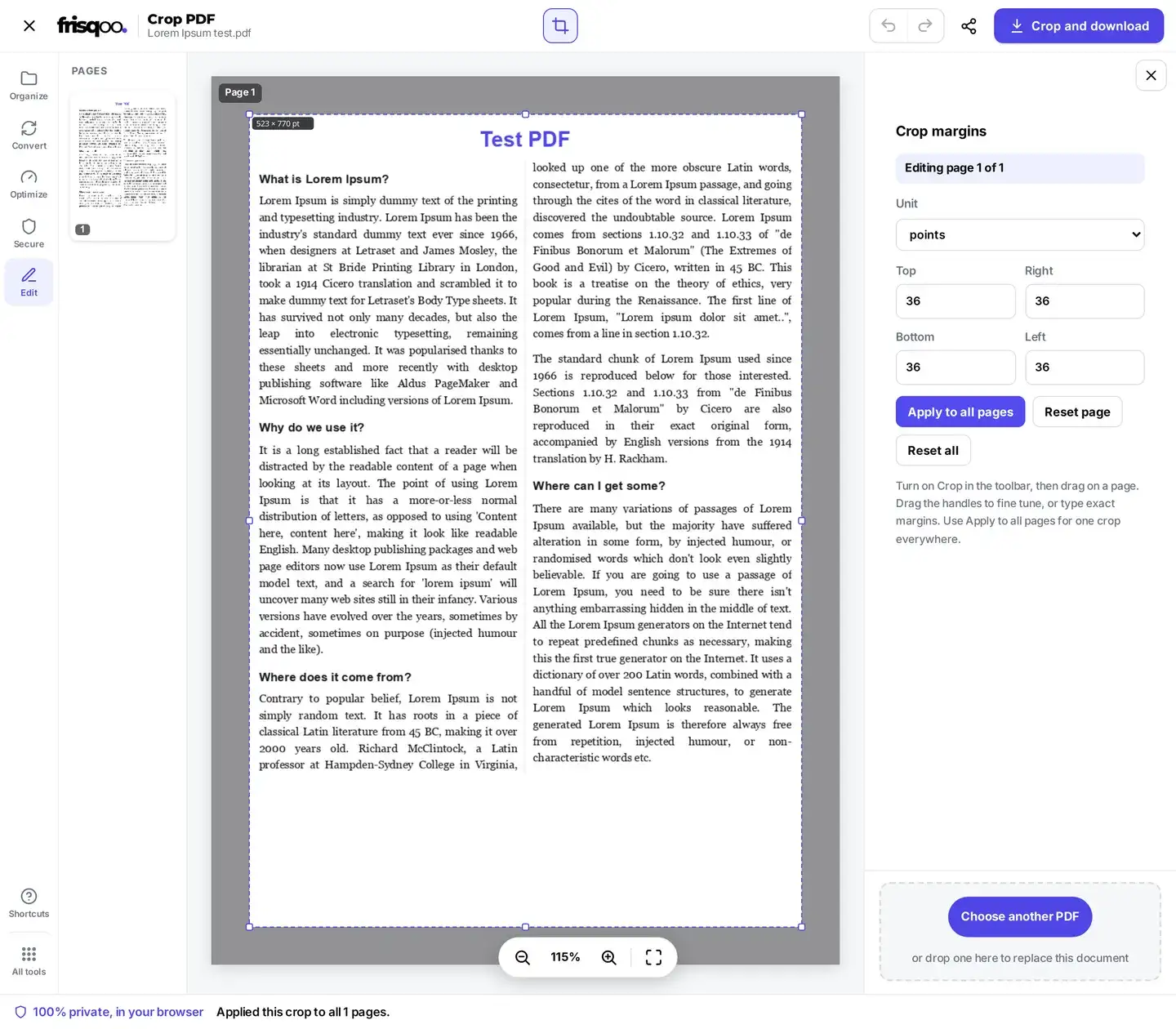
Values cannot be negative, and the remaining area must be more than a very thin strip. If the margins would leave too little page, the tool does not create that crop. Use Reset page to clear the active page or Reset all to clear the complete document before trying again.
Crop PDF pages separately or apply one crop
A crop belongs to the active page until you copy it. Per-page control helps when a cover has a different size from the body, or when scanner shadows vary from page to page. Move through the thumbnails, set the visible box for each page that needs work, and leave untouched pages without a crop.
Apply to all pages copies the active page’s normalized crop rectangle to every page. That means it repeats the same proportional visible area. On a document with mixed page sizes, it does not repeat a fixed number of centimeters or points. Check a small and a large page after applying it, especially near headers, footers, page numbers, and signatures.
Bulk crop PDF files with shared or individual settings
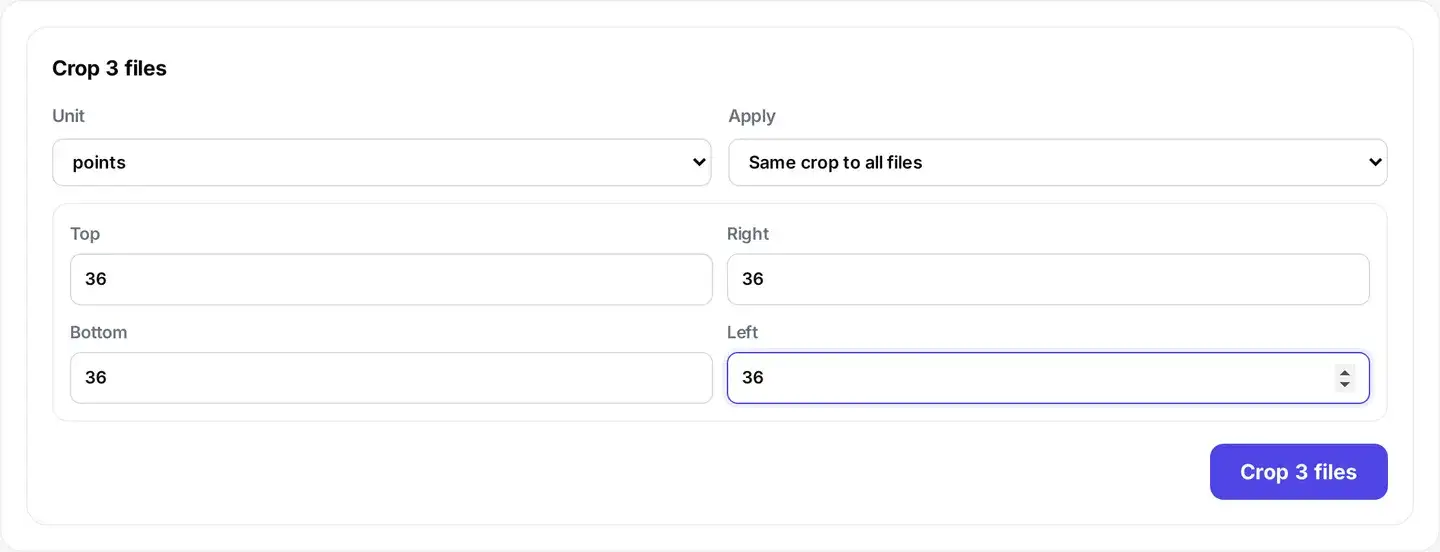
Adding two or more PDFs opens a numeric batch panel rather than the visual page editor. Choose Same crop to all files when documents came from one scanner or export process. Choose Set each file individually when each source needs different margins. The chosen values apply to every page in that file.
Batch units follow the same five choices as the editor. Fixed units remove the entered amount from each page edge. Percent is relative to each page’s own width or height, so it can be more predictable when a batch contains different page sizes. Enter at least one non-zero margin before starting.
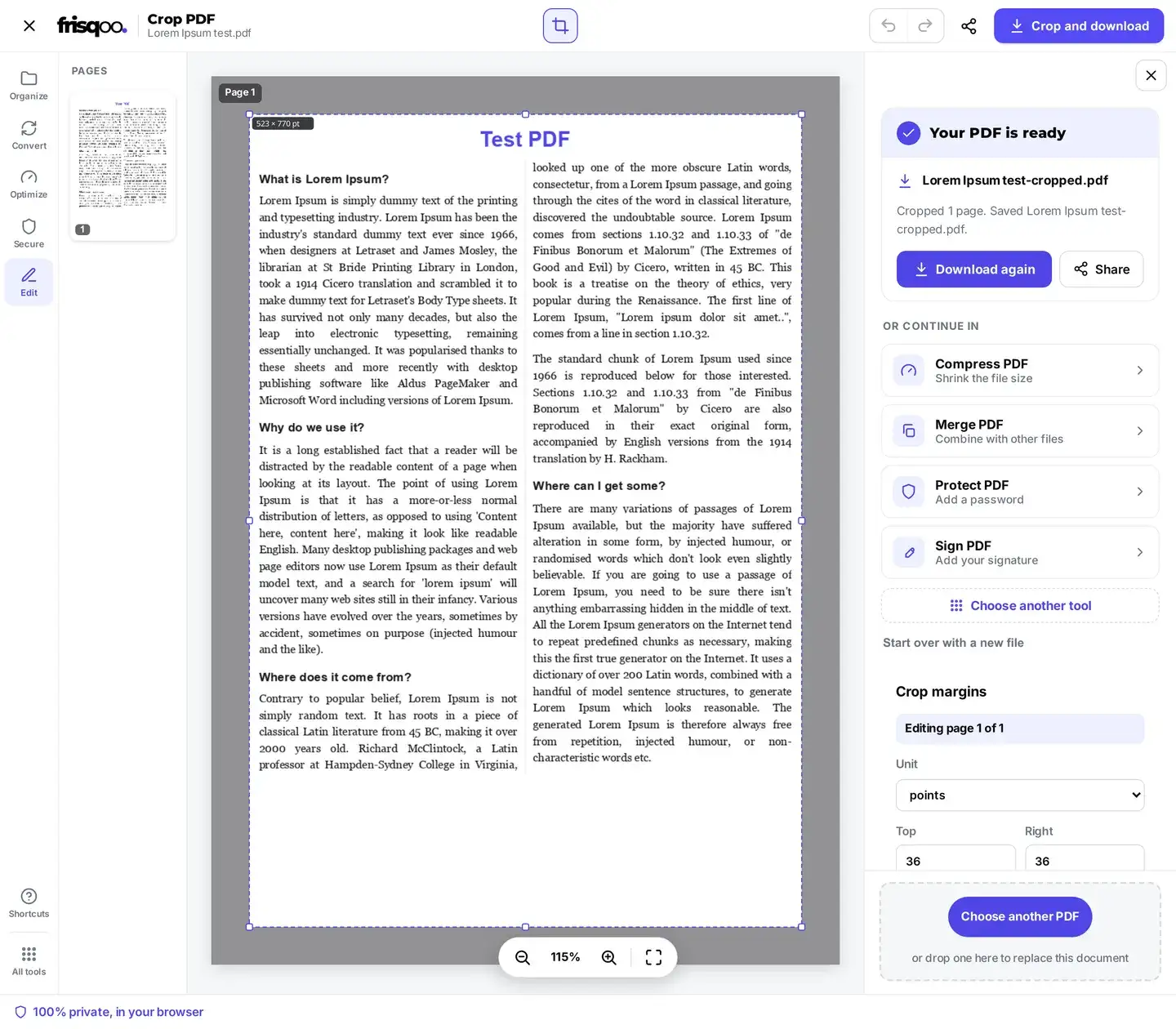
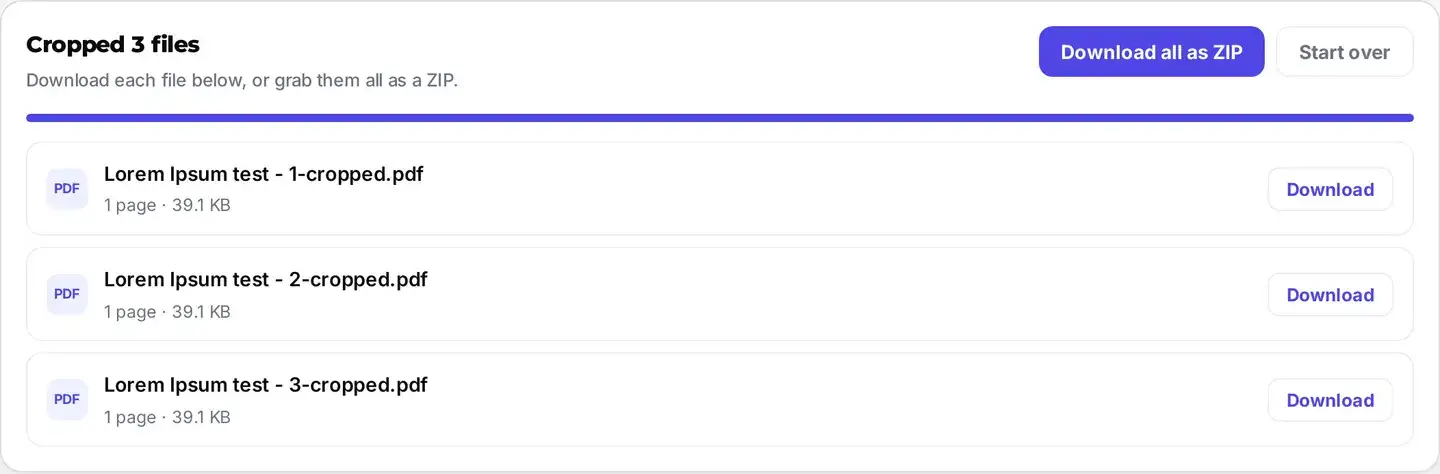
The batch runner processes files sequentially and lists each completed result. Download one cropped PDF at a time or use Download all as ZIP. A source named report.pdf becomes report-cropped.pdf; the archive is frisqoo_cropped.zip. The workable batch size depends on browser memory, PDF complexity, and available device resources.
Cropping changes the page box while retaining artwork
This tool writes a new PDF CropBox for each selected page. It does not rasterize the page or deliberately recompress its text and images. Selectable text and vector artwork can therefore remain as PDF objects, but the file is still parsed and saved again. Do not treat cropping as a guarantee that every link, form field, annotation, bookmark, layer, attachment, metadata field, accessibility tag, or PDF/A characteristic will remain unchanged.
The hidden artwork also stays in the document. A compatible editor can expand the page boundary and reveal it again. Cropping is appropriate for tidying scanner edges, narrowing reading margins, or changing what a normal viewer displays. It is not appropriate for concealing an address, price, signature, or other sensitive detail. Use Redact PDF when the underlying content must be removed.
Because the document bytes change, existing digital signatures can become invalid. A crop can also place links or form controls partly or fully outside the visible area even when those objects remain in the file. Review the downloaded copy in the viewer used by the recipient before distribution.
Crop password protected PDF files with a known password
When a file needs an open password, the shared password prompt can request it before the editor loads. Enter a password you are authorized to use. The browser uses it to make the working copy for this task. A wrong or unsupported password cannot be bypassed.


The saved cropped copy is not automatically re-protected with the source password. If the result still needs access control, open it in Protect PDF after checking the crop. Cropping and password protection solve different problems, and neither substitutes for redaction.
Crop to a target size without scaling
Crop PDF to A4 only when the source page is larger than A4 and you know the margins needed to leave a 210 × 297 mm visible area. The tool has no A4 or Letter preset and does not center a target size automatically. It also cannot enlarge a smaller page. Calculate the difference between the current page size and the target, then divide that difference between opposite edges as required.
Cropping does not scale the remaining artwork. A heading, photograph, or line of text keeps its original PDF coordinates and apparent size. If a printer adds margins or scales to fit, that behavior comes from print settings. Check the paper size, scaling mode, orientation, and printable area in the print dialog before assuming the crop is wrong.
There is no automatic margin detection
This manual cropper has no auto crop PDF detector. It does not inspect page content, guess a whitespace boundary, or straighten a skewed scan. Manual control avoids silently cutting a faint note, page number, stamp, or annotation that an automatic rule might miss.
For repeated scans, set one representative page carefully and inspect several other pages before applying it everywhere. If pages are rotated sideways, use Rotate PDF first. Cropping changes the visible rectangle; it does not deskew the image inside that rectangle.
Check the cropped PDF before sharing
- Confirm every intended page is present and in the original order.
- Inspect the first, middle, and last page at normal zoom for clipped text or marks.
- Test search, text selection, links, form fields, and annotations when they matter.
- Check mixed page sizes and rotated pages individually.
- Confirm whether an open password or other protection must be added again.
- Do not assume hidden margin content has been erased or file size has decreased.
The source remains the safest fallback if a margin was too aggressive. If the crop is correct but the result is larger than expected, use Compress PDF on the reviewed copy rather than cropping again.
Crop PDF on a phone or tablet
A current mobile browser can open the editor when it supports the required PDF and file-download features. On narrow screens, tap the tools control and enable Crop; the margin controls use the compact side panel. Dragging works with pointer or touch events, but exact numeric margins are often easier on a small display.
Large, complex, or encrypted PDFs may need more memory than a phone can provide. Keep the browser tab active during processing, avoid selecting an unnecessarily large batch, and verify where the browser saved the result. A desktop browser may be more practical when pages require different detailed crops.
When to crop, organize, or resize
Crop changes the visible boundary of pages already in a PDF. It does not remove pages, split the document, reorder pages, scale content, or securely erase information. Use Remove Pages to discard whole pages, Split PDF to create separate documents, and Organize PDF to change page order.
Typical crops include scanner borders, excess whitespace around an article, slide-export margins, or a repeated header band that does not contain sensitive data. The best sequence is usually rotate or organize first, crop second, then compress or protect the reviewed result if those steps are needed.
FAQs about Crop PDF
Are files uploaded when I crop a PDF?
No. The source PDF is opened and processed locally by this browser for this task. Browser memory and download behavior still depend on your device and browser settings.
How do the crop margins work?
The top, right, bottom, and left values move the visible page boundary inward. You can enter points, pixels, centimeters, inches, or percent. In the one-file editor, dragging the box updates those values for the active page.
Can I crop PDF pages differently?
Yes. The one-file editor can store a different crop for each page. Apply to all copies the active page’s proportional crop box to every page. Reset page clears one crop, while Reset all clears every crop.
Does cropping delete content outside the box?
No. This tool changes each page’s CropBox. Content outside that box remains in the PDF and may be revealed again in an editor, so cropping is not redaction.
Can I crop several PDFs at once?
Yes. Add two or more PDFs to use the batch panel. Choose Same crop to all files or Set each file individually, enter at least one margin, then download individual results or the ZIP.
Can I crop a PDF on my phone?
A current mobile browser can run the tool when it supports the required PDF features and has enough memory. On a narrow screen, turn on Crop from the tools control. Typing margins may be easier than dragging a precise box.
Can I crop a PDF to A4?
Cropping can reduce a larger page to an A4-sized visible area if you calculate and enter the needed margins. It does not scale content, enlarge a smaller page, or provide an A4 preset.
Does this tool auto crop PDF margins?
No. There is no automatic content or whitespace detection. You choose the visible area by dragging or entering margins, which lets you review the boundary before saving.
What is a PDF point?
A point is one seventy-second of an inch. For example, 36 points is half an inch and 72 points is one inch.
What are the saved files called?
A single result keeps the source base name and adds -cropped.pdf. Batch results use the same suffix, and Download all as ZIP creates frisqoo_cropped.zip.
Can I crop a password-protected PDF?
If the PDF requires an open password and the password flow recognizes it, enter the known password to create a local working copy. The cropped output is not automatically protected again, so use Protect PDF afterward if needed.
Will cropping make the PDF smaller?
Not necessarily. The hidden margin content remains in the document, and saving can make the file slightly smaller or larger. Use Compress PDF when reducing file size is the goal.
Is Crop PDF free?
Crop PDF is available without sign-up or an added watermark. Practical file and batch limits depend on browser memory, document complexity, and the device.