

Watermark PDF
Put a watermark on a PDF with your own text or image. Watermark PDF documents one at a time or in a batch. Choose the size, opacity, rotation, and centered or tiled layout, then save a new copy. Processing runs locally in your browser, and Frisqoo does not upload the source files for this task.
100% private. Your files are processed entirely in your browser and never uploaded.
Why use Watermark PDF
Browser-local processing
Frisqoo does not upload the source PDF for watermark processing.
Text or image
Use words such as CONFIDENTIAL or upload a logo for an image watermark.
Visible controls
Adjust size or scale, opacity, rotation, layout, and the controls available for each type.
Centered or tiled
Place one watermark in the middle or repeat it across each selected page.
Separate batch path
Apply one setup to every page of several PDFs, then download files or a ZIP.
Source stays unchanged
The tool creates a new watermarked copy and leaves the source file on your device unchanged.
How to watermark a PDF
- Choose one PDF to open the editor, or add several PDFs to open the batch controls.
- Select Text or Image. Set the text, logo, size, opacity, rotation, layout, and any available page range.
- Select Apply watermark, then Add watermark and download. Batch results offer individual downloads and Download all as ZIP.
Keep the clean source file. A watermark is a visible label, not access control or permanent redaction.
The Watermark PDF workflow
The drop area accepts one or more PDFs. One file opens the full editor and automatically displays the Watermark panel. Two or more files stay on the landing page and open the bulk setup instead.

In the editor, set up the watermark while viewing the document. The Watermark toolbar button reopens the same panel if you need to revise the setup before export.
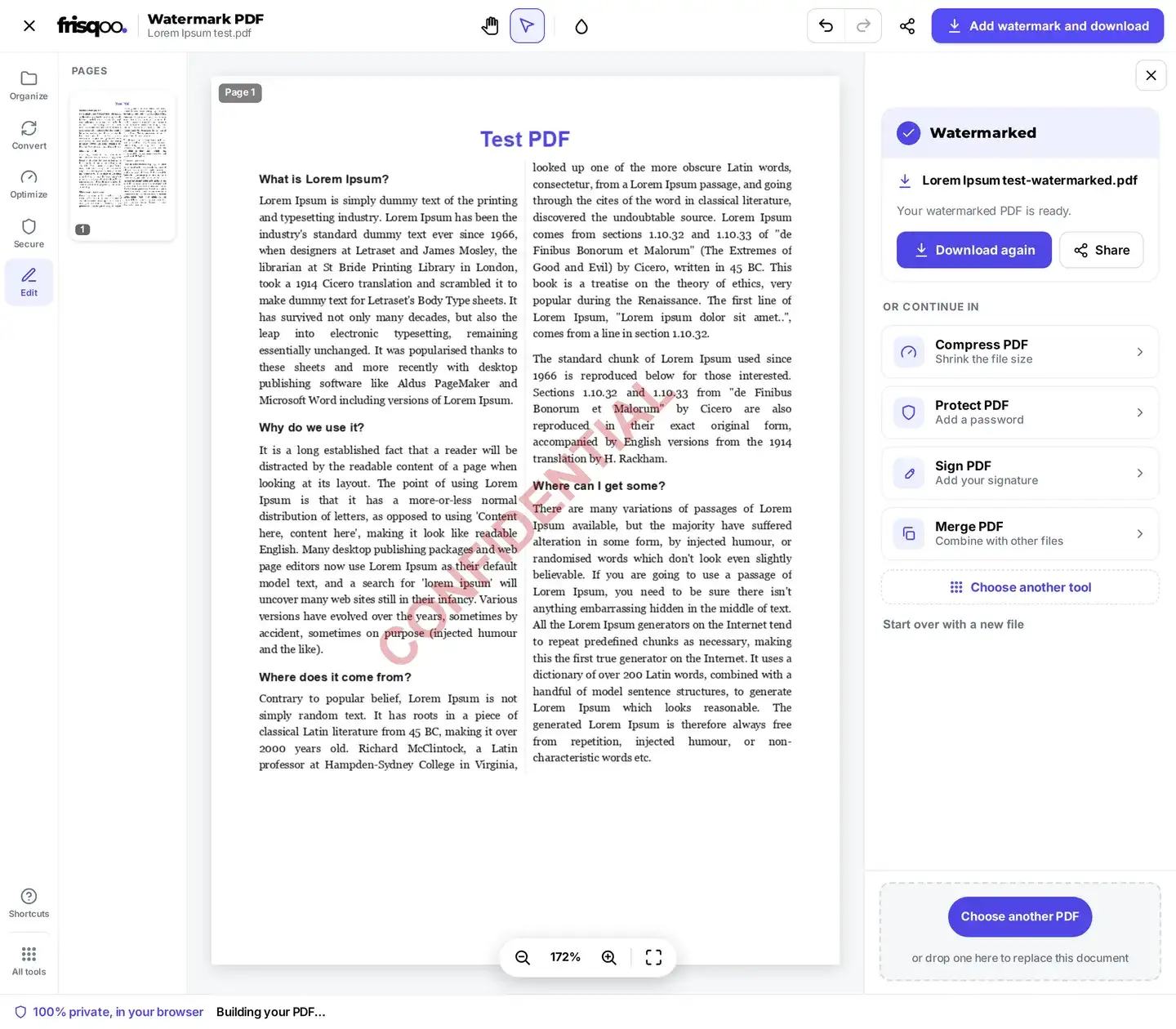
The single-file result is named from the source with -watermarked.pdf added. The completed panel also offers Compress PDF, Protect PDF, Sign PDF, and Merge PDF as follow-on tools.
Text watermark controls and defaults
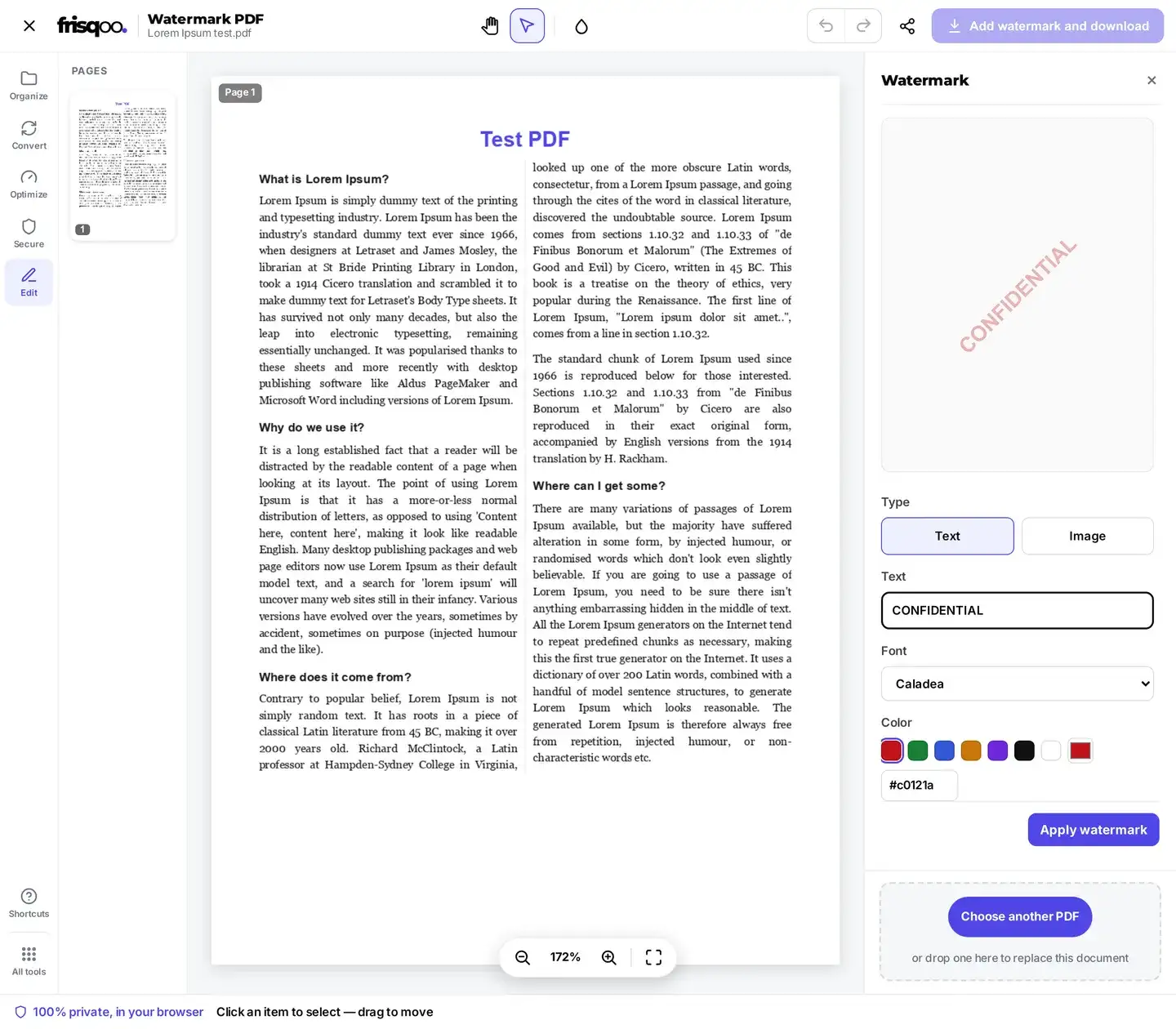
A watermark in PDF pages starts with the text CONFIDENTIAL. The default colour is red #c0121a, the size is 6 percent of page height, opacity is 30 percent, rotation is -45 degrees, and layout is Single (centered).
- Text accepts the label placed on the chosen pages.
- Font chooses the single-file text face. Check character coverage and the exported result.
- Color offers presets and a custom colour value.
- Size runs from 2 to 16 percent of page height.
- Opacity runs from 5 to 100 percent.
- Rotation runs from -90 to 90 degrees.
- Layout switches between one centred mark and a tiled pattern.
The preview reflects these controls before the mark is applied. Fine type, unusual scripts, colour contrast, and pages with dark backgrounds still need a check in the downloaded PDF.
Use a logo for an image watermark
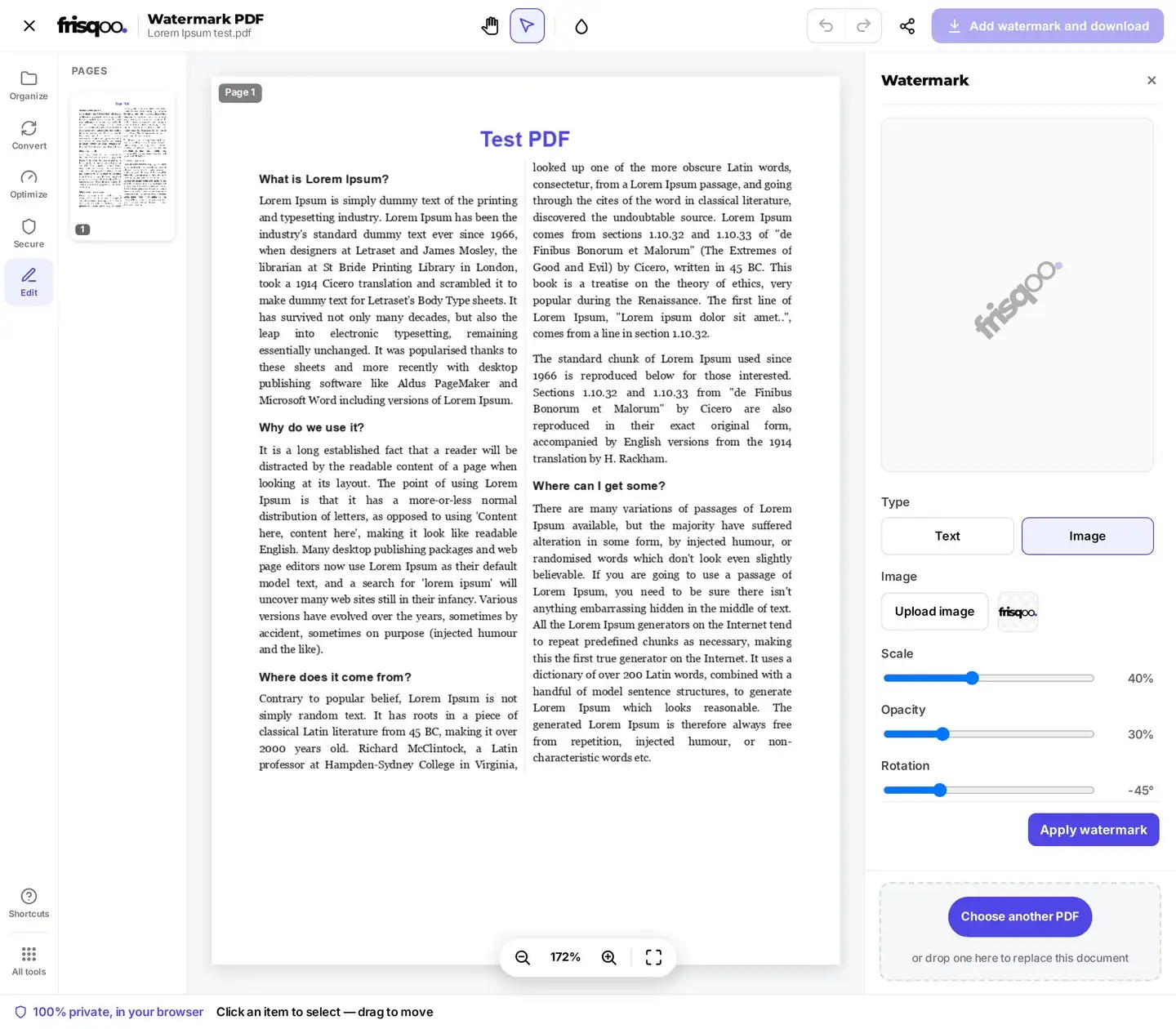
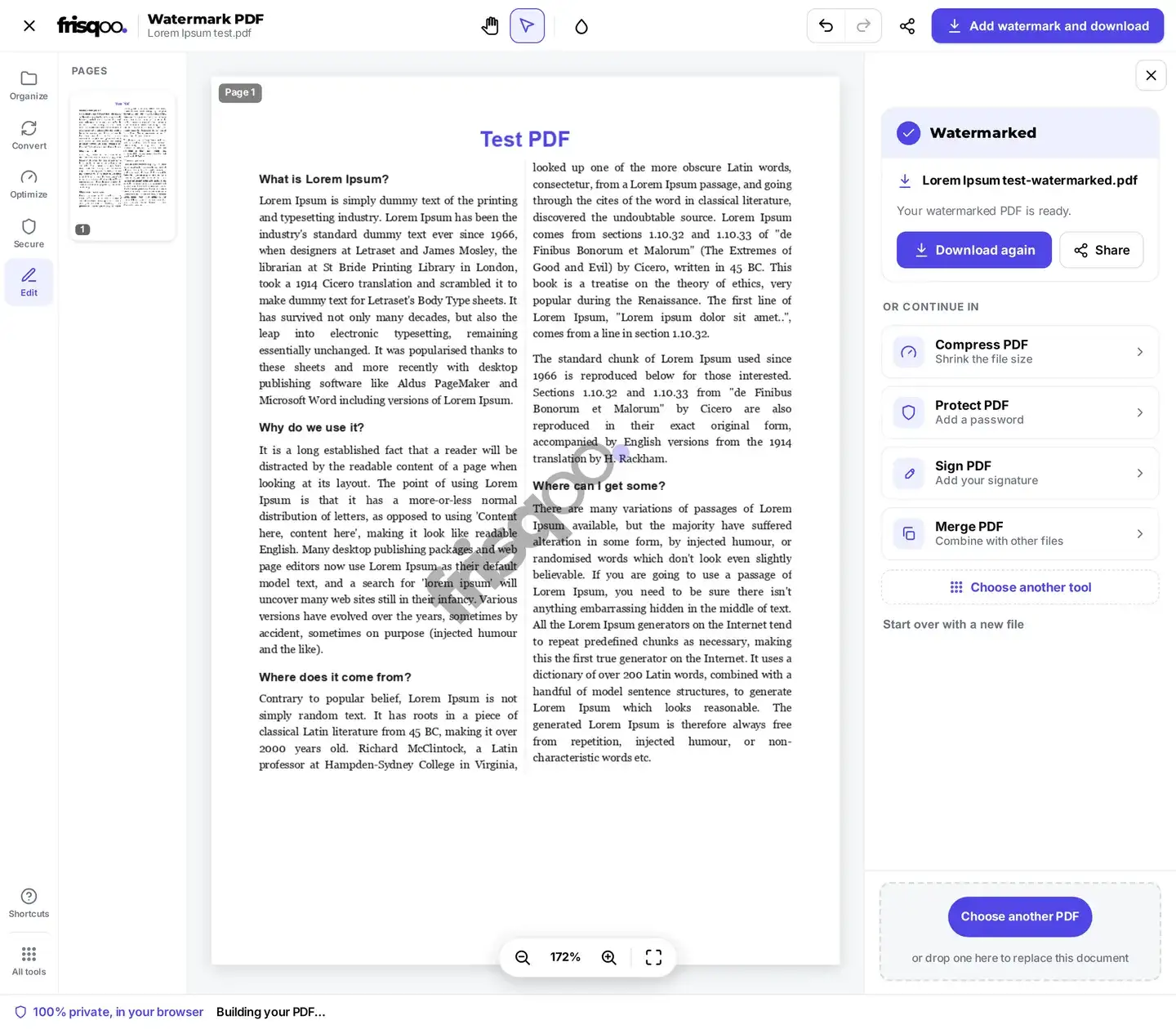
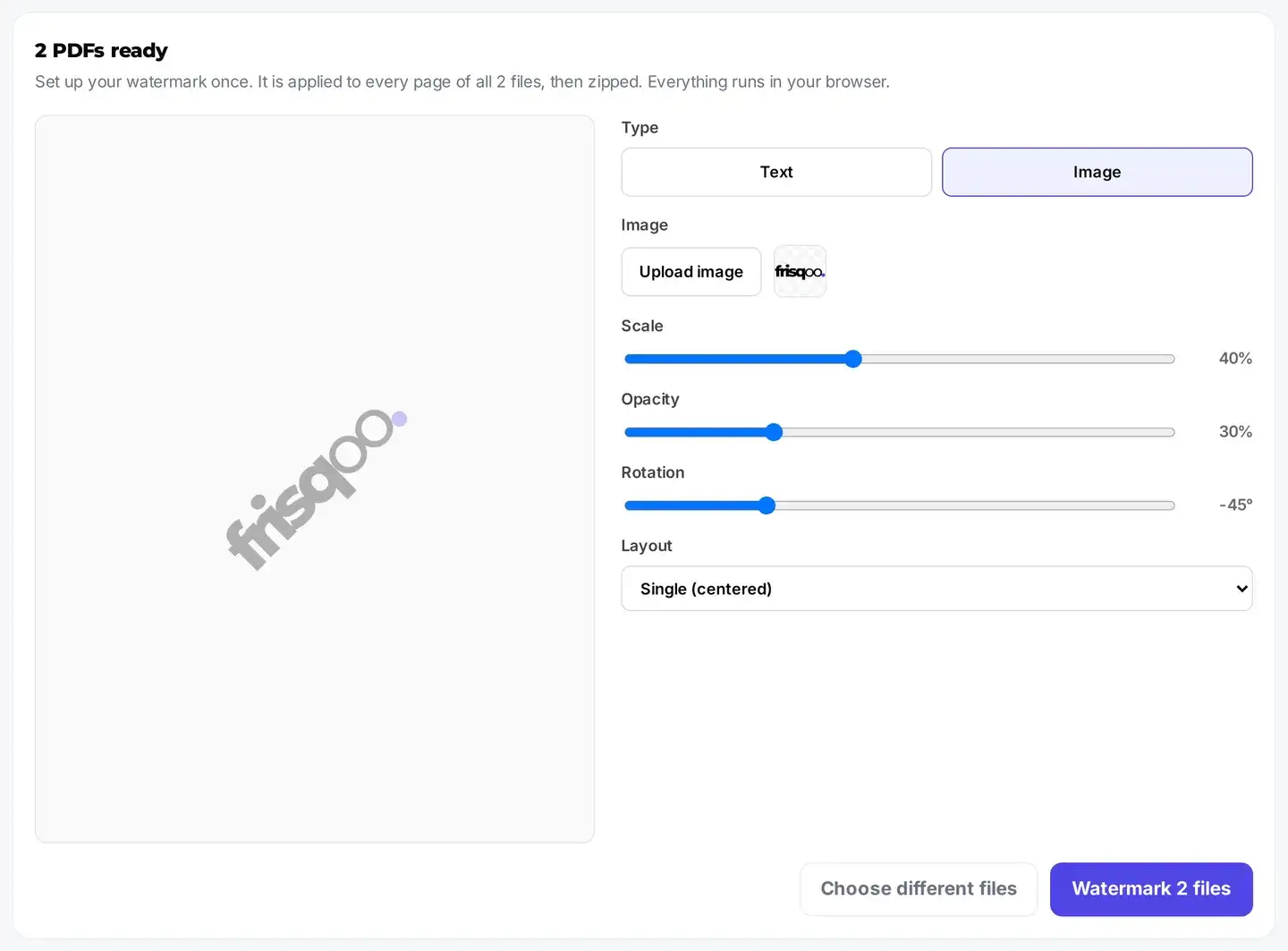
Change Type to Image, select Upload image, and choose a picture. Scale replaces the text Size control and starts at 40 percent of page width. Its available range is 5 to 90 percent. Opacity, rotation, layout, and the single-file Pages field still apply.
A PNG logo can keep transparent areas, while a JPG has its normal solid background. The image is embedded into the new PDF, so output size can increase. Review its edges, contrast, and position instead of assuming the editor preview will match every PDF viewer exactly.
Choose pages in the single-file editor
Leave Pages empty to add the watermark to every page. Enter PDF positions such as 1-3,5 to target selected pages. Complete reversed ranges are accepted and normalised. Positions outside the document are ignored when other valid positions remain.
If the entry contains no valid page positions, the parser returns to the all-pages behaviour. Review the marked page thumbnails before download, especially when printed page labels do not match their positions inside the PDF.
Remove watermark clears the watermark being prepared in the current editor. It does not remove a mark already saved in the uploaded file.
Bulk watermark PDF files
Add at least two files to open the batch panel. Use this route to watermark PDF documents with one shared setup. It uses that setup for every page of every file. The batch path has no Pages field, so it cannot target different page ranges for different PDFs. Files are processed one after another, and a failed file does not prevent later files from running.
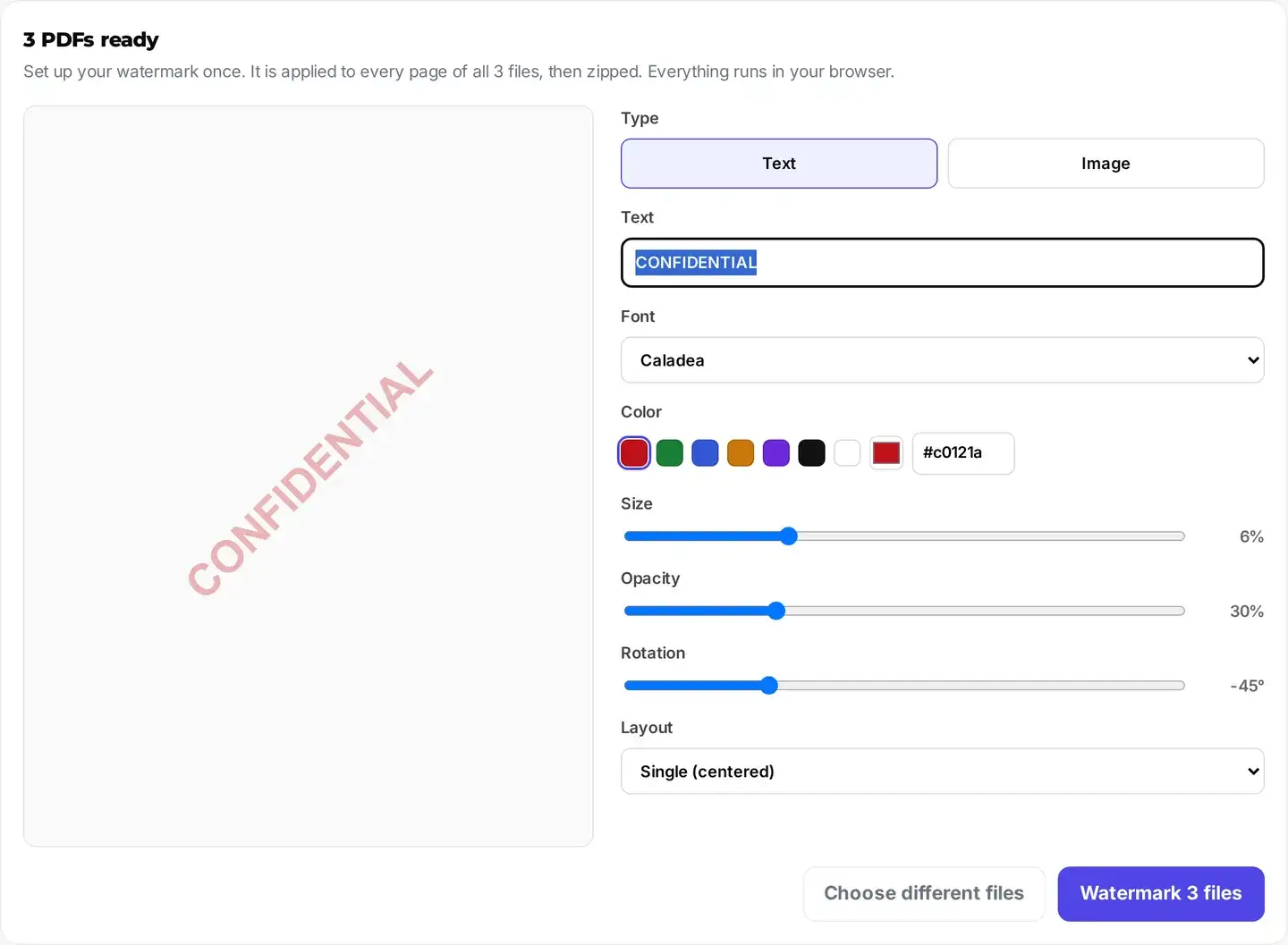
Batch text output has one current limitation: the Font control changes the preview, but the baker writes text watermarks in Helvetica. Use the single-file editor when the exported font matters. Review non-Latin text carefully because Helvetica does not cover every script.
Image batches use the uploaded picture, scale, opacity, rotation, and layout. The same image is embedded in every successful output.
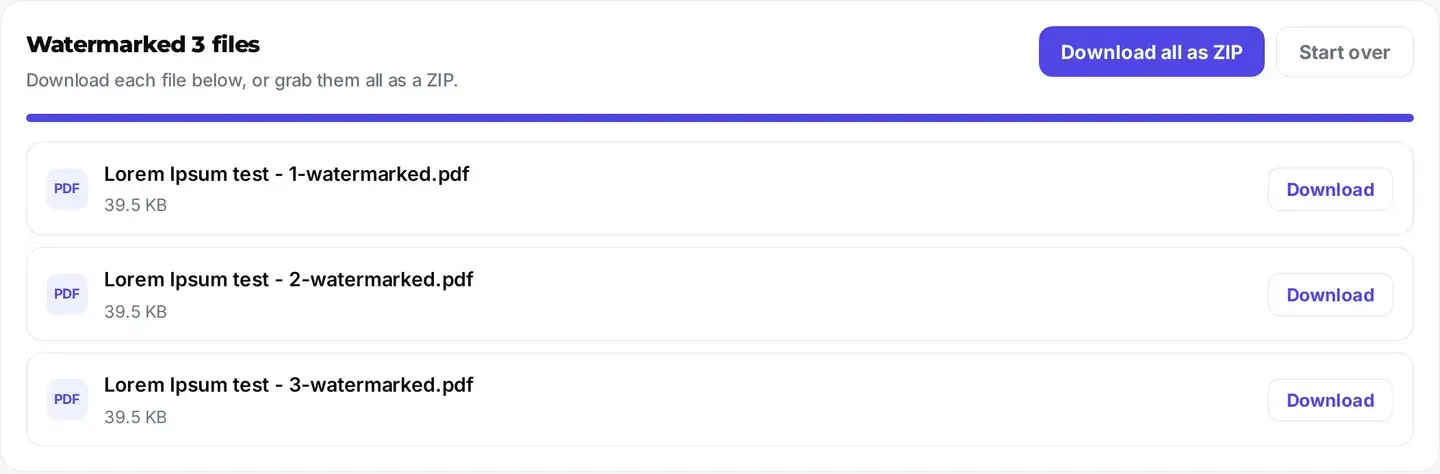
Completed files use -watermarked.pdf. Each result has a Download button, and Download all as ZIP creates frisqoo_watermarked.zip.
Password-protected PDF input
You can watermark a password-protected PDF when you know its open password. The drop area checks files one at a time. Enter the password in the inline prompt, or use Skip this file to leave that input out. A batch begins after its accepted inputs have passed this step.


The unlocked working copy is exported without the old encryption. Single-file results show a warning when the original was protected. Batch output is also not automatically re-protected. Use Protect PDF after review if the new copy needs a password.
What the exported PDF keeps and changes
The tool draws the watermark onto the chosen existing pages and saves a new PDF. Page count, order, dimensions, and the visible source content remain in place unless the input cannot be processed. Text and image watermarks become page content in the exported copy.
- The source PDF on your device remains unchanged.
- Unselected pages in a valid single-file range receive no new watermark.
- The output keeps the source base name and adds
-watermarked.pdf. - The watermark is not an access restriction or a permanent redaction.
- An existing digital signature should not be expected to remain valid after the PDF changes.
- The original password protection is not restored automatically after unlocking.
The save path updates the PDF producer, creator, and modification date. Existing links, forms, annotations, bookmarks, and metadata may pass through the rewrite, but check the parts that matter before relying on the result. Re-sign a document only after the final watermarked copy has been reviewed.
A watermark labels a PDF but does not secure it
A visible label can identify a draft, owner, date, or intended recipient. It does not stop another person from reading, copying, printing, editing, or taking a screenshot. A PDF editor may also be able to alter page content, so a watermark should not be described as tamper-proof.
Use Protect PDF for a password and permission controls. Use Redact PDF when private information must be removed from the file. Use Page numbers for numbering, or Edit PDF when one item needs a precise position rather than a centred or tiled stamp.
Review the watermark before sharing
Open the downloaded PDF and inspect every targeted page. Check contrast on light and dark backgrounds, small text, logo edges, rotation, tiled spacing, and the pages selected by the range. Confirm that links, forms, bookmarks, annotations, and any required metadata still behave as expected.
On a narrow screen, the editor remains available but space and memory are tighter. A large PDF or image-heavy batch may be easier to check on a desktop device. Keep the clean original until the watermarked copy has passed review.
- Add a CONFIDENTIAL watermark to PDF copies before distribution.
- Add a DRAFT stamp for PDF proposals that are still under review.
- Use a company logo as a custom watermark on PDF reports.
- Add a date or recipient name as a stamp for PDF review copies.
- Apply one image or text setup to a batch of related documents.
FAQs about Watermark PDF
Are my files uploaded to add a watermark?
No. Processing runs locally in your browser. Frisqoo does not upload the source PDF for this task. Browser memory and device resources still set practical limits for large files and batches.
How do I watermark a PDF file?
Choose one PDF, enter the text or image you want, review the preview, and select Apply watermark. Then use Add watermark and download to save a new file ending in -watermarked.pdf.
Can I use my logo instead of text?
Yes. Change Type to Image and upload a picture. Scale sets its width, while opacity, rotation, layout, and the single-file Pages control work with the image watermark.
What are the default watermark settings?
Text mode starts with CONFIDENTIAL, red #c0121a, size 6 percent, opacity 30 percent, rotation -45 degrees, and Single centered layout. Image mode starts at 40 percent scale.
Can I watermark only some pages?
Yes in the single-file editor. Leave Pages empty for every page, or enter PDF positions such as 1-3,5. If the entry contains no valid positions, the tool treats it like an empty field and applies the watermark to every page.
Can I watermark several PDFs at once?
Yes. Add two or more PDFs to open the batch panel. The same settings are applied to every page of each successful file. Download results separately or use Download all as ZIP for frisqoo_watermarked.zip.
Does the selected font apply to a batch?
The batch font list currently changes the preview, but exported batch text watermarks use Helvetica. The single-file editor uses its own font export path. Review non-Latin text and any font-sensitive branding before sharing.
Can I watermark a password-protected PDF?
Yes when you know the open password. The inline prompt unlocks the working copy locally before the editor or batch starts. The downloaded PDF is not automatically protected with the old password.
Will links and form fields still work?
The watermark is added while the PDF is rewritten, and existing document structures are generally carried through that path. Check links, forms, annotations, bookmarks, and other interactive parts in the downloaded copy before relying on them.
Can I remove an existing watermark?
No. Remove watermark only clears the watermark being prepared in the current editor before download. It does not find or erase a mark already saved in an uploaded PDF.
Is a watermark the same as PDF protection?
No. A watermark labels a document but does not prevent reading, copying, printing, or editing. Use Protect PDF for password controls and Redact PDF when information must be removed.
Can I watermark a PDF on my phone?
The page is designed to adapt to narrow screens, but support and speed depend on the browser, PDF, and available memory. Large documents may be easier to review on a larger device.
Is Watermark PDF free?
Yes. The Watermark PDF tool is free to use, with no sign-up or Frisqoo watermark added to the result. Practical file and batch limits depend on the browser and device.