

PNG to JPG
Turn PNG images into smaller JPG files. Add your PNG files, set the JPEG quality and a background colour for any transparent areas, then press Convert. It all runs in your browser, so Frisqoo processes the files locally without uploading them.
100% private. Your files are processed entirely in your browser and never uploaded.
Why convert PNG to JPG with frisqoo
Local processing
Processing runs in your browser, and Frisqoo does not upload the source files for this task.
Much smaller files
A photo saved as PNG is often several times heavier than it needs to be. JPG brings it down to a size that is quick to email or upload.
Background you choose
Transparent areas are filled with white, black, or a custom colour, since a JPEG cannot be see-through and needs something behind the picture.
Quality you control
Set the JPEG quality to trade file size for sharpness, or keep it high for photos that should look the same as the original.
A whole batch at once
Convert many PNG files with the same settings, then download them one by one or together as a single zip.
Free, with no caps
No sign-up, no watermark, and no daily quota. Your device memory is the only real limit.
How to convert PNG to JPG
- Add your PNG images. Drop them on the box or pick them from your device, one or many.
- Choose your settings. Set the JPEG quality and pick a background colour for any transparent areas.
- Press Convert. Save each JPG on its own or download them all in a zip.
When to convert PNG to JPG
PNG is the right format for logos, screenshots, icons and anything with sharp edges or a transparent background. For photographs, though, a PNG is often several times larger than it needs to be, because PNG keeps every pixel in full rather than squeezing detail the eye tends to overlook.
Converting a photo to JPG makes a much smaller file that loads faster and slips under upload limits, with almost no visible change at a high quality. Keep the PNG when you need transparency or crisp text, and choose JPG when the image is a photograph and the size matters more than a lossless copy.
PNG and JPG, and what each format is good at
PNG uses lossless compression and keeps every pixel exactly. That is what makes it right for graphics with flat colour, hard edges and text, and it is the only one of the two that can store a transparent background. The cost is size: a detailed photograph saved as PNG can be very heavy.
JPG uses lossy compression tuned for photographs. It drops fine detail that is hard to notice, which keeps photo files small and quick to share. That trade is why a photo is usually far lighter as a JPG, and why a JPEG cannot hold transparency. Converting from PNG to JPG is about getting that smaller, more shareable file when the picture is a photo rather than a graphic.
What the tool does to each image
Each PNG is decoded into raw pixels, painted onto a canvas, and written back out as a JPG, all on your own device. Where the PNG has transparent areas, the canvas is filled first with the background colour you chose, so the JPEG has something solid behind the picture instead of the black that transparency would otherwise turn into.
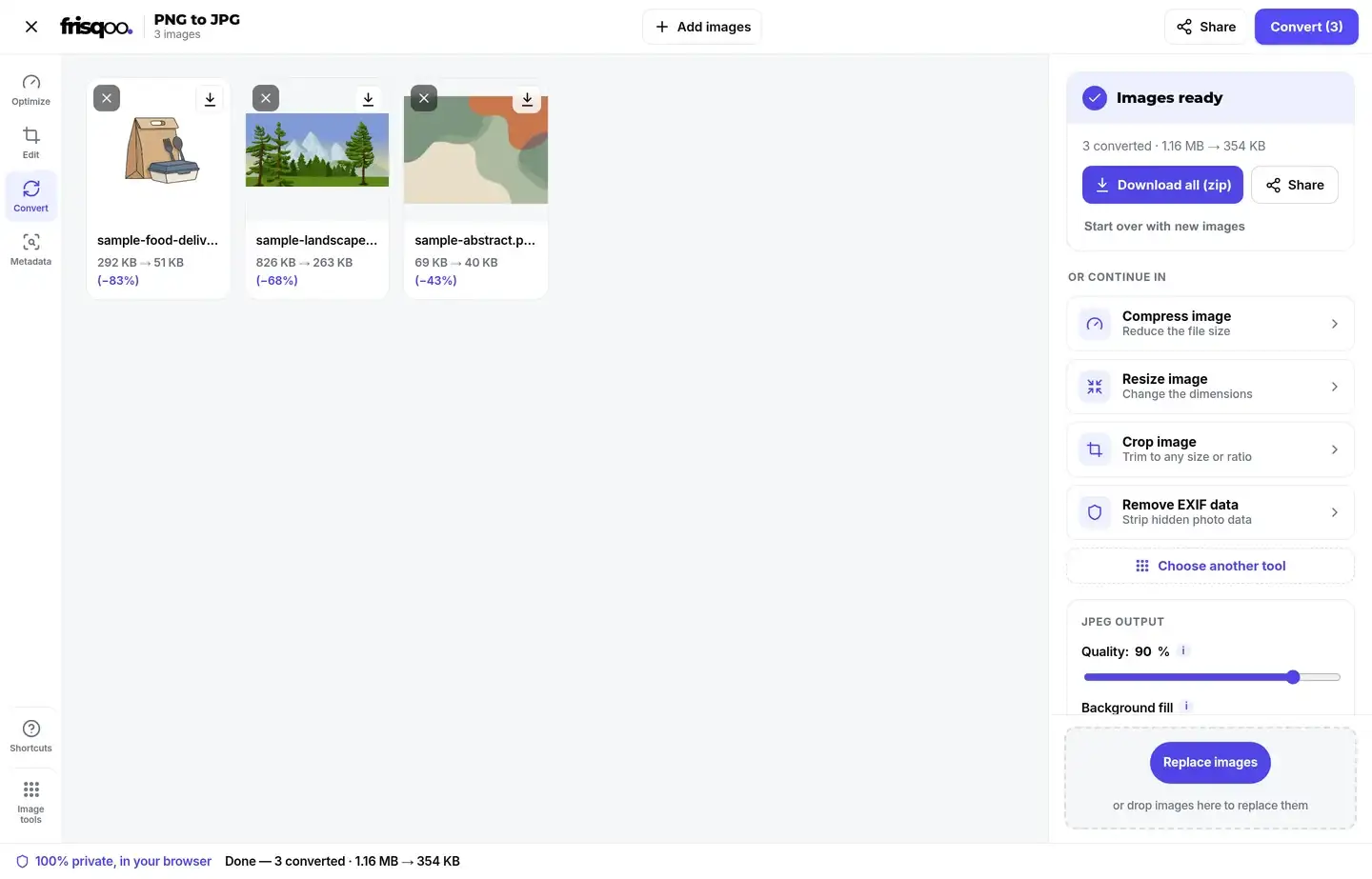
Each card in the workspace shows the size before and after, so you can see how much lighter the JPG is. Because the file is rebuilt from the decoded image alone, the extra data a camera or editor tucks into a PNG does not come along with it. Nothing is sent anywhere while this happens, and the conversion starts only when you press Convert, so you can line up the whole set and remove any you change your mind about first.
Choosing the JPEG quality
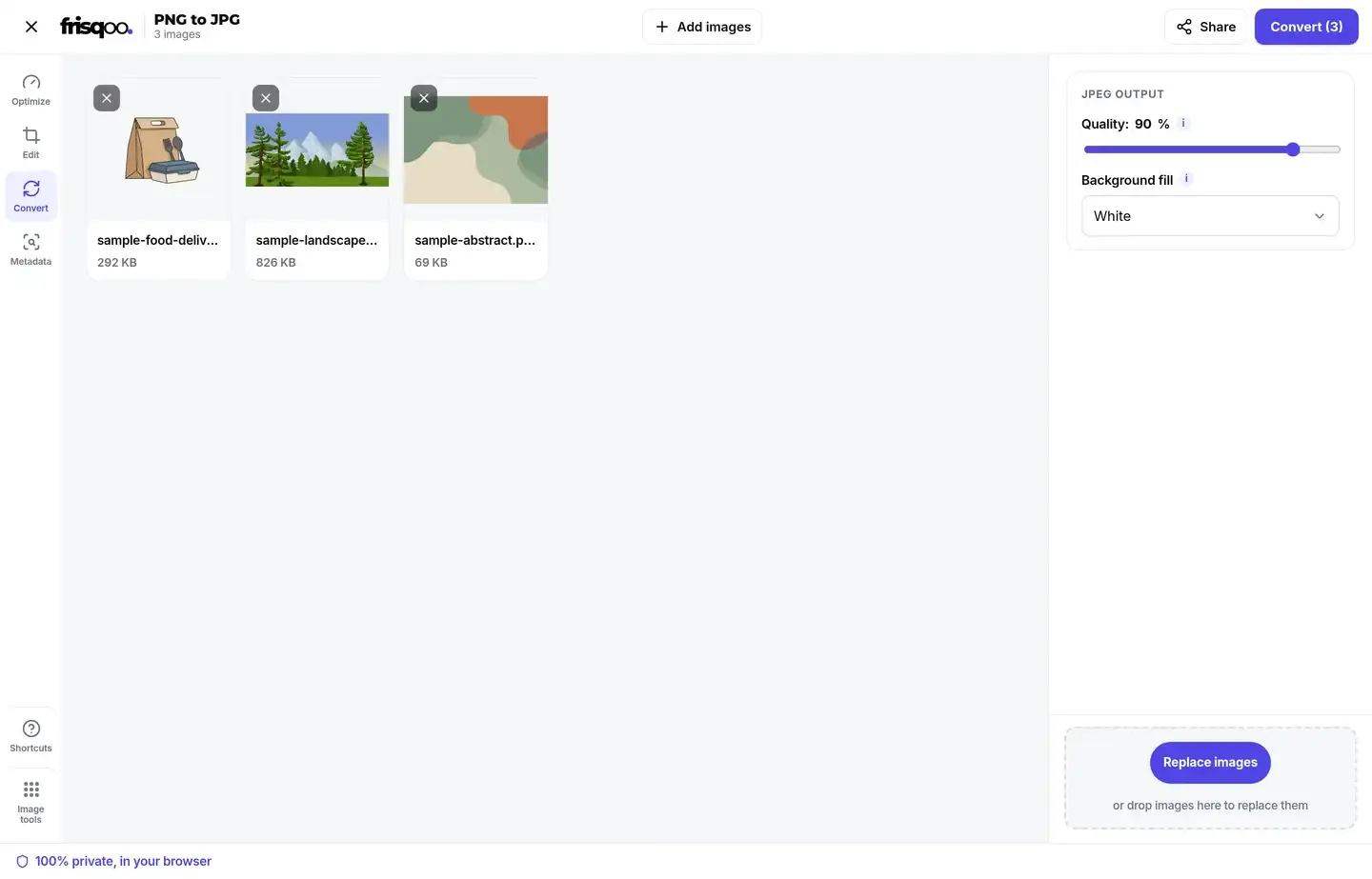
The quality control sets how hard JPEG compresses the picture. A higher number keeps more detail and makes a larger file, while a lower number saves more space and can start to show soft blocks around edges and in smooth areas like skies.
For most photos, a setting between 85 and 92 percent gives a file that keeps a close visual match to the original while cutting the size sharply. Push higher when the picture has fine texture you want to protect, and lower only when a small file matters more than a near-original appearance. The same setting is applied to every image in the batch, so you can convert a whole folder to one consistent standard.
Filling a transparent background
A JPEG has no way to store transparency, so any see-through part of a PNG has to be filled with a solid colour. The tool lets you pick that colour before you convert, with white as the default and black or a custom colour a click away.
White suits most logos and product cut-outs that will sit on a light page. Choose black or a matching colour when the image will sit on a dark background, so the edges do not show a pale halo. If a picture has no transparent areas at all, the background choice makes no difference to the result.
Will the JPG keep my image's hidden data?
No. Rebuilding the image through a canvas writes a fresh JPG that holds only the picture, so any GPS location, camera model or timestamp stored in the PNG is left behind. A converted JPG you share does not reveal where a photo was taken or which device made it.
If you want to see what a file is carrying, open it in the EXIF data viewer. To clean a photo you plan to keep in its current format, the remove EXIF data tool strips the hidden fields without changing the format.
Convert a whole batch at once
A folder of images is quicker to handle in one go. Add as many PNG files as you like, set the quality and background once, then press Convert. The button carries the count, so it reads Convert followed by the number waiting. An Add images button lets you drop in more before you start, and a small x on any card removes one you did not mean to include.
When more than one image is ready, the button becomes Download all (zip) and saves everything as frisqoo_png-to-jpg.zip, with each file keeping its original name and a .jpg ending inside the archive. A single image gives you a plain Download button instead. Once a batch is done, a short row of cards offers to pass the JPGs straight into another tool, so you can compress, resize or crop without saving and adding the files again. The whole set is handled one file after another, so a large batch will not freeze the page while it works.
Convert PNG to JPG on an iPhone or Android phone
The page works the same on a phone as on a computer. Open it in Safari or Chrome, tap the box, choose the PNG images from your files or camera roll, set the quality, then press Convert. Every step runs on the phone itself, Frisqoo does not upload the source file for processing. There is no app to install or account to create.
Saving works the usual way for your phone, either straight to Files or Photos or through the share sheet. A big batch of high-resolution images asks more of an older phone, since the whole job runs in its memory, so convert in smaller groups if the page starts to slow down.
Is it safe to convert images here?
Yes. Many free converters upload your images to their own servers to do the work. This tool does the conversion in your browser instead, so your images are never uploaded, stored, or seen by anyone else. That makes it a sound choice for personal photos, screenshots, ID scans and anything else you would rather keep off a server you do not control.
You can check it for yourself. Open your browser's network panel before you convert, run a file through, and watch that no upload takes place while the JPG is made.
Common ways people use PNG to JPG
People reach for this conversion for a handful of everyday reasons.
- Shrinking a heavy PNG photo so it fits an email or upload limit.
- Turning screenshots into lighter JPG files for a document or chat.
- Preparing an image for a site or form that accepts JPG only.
- Flattening a transparent logo onto a white background for print or slides.
- Converting a whole folder of PNG files in one pass and saving them as a zip.
FAQs about PNG to JPG
How do I convert PNG to JPG?
Add your PNG images, set the JPEG quality, then press Convert. Each image is converted on your device, and you can save them one by one or all together as a zip.
Is it free to use?
Yes. There is no sign-up, no watermark and no daily quota. Add as many images as you like. The only real limit is your device memory, since all the work happens on your own device.
Are my images uploaded anywhere?
No. They are read and converted by your own browser. Nothing is sent to a server, so even private images stay with you.
What happens to a transparent background?
A JPEG cannot store transparency, so any see-through areas are filled with the background colour you pick. White is the default, and you can choose black or a custom colour.
Why convert PNG to JPG?
A photo saved as PNG is often very large. Converting it to JPG makes a much smaller file that is easier to email, upload, or put on a website, with almost no visible change at a high quality.
Will converting lose quality?
JPEG is a lossy format, so there is a small change. Keep the quality at 90 percent or higher and a converted photo keeps a close visual match to the original to the eye.
Can I convert many PNG files at once?
Yes. Add as many as you like, convert them together with the same settings, then download them one by one or as a single zip named for this tool.
What quality should I choose?
For photos, 85 to 92 percent is a good balance of size and sharpness. Push higher when the picture has fine detail you want to protect, or lower when a small file matters more than a near-original appearance.
Does the JPG keep my camera or location data?
No. The image is repainted onto a fresh canvas, so the GPS location, camera model and timestamp stored in the PNG are left behind and do not travel into the JPG.
Does it work on my phone?
Yes. It runs in current desktop and mobile browsers on a phone, tablet, or computer, with nothing to install. The whole job runs on the device itself.
Can I turn a JPG back into a PNG?
Yes. Use the JPG to PNG tool for that. Note that JPEG compression happens once when you make the JPG, so going back to PNG cannot rebuild the detail that was already dropped.
What is the biggest image I can convert?
There is no fixed cap. Because the work runs in your browser, the practical limit is your device memory, so very large images and long batches ask more of an older phone or laptop.