

Text to PDF
Use this free Text to PDF converter to paste, type, or load a plain-text file, choose the page layout, and download a searchable PDF. The text to PDF conversion runs locally in your browser, with no sign-up or watermark. Very long documents depend on available device memory.
100% private. Your files are processed entirely in your browser and never uploaded.
.txt, .md, .log or .csv here Some characters (such as color emoji or scripts we do not bundle a font for) could not be embedded and were left out of the PDF.
Why use this Text to PDF converter
Local conversion
The source text and generated document stay in the browser during processing.
Paste or upload
Type directly or add TXT, Markdown, LOG, CSV, TSV, and JSON files.
Page controls
Set the font, size, paper, margins, alignment, bold, and italic.
Script support
Fallback fonts cover Latin, CJK, Korean, Arabic, and Urdu text.
Searchable output
Supported characters become selectable text instead of a page image.
Free on your device
No sign-up or watermark. Available browser memory sets the practical limit.
How to convert text to PDF
- Paste or type content, or switch to Upload file and add one or more supported text files.
- Choose the font, point size, A4 or Letter paper, margins, alignment, bold, and italic while checking the preview.
- Select Create PDF or Download PDF, then open the saved file and review the layout.
The browser performs the conversion locally. Keep the tab open until the PDF finishes downloading.
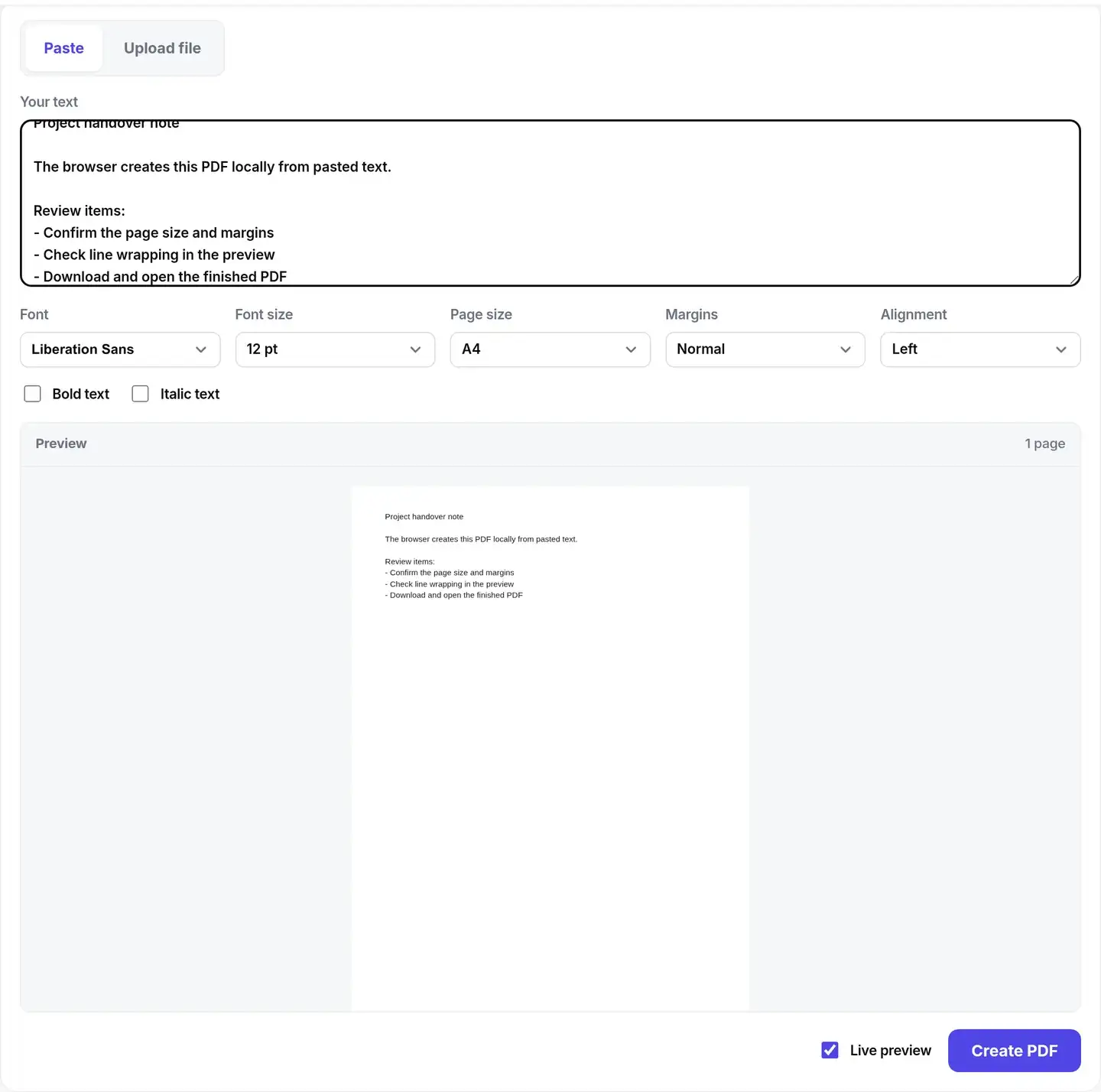
Paste or type text directly
The Paste tab is the default starting point. Type into the text box or paste content from a note, message, or document, then set the page controls below it. Live preview renders the first page as the text changes. Pasted content uses frisqoo_text.pdf as the download name; switch to Upload file when the source is already saved as a supported text file.

TXT to PDF and other text formats
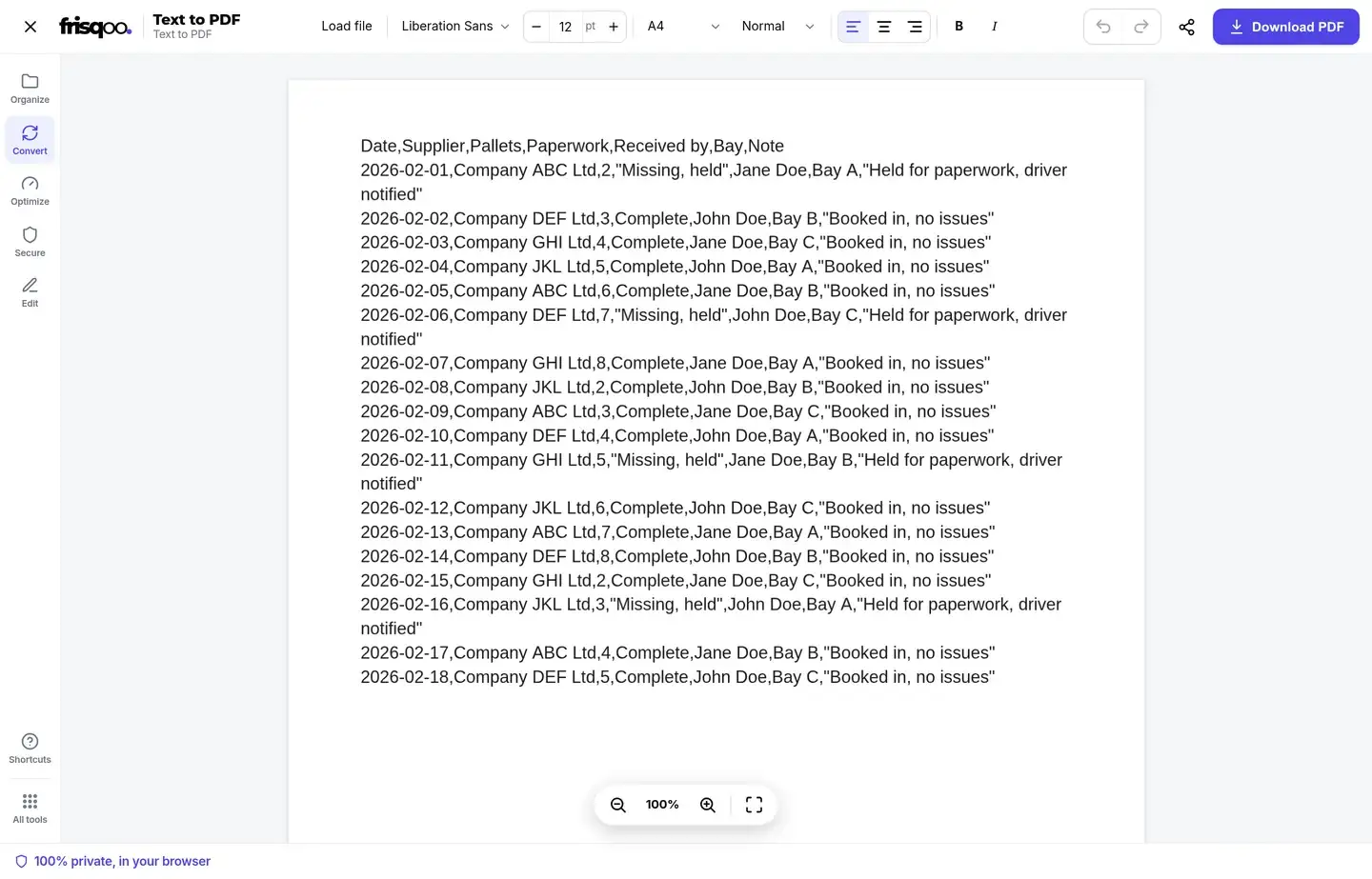
The upload tab can convert TXT to PDF and also reads .text, .md, .markdown, .log, .csv, .tsv, and .json. Each file is opened as plain text. Markdown markers, CSV commas, JSON braces, and tabs remain characters in the document rather than becoming styled headings, tables, or data cards.
Add one file when you want its base name carried into the PDF name. Adding several supported files joins their contents in the selected order with blank lines between files. Invalid formats are reported instead of being added to the document. Pasting or typing is useful for a short note; uploading is useful when the text already lives in a file.
Shape the page before export
The layout controls apply to the complete document. Choose a bundled font or an uploaded TTF or OTF, then set a point size from 6 to 200 in the editor. Paper can be A4 or Letter. Margin choices are Normal, Narrow, Wide, and None, and alignment can be left, center, or right. Bold and italic also affect the complete text layer.
The landing-page preview provides a quick first-page check. After a file is loaded into the editor, the page canvas and toolbar show the working document, including additional pages. Preview rendering is a guide, so inspect the downloaded PDF when line endings, long tokens, custom fonts, or mixed writing directions matter.
Selectable text and automatic pages
This text to PDF creator writes supported characters into a real PDF text layer. Readers can search for words, select passages, and copy text. It does not turn the page into a screenshot. For plain text to PDF conversion, that makes the result suitable for notes, logs, letters, and other records that need to remain searchable.
Existing line breaks are retained. Lines that exceed the available width wrap, very long unbroken strings are split when necessary, and a new page is added when the current page fills. The chosen paper size, margins, font size, and font metrics determine where wrapping and page breaks occur.
Languages and font coverage
Latin text and common European accents use the selected document font. When the text contains Chinese, Japanese, Korean, Arabic, or Urdu, the engine loads matching bundled fallback fonts for those characters. Arabic and Urdu are shaped and laid out right to left, while mixed lines preserve the direction of Latin text and numbers.
A custom TTF or OTF can be added from the font menu and retained in local browser storage. Use a font whose license permits embedding in PDF files. If a character is not covered by the available fonts, the interface shows a notice and leaves that character out instead of silently substituting an unrelated symbol.
Output names and download options
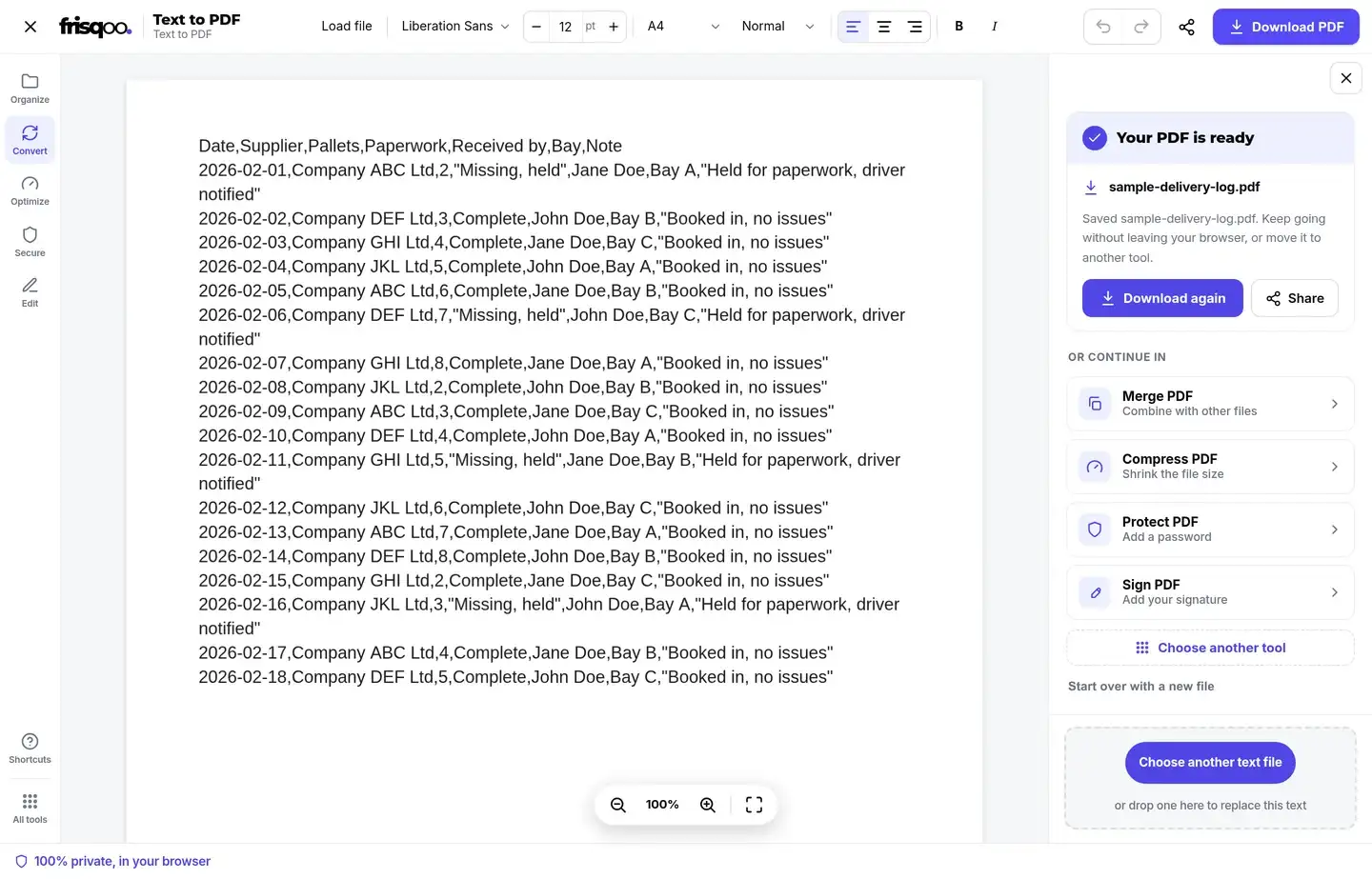
When one uploaded file supplies the text, the result keeps its base name and changes the extension to .pdf. For example, sample-delivery-log.csv becomes sample-delivery-log.pdf. Pasted text or combined files use frisqoo_text.pdf.
The completed result appears in the editor panel with Download again and Share when file sharing is supported by the browser. Continue actions can send the saved PDF into Merge PDF, Compress PDF, Protect PDF, or Sign PDF. Those are separate operations and do not change the original text file.
Formatting the converter keeps
- Plain text, paragraph breaks, and line breaks.
- One document-level font, size, alignment, bold setting, and italic setting.
- A4 or Letter paper with Normal, Narrow, Wide, or no margins.
- Automatic line wrapping, long-token breaking, and page creation.
- Per-word fonts, colors, headings, tables, images, and clickable links.
- Markdown rendering; Markdown files are handled as plain text.
Use Text to PDF offline
The conversion and PDF assembly run in the browser, and Frisqoo does not upload the source text for processing. After the page and required font files are available, the current session can continue without a network connection. Opening the tool later or loading a fallback font that is not already cached may require the connection again.
This local workflow also removes an upload wait. It does not remove device limits: a long document, a large custom font, or several combined files can use substantial memory. If a mobile browser reloads the tab or a preview becomes slow, convert a shorter document or use a device with more available memory.
Convert Text to PDF on phone
Text to PDF on phone follows the same workflow in a current mobile browser. Paste text from a note, choose a file from device storage, adjust the page settings, and tap Create PDF. The result is saved through the browser's normal download flow, which can vary between iPhone, iPad, Android, and desktop systems.
Review the finished PDF
Open the downloaded file before sharing it. Check the first and last pages, search for a distinctive phrase, and confirm that line wrapping and page breaks are comfortable to read. For Arabic, Urdu, CJK, Korean, or a custom font, inspect a page containing those characters. If the interface reported unsupported characters, return to the source text or choose a font with the needed coverage before creating another copy.
FAQs about Text to PDF
Is my text uploaded?
No. Text reading, previewing, and PDF creation run locally in your browser. Frisqoo does not upload the source text for this conversion.
Which text files can I add?
The uploader accepts TXT, TEXT, MD, MARKDOWN, LOG, CSV, TSV, and JSON files. Their contents open as plain text for editing and layout.
Can I convert several text files together?
Yes. Adding several supported files appends their contents in file order with blank lines between them. The combined document downloads as frisqoo_text.pdf.
Is the PDF text selectable and searchable?
Yes. The converter writes a text layer, so supported characters can be searched, selected, and copied in a PDF reader.
Does it keep line breaks?
Yes. It keeps line breaks, wraps long lines to the available width, breaks very long tokens when needed, and adds pages automatically.
Can it create Arabic, Urdu, Chinese, Japanese, or Korean PDFs?
Yes. The engine loads matching fallback fonts for those scripts. Arabic and Urdu are shaped and laid out right to left, including mixed-direction lines.
Can I upload my own font?
Yes. Add a TTF or OTF font from the font menu. It stays in the browser and is saved in local browser storage until you remove it. Confirm that your font license permits PDF embedding.
How is the PDF named?
One uploaded file keeps its base name and changes the extension to .pdf. Pasted text and combined files use frisqoo_text.pdf.
Can I use Text to PDF offline?
PDF creation works after the page and required fonts have loaded. Refreshing or opening the page again may need a connection unless the browser has retained the files.
Does Text to PDF work on a phone?
Yes, in current mobile browsers. Long documents and large embedded fonts use more memory, so practical job size depends on the device.
Does it support rich text formatting?
It applies one document-level font, size, alignment, bold, and italic setting. It does not preserve Markdown syntax as styling or provide per-word colors, headings, tables, or links.
Is the Text to PDF converter free?
Yes. There is no sign-up or watermark. Browser memory sets the practical limit for long documents.