

Compress images
Compress images to make them smaller so they upload faster and fit size limits. Add your files, pick a quality, then tap Compress. It all runs in your browser, so Frisqoo processes the files locally without uploading them.
100% private. Your files are processed entirely in your browser and never uploaded.
Why compress images with frisqoo
Local processing
Processing runs in your browser, and Frisqoo does not upload the source files for this task.
Six formats, really smaller
JPG, PNG, WebP, GIF, SVG, and TIFF are each recompressed for real, not just relabelled.
Keeps what matters
PNG transparency stays clear and GIF animation keeps playing, frame for frame.
You set the balance
A quality slider lets you trade a little sharpness for a smaller file, and cap the longest side if you want.
A whole batch at once
Compress many images in one go, then download them one by one or together as a zip.
Free, with no caps
No sign-up, no watermark, and no daily quota. Your device memory is the only real limit.
How to compress an image
- Add your images. Drop them on the box or pick them from your device, one or many.
- Set the quality. A lower setting makes a smaller file; a higher one keeps more detail. You can also cap the longest side in pixels.
- Press Compress. Check the saving on each image, then download one at a time or all in a zip.

Each image is read and compressed locally in your browser. Frisqoo does not upload the source file or keep a server copy.
Set the quality and size limit
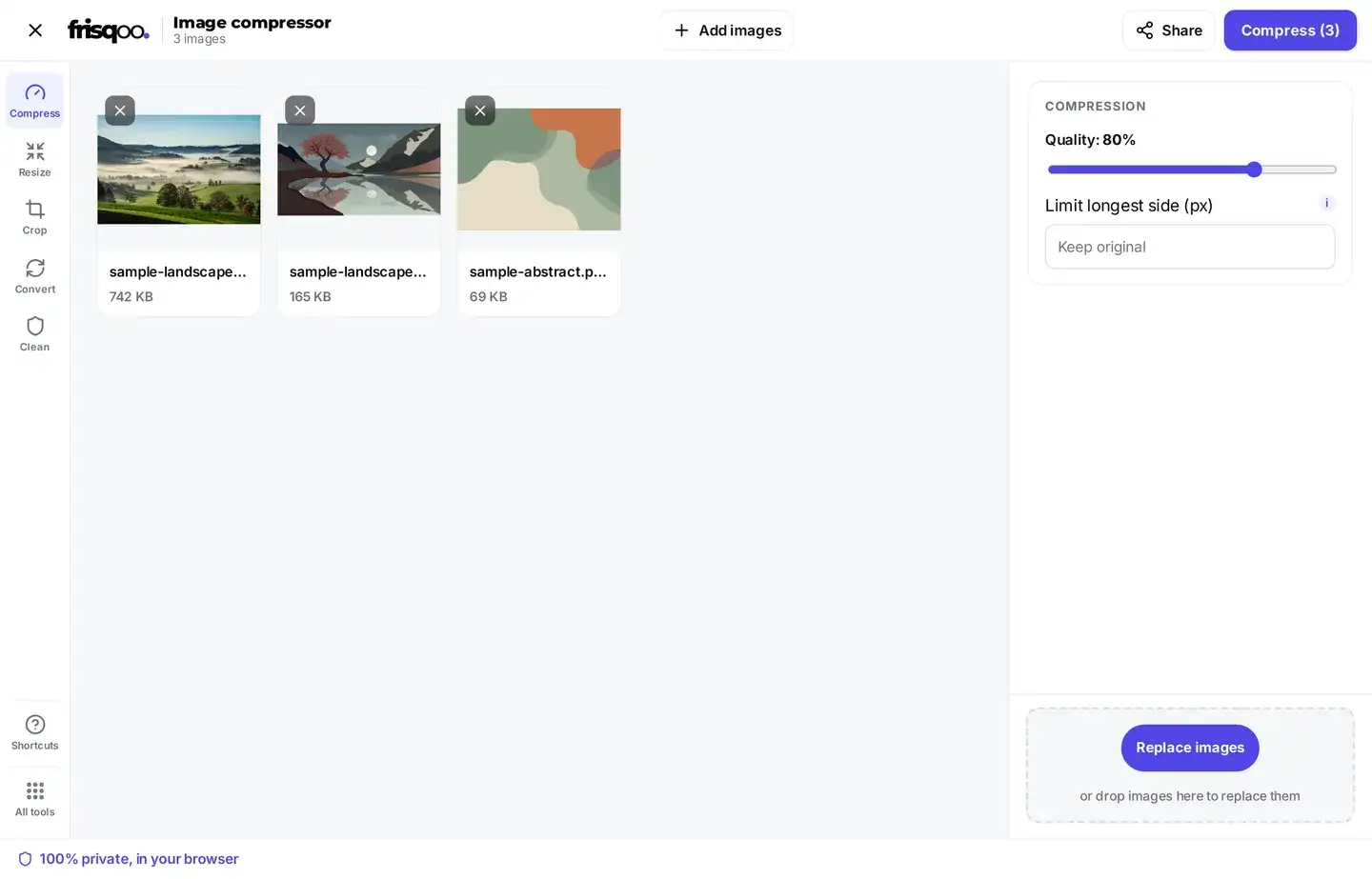
The quality slider is the main control. Slide it down for a smaller file, or keep it near 80 for a good balance on most photos. The slider runs from 40 to 95, and it opens at 80. To shrink a large camera photo further, set a limit on the longest side in pixels; the box reads Keep original until you type a number, and the smallest it takes is 16. If you add a BMP, tick Save BMP as PNG to save it in a lighter format, since a BMP cannot shrink on its own. That box starts unchecked, so tick it yourself when you need it. The button shows how many images are waiting, so pressing Compress (3) runs the whole queue in one go, and there is no account step, so the controls are the same on the first image as on the hundredth.
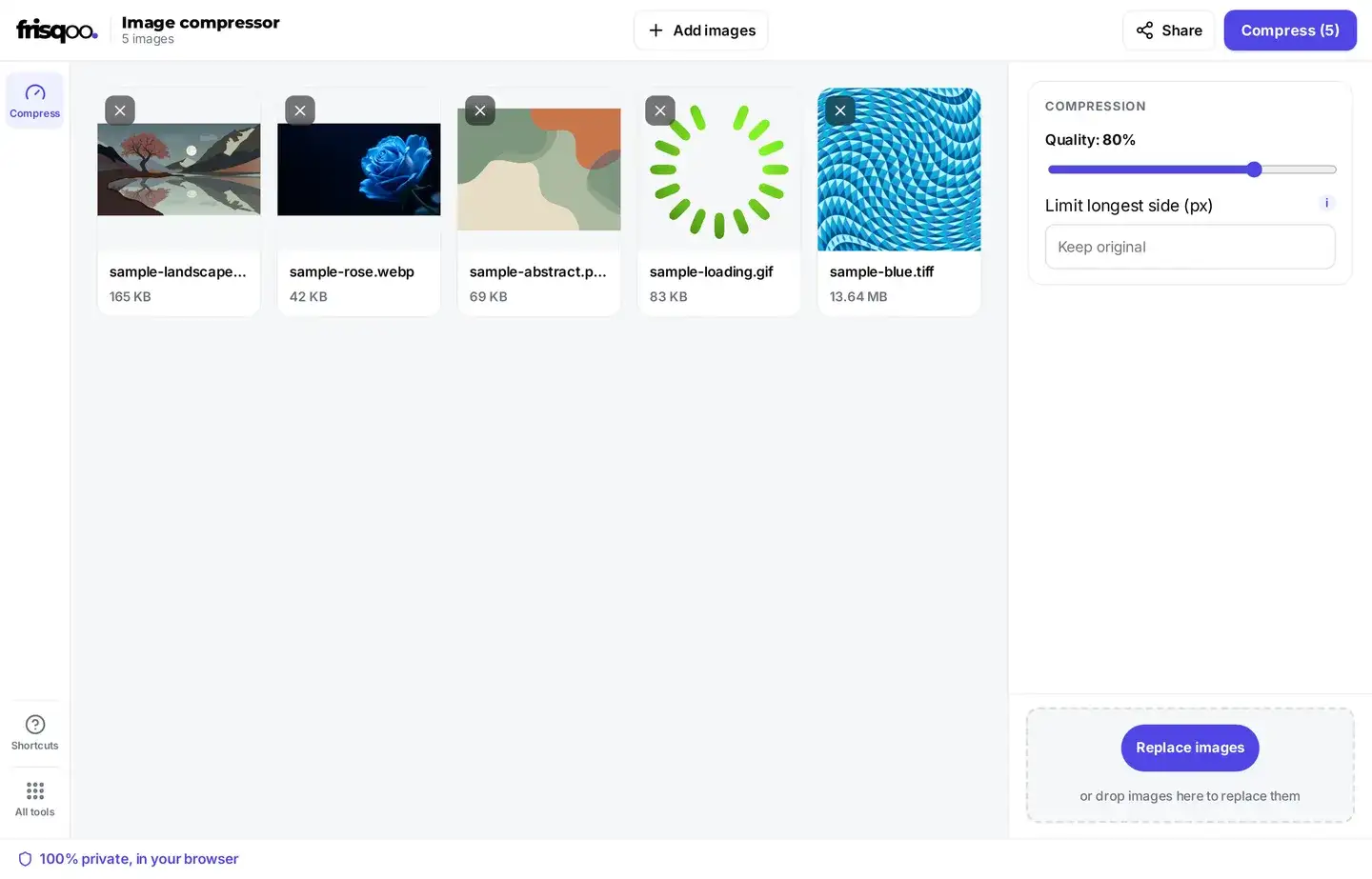
How much smaller will my image get?
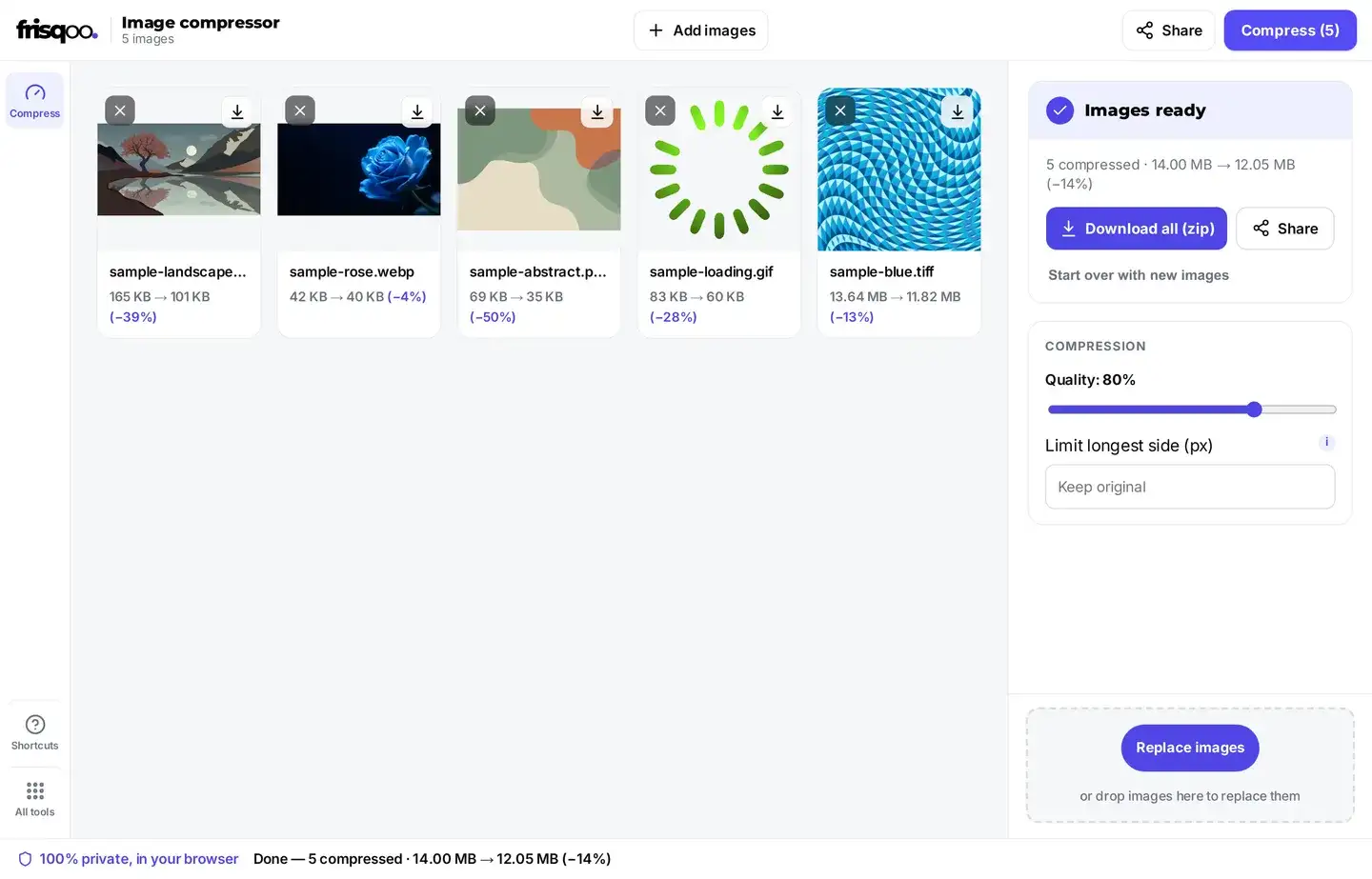
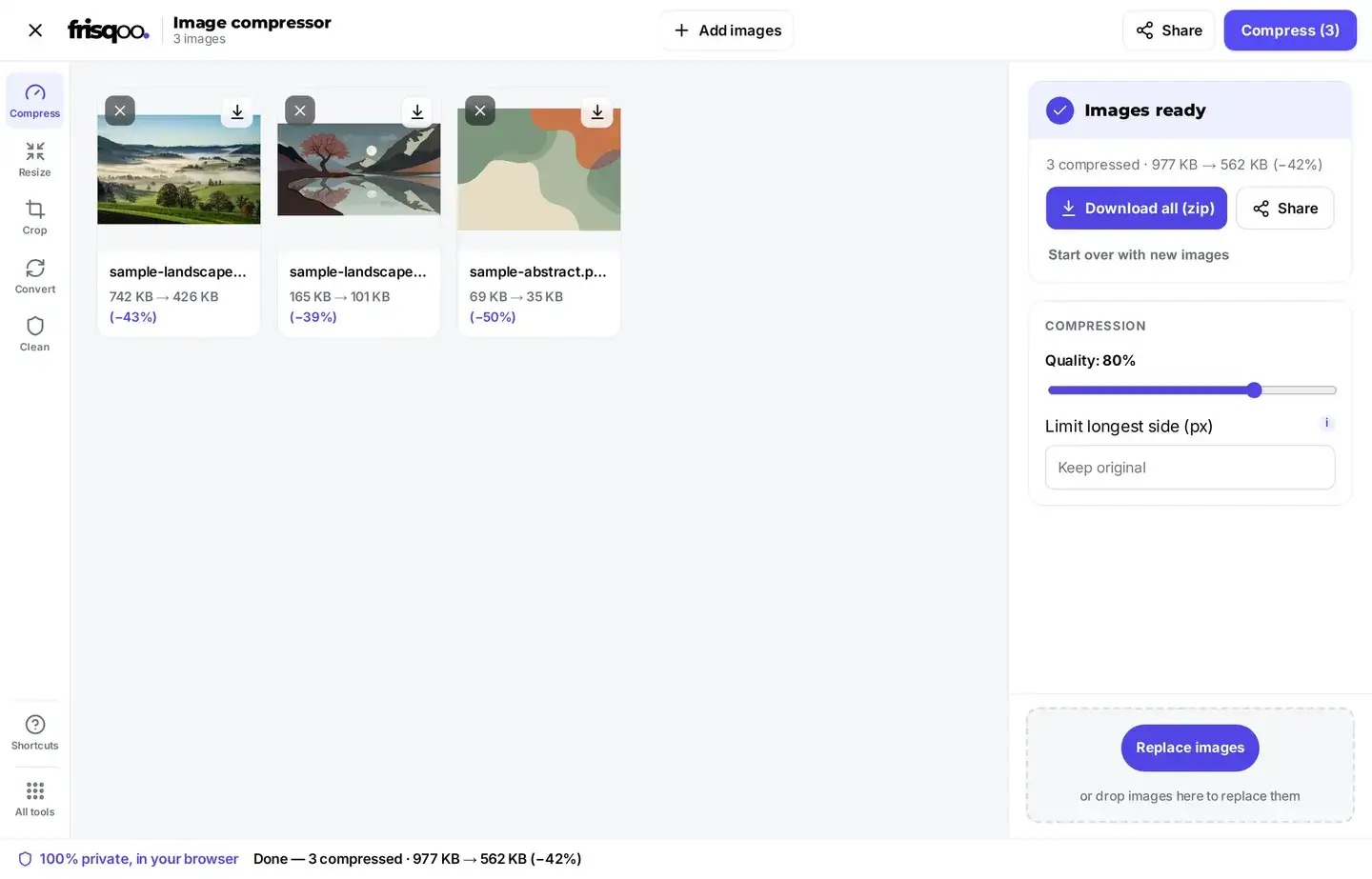
It depends on the file, so the tool shows the new size next to each image before you download it. A large photo straight from a camera usually drops the most, because it holds the most detail the format can pack away. A small or already tuned file may barely move, and it comes back marked already optimized so you are not left guessing. Every result card lists the old size, the new size, and the amount saved, so the outcome is never hidden.
The picture itself matters too. Photos full of fine detail, such as grass, gravel, or a crowd, give up less room than flat artwork or a plain logo, because there is less repeating pattern to fold away. You can run the same photo at a few quality settings and compare the sizes shown before you save one. Because the new size is shown first, you can settle on a setting by eye rather than by maths.
Compress an image to 1 MB
There is no box to type a target size into, so the quality slider does that work. Start near 80, press Compress, and read the new size shown against the image. If it is still too big, slide the quality down and run it again. For a 1 MB ceiling, a middle setting is usually enough on a phone photo, and you can confirm the size before you save. If a photo will not drop below 1 MB on quality alone, add a longest-side cap as well, using the same control described below for smaller targets.
Every run starts from your original file, not from the last result. So you can try a few settings in a row without stacking loss on top of loss, which is what happens when you keep shrinking a copy that was already shrunk.
Compress an image down to 100 KB
Quality alone will not always reach a small target, so cap the longest side as well. Capping it cuts the pixel count first, before the quality setting is applied. Type a number into Limit longest side, and leave it on Keep original to hold the pixels you started with. The shorter side follows on its own, so the shape stays the same and nothing is cropped.
On a test, a photo of about 740 KB came out near 120 KB at quality 60 with the longest side capped at 1,200 pixels, which still looks clean on a phone and inside a document. For a 50 KB target, drop the quality further and cap the longest side lower. Sizes like 100 KB and 50 KB turn up on forms, job portals, and exam sites, and compressing to the limit first saves a rejected upload later.
Compress a whole batch at once
Add as many images as you like, then one press compresses the whole set. Each image is listed with its own before and after size, so you can see at a glance which one hardly moved. Mixed formats are fine in the same batch: a JPG photo and a see-through PNG can go through together, and each keeps what it needs. After the run, each image also carries a next step in the same place: send it on to resize, crop, rotate, or convert to JPG without adding the file again, which keeps a quick edit in one flow instead of loading the picture into another tool.
When the run finishes, save the images one at a time, or press Download all (zip) to take the whole set as a single file with the original names kept.
Which apps compress your images for you
Most places you send a photo to shrink it again on upload. WhatsApp, Instagram, Discord, Google Photos, and Gmail all reduce what you send, each with its own settings, which is why a picture can look softer after you share it than it did on your phone.
Compressing first puts you in charge of that trade. You pick the quality and the pixel size, so the app has much less left to strip out, the upload is quicker on a slow line, and you stay inside any stated size limit. On a phone this also saves mobile data, since a smaller file uploads faster on a weak signal. If you need a photo left as it is, send it as a file rather than as a photo, since that route usually skips the app own pass.
Does it remove the camera details?
It rewrites the picture data, so most camera tags do not survive, but do not rely on that for privacy. Stripping personal data is a side effect here, not the job of the tool. To remove the location and camera details on purpose, use remove EXIF data, which is built for that and leaves the picture itself alone.
The two work well together. Clean the metadata first, then compress the clean copy, and you end up with a small file that carries nothing personal inside it.
Compress images for email or a website
For email, most services stop at around 20 to 25 MB, so lower the quality until each file fits, or send the whole batch as one zip. For a website, a smaller image makes the page load faster, so use the lowest quality that still looks good and cap the longest side to the width the image is actually shown at.
Formats you can compress
JPG, PNG, WebP, GIF, SVG, and TIFF are all compressed in place and saved in the same format. JPG photos have the most room to give, so they tend to shrink the most. WebP is already packed tight, so it moves the least. Here is what each format keeps:
- JPG. Photos carry the most slack, so they usually shrink the most.
- PNG. Compressed with its transparent background left intact.
- SVG. Trimmed in its markup rather than its picture.
- GIF. Every frame and its timing are kept, so the animation still plays.
- TIFF. Made smaller and still saved as a TIFF.
- WebP. Already efficient, so it gives up the least.
- BMP. Saved as a PNG when you tick Save BMP as PNG, because a BMP cannot shrink on its own.
- AVIF. Handed back unchanged, because a browser cannot write AVIF.
A file that would only grow if rewritten is passed through untouched and marked already optimized instead.
Does it keep PNG transparency and GIF animation?
Yes to both. A compressed PNG keeps its see-through areas, so a logo or cut-out stays clean, and a compressed GIF keeps every frame and its timing, so the animation plays exactly as before.
Is it safe to compress images here?
Yes. Many free image compressors upload your photos to their own servers to do the work, and this one does not. Each image is read and compressed right inside your browser, so it is never uploaded, stored, or seen by anyone else. That makes it a widely compatible choice for personal photos, ID scans, and anything else you would not want sitting on a stranger server.
Common ways people use Compress images
- Shrinking phone photos so they fit an email or upload limit.
- Making product or blog images lighter so a web page loads faster.
- Cutting a batch of images down before sharing them as one zip.
- Reducing a large scan or TIFF without changing its format.
- Keeping a logo transparent background while making the PNG smaller.
FAQs about Compress images
How do I compress an image?
Add your images to the box, pick a quality level, then press Compress. Each image is compressed on your device, and you can save them one by one or all together as a zip.
Is it free to use?
Yes, with no sign-up and no watermark. Add as many images as you like. The only real limit is your device memory, since all the work happens on your device.
Are my images uploaded anywhere?
No. They are read and compressed by your own browser. Nothing is sent to a server, so even private photos stay with you.
Will compressing lower the quality?
It can drop some fine detail to save space. Near the 80 setting most people notice no difference on a normal screen. Go lower only when you need a very small file.
How low can the quality go?
The slider runs from 40 to 95. It stops at 40 on purpose, because below that most photos start to show blocks and smearing rather than just losing detail.
Does WhatsApp compress images?
Yes. WhatsApp recompresses photos you send, using its own settings. Compressing first lets you control the result, and sending the picture as a file instead of a photo usually avoids the extra pass.
Does Google Photos compress images?
Yes, unless you choose to store originals. Most apps that host or share pictures reduce them on upload, so a copy you compressed yourself gives them less to strip.
Why does one of my images say already optimized?
Because compressing it again would make it bigger, not smaller. The file is left as it is instead of being rewritten for no gain.
Can I compress a BMP?
Yes. Tick Save BMP as PNG and your BMP is saved as a PNG, a much lighter format, so it takes up far less space while looking the same. That box starts unchecked, so tick it yourself.
Can I compress many images at once?
Yes. Add as many as you like, compress them together, then download them one by one or as a single zip.
Does it work on my phone?
Yes. It runs in current desktop and mobile browsers on a phone, tablet, or computer, with nothing to install.