

OCR PDF
Turn a scanned PDF into text you can select, copy and search. Add one file or several, choose the language that matches the page, then save a searchable PDF or plain text. The reading runs in your browser, so your files stay on your device.
100% private. Your files are processed entirely in your browser and never uploaded.
Why OCR your PDF with frisqoo
Private in your browser
Every page is read on your device. Nothing is uploaded to a server.
Multiple languages
Choose a language model that matches your scan, from Latin scripts to Arabic, Hindi, Chinese, Japanese and Korean.
Searchable PDF
Keep the page image and add a text layer so you can search and select the words.
Plain text option
Choose the words alone when you want to copy them into a document, email or spreadsheet.
Several files at once
Use one language and output choice for a batch, then download each result or the ZIP.
Works on modern devices
Run it in a current browser on a phone, tablet or computer after the page has loaded.
How to OCR a scanned PDF
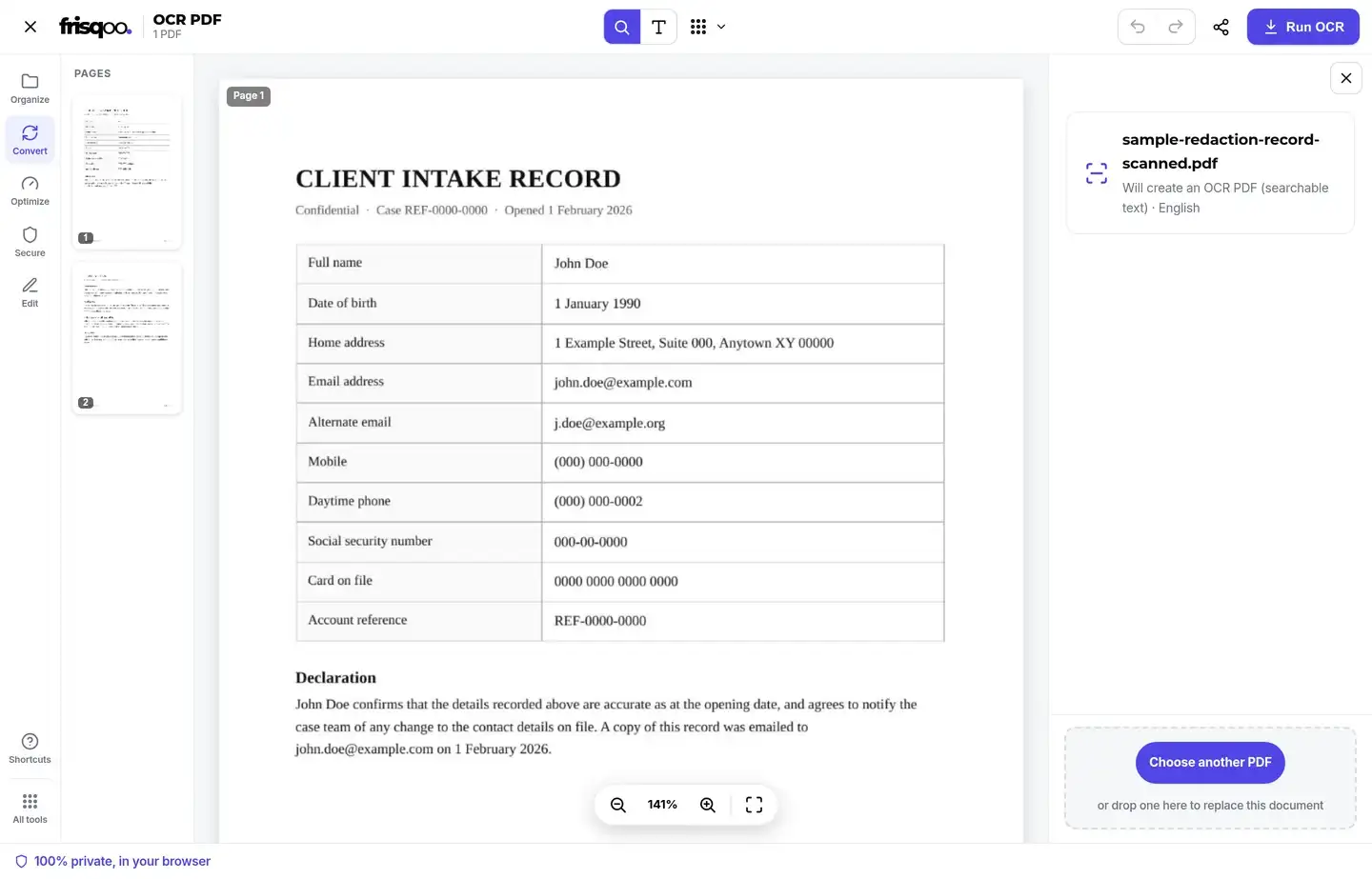
- Add your scanned PDF by dropping it in the box, adding several at once, or tapping to browse.
- Pick the document language, then choose OCR PDF for a searchable file or Plain text for the words alone.
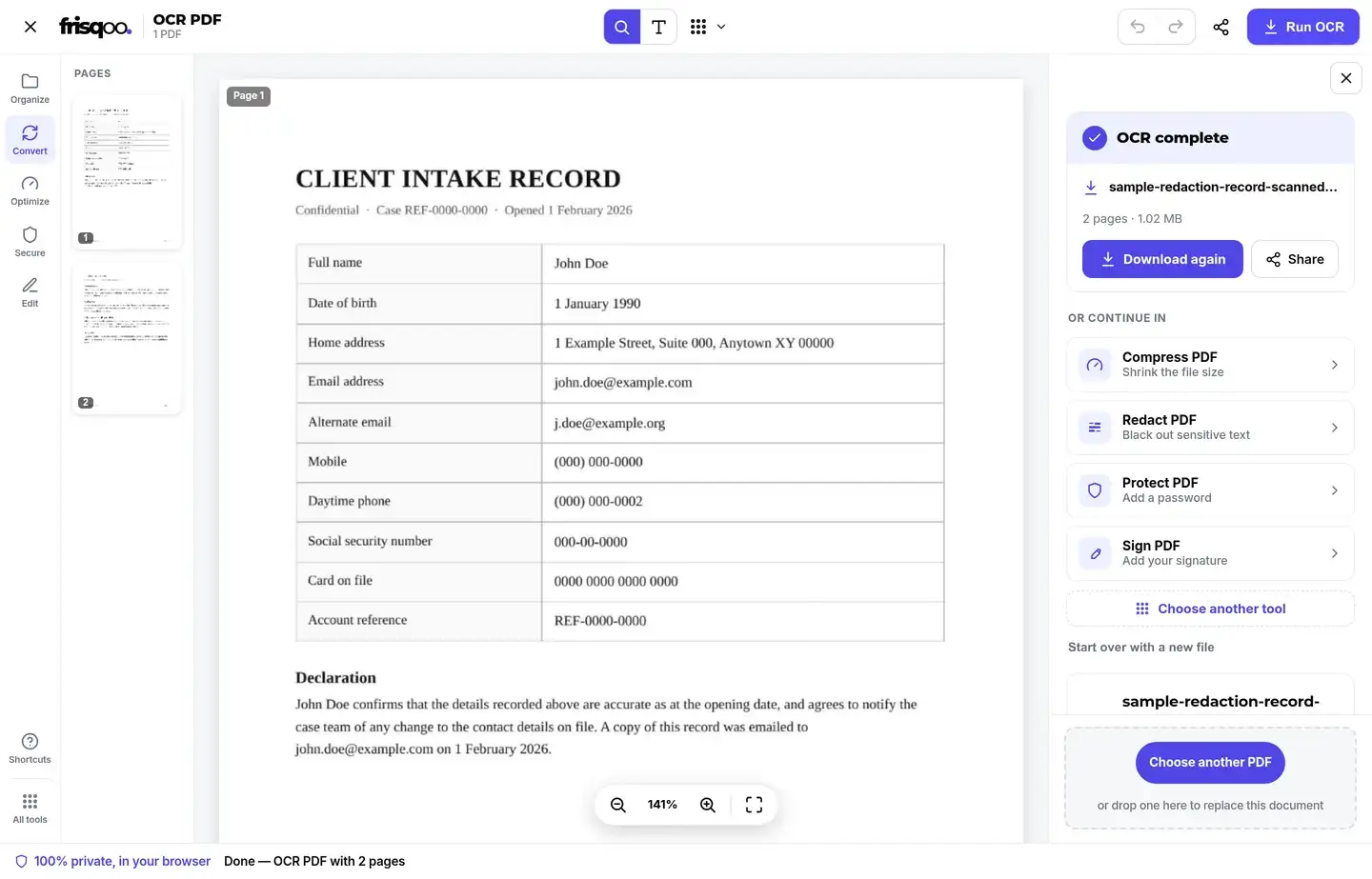
- Tap Run OCR and wait while each page is read, then download the searchable PDF or .txt file.
Everything runs locally in your browser. Frisqoo does not upload the source file, and OCR can keep working without internet after the page and reader have loaded.
Pick the language that matches the page
OCR works by comparing the shapes on a page with a language model. Choose the main language before you tap Run OCR. The picker includes English, Arabic, Spanish, French, German, Italian, Portuguese, Dutch, Russian, Hindi, Chinese, Japanese and Korean.
Use one language when the document is consistent. For a page with mixed content, you can select more than one language in the picker. Keep the selection focused when you can, because a clear match gives the reader fewer possible character shapes to compare. As an example, an English contract with a short French clause reads best when English leads and French is added, rather than loading every script at once.
Language choice cannot repair a blurred scan or restore ink that is missing. It helps the reader interpret the marks that are already visible. If the first result looks wrong, select the correct model, use the clearest source page and run it again.
OCR PDF or Plain text
Choose OCR PDF when you want the page image to stay visible. The tool renders each page, recognizes the words and creates a new PDF with searchable text. The finished file uses the original page as the visual reference, so you can search or highlight words without turning the document into a plain text page.
Choose Plain text when the layout does not matter. The recognized words appear in the editor and are also saved as a text file, which is useful for notes, translation, a spreadsheet or another writing tool. Plain text will not keep fonts, images, columns or table borders.
These outputs serve different jobs. OCR PDF is better for archiving and sharing a document that should still look like the scan. Plain text is better when you need to reuse the content and plan to format it yourself.
How to know your PDF is searchable
A searchable PDF keeps the scanned picture of each page and adds a text layer beneath it. That layer is what lets you find a word, copy a line or let another program read the file. Making a PDF searchable does not change how the page looks; it changes what the page holds underneath the image.
To check the result, open the finished file and try to select a line or search for a word you can already see on the page. If the words highlight, the text layer is in place and the scan is now a searchable PDF. If nothing selects, the page is still only a picture, so run the pass again with the matching language and the sharpest copy you have.
What affects OCR accuracy
A clean scan with strong contrast gives the reader the best starting point. Straight pages, dark type and even lighting are easier to recognize than a tilted phone photo, faded carbon copy or page with deep shadows near the binding.
Resolution counts as much as focus. A scan around 300 dots per inch gives the reader enough detail on each letter, while a small or heavily compressed image leaves the edges too rough to match. If a page came from a phone, hold the camera square to the paper and fill the frame, because an angled shot stretches the letters and lowers the result. Straightening a crooked page and cropping away the desk or wide margins around the document both give cleaner input for the same effort.
Handwriting, decorative fonts, small type and crowded tables can produce mistakes. OCR reads the visible shapes, so it may confuse characters that look alike or lose the order of words in a complex layout. Always compare important names, dates, totals and reference numbers with the source image.
If the result is poor, try the sharpest source you have, choose the matching language and run the page again. OCR cannot recover detail that the scan never captured.
Which PDFs actually need OCR
OCR is for PDFs where the words live inside a picture: scans from a copier, faxes and photos of paper. If you try to select a word and nothing highlights, the file probably needs OCR. A PDF exported from a writing app usually already has a text layer, so PDF to text can pull its words out directly without a recognition pass.
A file can contain both kinds of page. One page may have selectable text while another is only an image. OCR is useful when you need a searchable result for the scanned pages, but the final quality still depends on what each page contains.
Photographing a page with a phone is the most common way people scan today, and those shots almost always need OCR before the words can be selected. Once the recognition pass finishes, a photographed page behaves like any other scan to text result: you can search it, copy from it or send it on to a translation tool.
OCR several PDFs at once
Add a group of scans and choose the language and output once. Each PDF is read in turn with the same settings. A result is offered for each source file, and the editor can bundle the completed files into one ZIP so you do not need to download every item separately.
Batch work uses your device memory and processor. A long scan or a large group may take longer than one short page. If one file cannot be read, the rest of the batch can still finish, so you do not have to restart every document because of one bad input.
Keep the source filenames clear before you start. The completed PDF or text result keeps the base name and adds the output type, which makes a group easier to match back to the originals for later review today. Stay on the page while the progress bar is moving, especially on a phone, and wait for the completion message before closing the tab.
OCR password-protected PDFs in the editor
If a PDF opens without a password, it can go straight to the language and output controls. If it needs a password just to open, the editor shows an unlock box beside the file. Enter the password there, and the file is unlocked in your browser before OCR starts. A PDF that only limits printing or copying may open without a prompt because it is not locked against reading.


Keep sensitive scans on your device
Scanned contracts, identity documents, medical letters and financial records can contain details you would not want stored on an outside service. This tool reads the pages in your browser, so the source PDF is not uploaded for recognition. The password, when one is required, is entered in the same local flow.
Once the searchable file or text is downloaded, treat it like the original. OCR changes what you can search and copy, but it does not make a private document safe to publish. Check the words and the visible page for names, addresses, account numbers and other details before sharing.
What to do after you OCR
Use Compress PDF if the searchable result is too large to send. Join it with another document using Merge PDF, remove pages with Remove pages, or reorder the result with Organize PDF. If you only need the recognized words, use Plain text instead of making a second conversion.
When you pick Plain text, the words drop straight into a note, an email or a spreadsheet cell without a second export. Scanned tables rarely keep their rows, so paste the text and line the columns back up by hand. Proofread names, dates and totals every time, because a single misread digit can change what a scanned record means.
Can I OCR a PDF on my phone?
Yes. Open the page in a current mobile browser, add the scan, choose its language and tap Run OCR. The reader uses the phone while it works, so a multi-page file may take longer than it would on a computer. Keep the tab open until the download is ready.
Common ways people use OCR PDF
- Making a scanned contract or lease searchable so you can find a clause.
- Copying text from a receipt, invoice or form into another document.
- Turning a photographed page of a book or article into editable text.
- Archiving paper records as searchable PDFs.
- Checking a scanned report before sending it to a text or translation tool.
FAQs about OCR PDF
Do my files get uploaded?
No. Your PDF is read on your device, inside the browser. The pages do not go to a server, so private scans and IDs stay on your device.
What is OCR?
OCR means optical character recognition. It reads words printed inside a scanned page or photo and turns them into real text that you can select, search and copy.
Which PDFs need OCR?
Scans, faxes and photos of documents need OCR when their words are trapped inside an image. If you can already select the text, use PDF to text instead.
Which languages can it read?
The language picker includes English, Arabic, Spanish, French, German, Italian, Portuguese, Dutch, Russian, Hindi, Chinese, Japanese and Korean. Choose the model that matches the main language on the page.
Should I choose OCR PDF or Plain text?
Choose OCR PDF when you want the original page image with a searchable text layer. Choose Plain text when you only need the words to paste elsewhere or save as a .txt file.
How accurate is the text?
A clean, sharp scan usually gives the best result. Blurry photos, faint print, handwriting, unusual fonts and skewed pages can cause mistakes, so proofread important text.
Does OCR PDF keep the original look?
Yes. The page image remains visible and the recognized text is added as a searchable layer. The result is meant to look like the source while letting you select and search its words.
Can it handle a multi-page scan?
Yes. It reads each page in turn and shows progress. A long document takes longer because the work happens on your device.
Can I OCR several PDFs at once?
Yes. Add several files, choose the language and output once, then each PDF is read with the same settings. Download each result or the whole batch as a ZIP.
Does it work offline and on a phone?
Yes, after the page and its reader have loaded. It works in a modern browser on iPhone, Android, tablets and computers, with no app to install.
Can I OCR a password-protected PDF?
Yes. If the file needs a password to open, an unlock box appears in the editor. Enter the password there and the file is unlocked in your browser. A password that you do not know cannot be recovered.
What if the OCR result has mistakes?
Run it again with the correct language and the clearest scan you have. For Plain text, correct the copied text after extraction. For OCR PDF, the original page image stays underneath so you can check every word.
Is OCR PDF free?
Yes. There is no sign-up or watermark. Because the work happens in your browser, your device memory is the practical limit.