

Redact PDF
Create a redacted PDF with selected details burned into flattened image pages. Mark text or images yourself, find repeated terms, or detect common data patterns, then review the downloaded copy. Processing runs locally in your browser, and Frisqoo does not upload the source file for processing.
100% private. Your files are processed entirely in your browser and never uploaded.
Why use this PDF redaction tool
Flattened marked pages
Each marked page becomes a new image-backed page with the black marks burned in.
Several marking tools
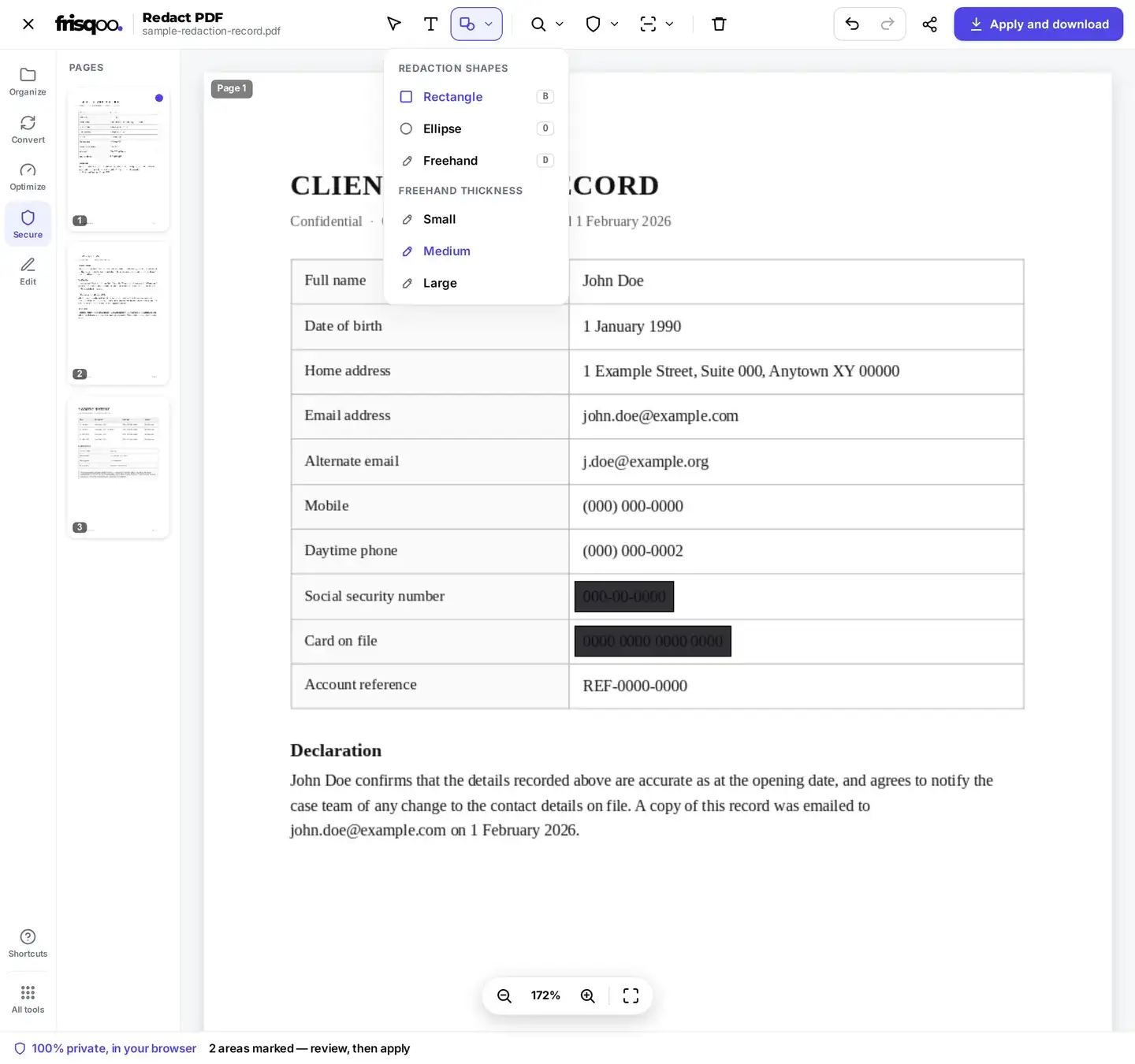
Select text, draw a rectangle or ellipse, or cover an area with a freehand stroke.
Find and auto-detect
Mark a repeated term or look for common email, phone, card, and SSN patterns.
OCR for scans
Read scanned pages in selected languages before using Find or Auto-detect.
Standard fields rewritten
Title, author, subject, and keywords are cleared in the new PDF.
Local processing
Frisqoo processes the source file in the browser instead of uploading it for processing.
How to redact a PDF
- Add the PDF by dropping it in the box above, or tap to browse. Enter the open password locally if the file is protected.
- Select text, draw a shape, find a term, or run Auto-detect. For a scan, choose languages under Scanned and use Read scanned text.
- Review every mark, tap Apply and download, then open and test the redacted copy before sharing it.
Processing runs locally in your browser. Frisqoo does not upload the source file for processing.
Ways to mark content
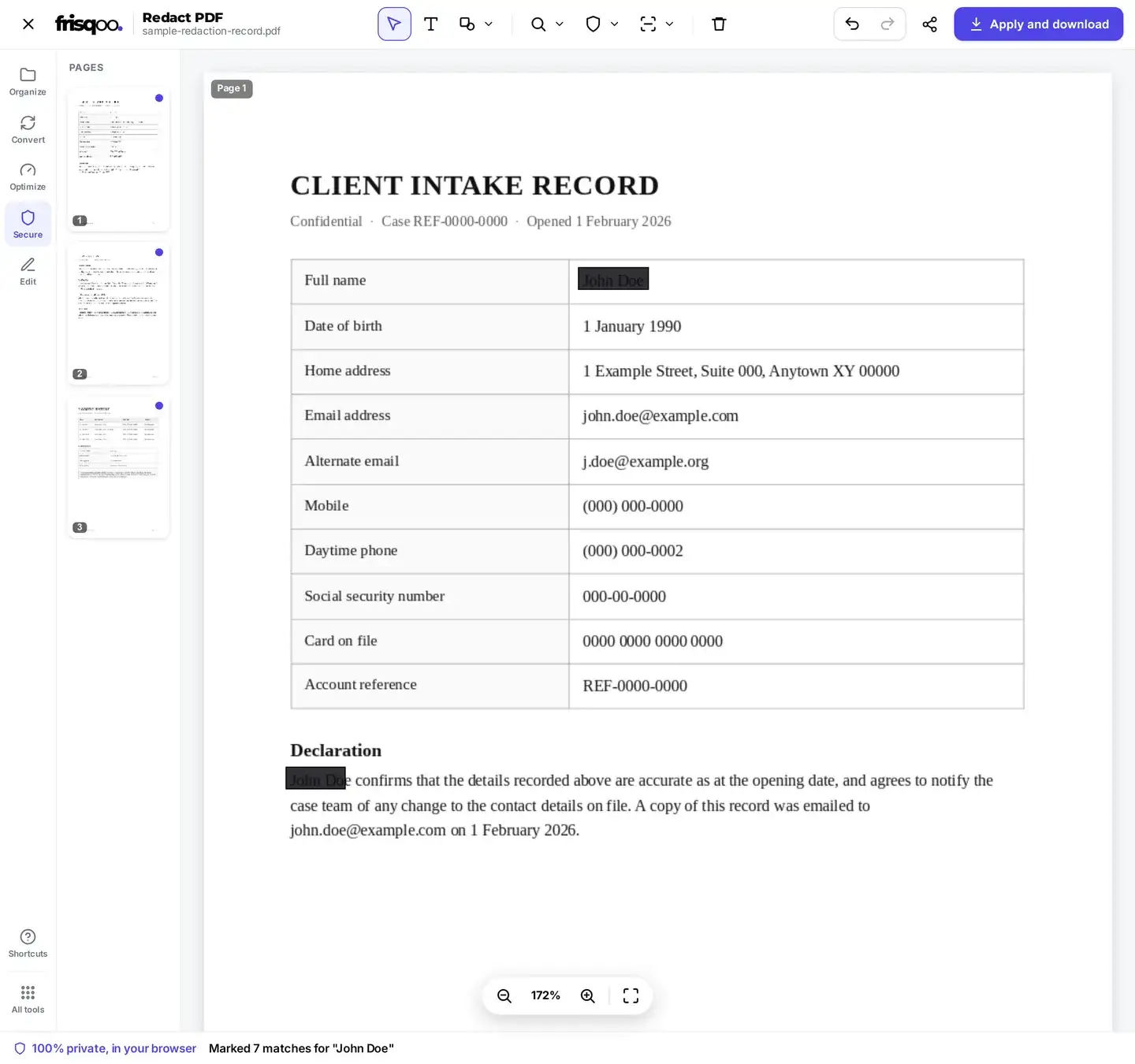
Use the tool that matches the material on the page. Text selection snaps a rectangle to selectable words. Rectangle and ellipse cover a fixed area. Freehand follows a drawn path and offers three stroke widths. Find marks each matching word or number across the loaded document. Every mark remains editable until export, so you can move, resize, delete, undo, redo, or clear it.
- Select text when the PDF already has a text layer
- Draw a rectangle or ellipse over images, signatures, or mixed content
- Use freehand for an irregular area that a box would not fit well
- Find a repeated name, reference, or number across several pages
A mark is a proposed redaction, not proof that the whole detail is covered. Zoom in and check its edges. If a character, line, or image remains visible, enlarge the mark before applying.
How the saved redaction works
Covering words with an editable annotation is not enough because the text can remain selectable underneath. Redact PDF uses a different export path. For each page with at least one mark, the browser renders the page into a bitmap, burns the black rectangles, ellipses, or freehand strokes into those pixels, and stores the rendered page as a JPEG-backed PDF page. The original text and objects from that marked page are not copied into the output.
This also means all text on a marked page becomes non-selectable, not only the text beneath the mark. Pages with no marks are copied into the new document and keep their selectable text. That tradeoff is useful to know before redacting a long report: mark only the pages that need it, and keep the source file in a secure location in case you need its text later.
Marked pages are rendered at twice the PDF point scale and encoded as JPEG images with a fixed quality setting of 0.9. There is no output-quality control in the editor. Fine print, thin lines, or compressed scans can look different after rasterization, and image-backed pages may change the file size. Compare the downloaded copy with the source at normal size and high zoom. If legibility is not good enough, keep the source private and make a new redacted copy with larger marks rather than relying on an unclear result.
Review auto-detected data
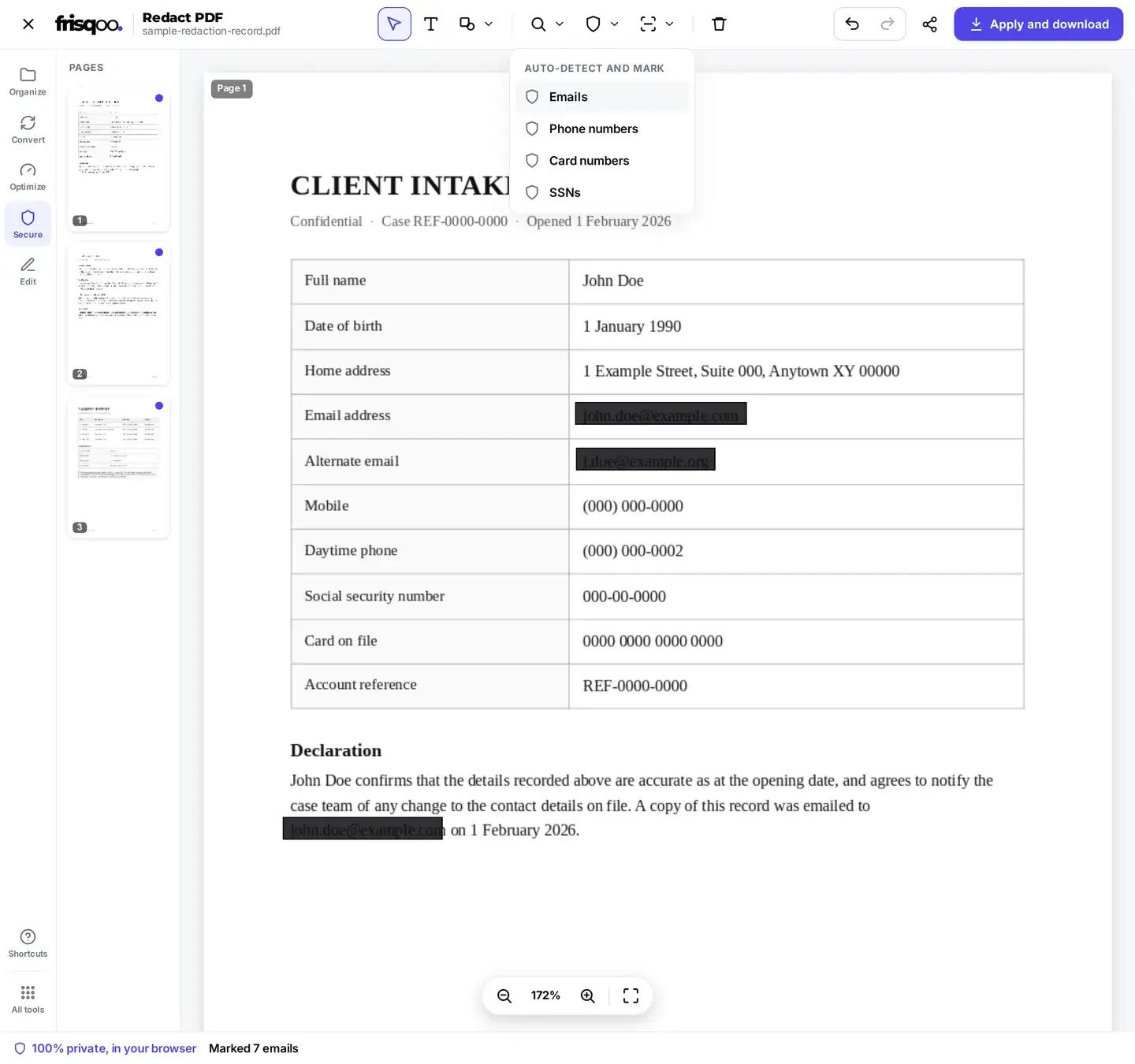
Auto-detect looks for four text patterns: email addresses, phone-like number strings, card-number lengths, and US Social Security numbers. In the supplied three-page test record, each option created reviewable marks on the pages where matching patterns appeared. Find also marked repeated names across all three pages.
The detector does not know whether a match belongs to a real person or whether an unusual format is sensitive. A long reference number may look like a phone or card number, while a spaced or broken line can be missed. Treat the results as a starting list. Review every page, remove false positives, add missed details, and enlarge marks whose edges do not cover the complete text.
Redacting a scanned PDF
A scanned PDF may contain only page images, so Find and pattern detection have no text to inspect. Open Scanned, choose the languages present, and use Read scanned text. OCR renders and reads the image pages locally, then makes recognized words available to Find and Auto-detect. The supplied two-page scanned record completed OCR and email detection in the latest build.
OCR is an aid, not a verification step. Small type, blur, handwriting, unusual spacing, or a wrong language choice can produce missing or incorrect words. Compare the marks with the visible page and draw manual shapes over anything OCR did not recognize.
Redacting a password-protected PDF
When the source has an open password, the drop area shows an inline unlock prompt before the editor opens. Enter the known password and choose Unlock. The password is used by the browser to open that copy for processing. Frisqoo does not upload the source file or password for processing.
The redacted download is a new PDF and does not keep the source password. If the result also needs access control, verify the redactions first and then use Protect PDF to add a new password.


What happens when you apply
Apply and download rebuilds a new PDF in page order. Marked pages are rendered and flattened with the marks burned in. Unmarked pages are copied with their text intact. The saved document clears the title, author, subject, and keywords, and identifies Frisqoo as its creator and producer. This is not a promise that every possible hidden artifact or external copy has been removed.
The filename gains -redacted.pdf, so record.pdf is offered as record-redacted.pdf. The completed panel provides Download again and, when the browser supports it, Share. Keep the original private because it still contains everything that was removed from the new copy.
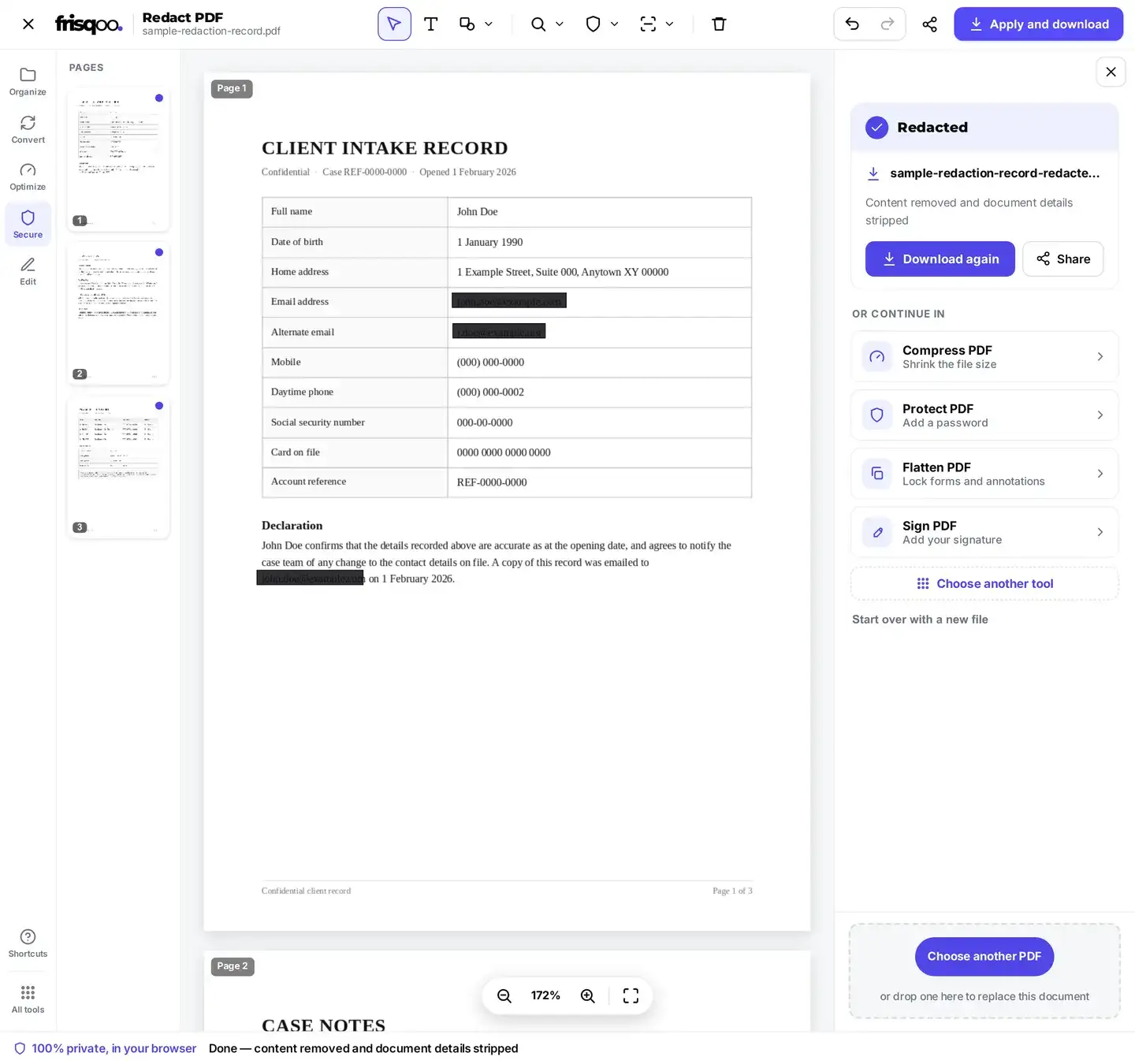
Check the redacted PDF before sharing
Redaction is a high-consequence task, so do not rely on the black appearance alone. Open the downloaded copy in a separate reader and review it as if you were the recipient.
- Inspect every marked area at high zoom for visible character or image edges.
- Search for each removed name, email, number, and reference with the reader's Find command.
- Try selecting or copying text around each redacted area. Marked pages should behave as image pages.
- Check the page count, order, orientation, images, and unmarked pages.
- Inspect document properties if metadata matters to the disclosure.
If a detail is still visible, return to the source, enlarge or add the mark, and export another copy. Keep only the version that passes the full review.
Is processing private?
Processing runs locally in your browser. Frisqoo does not upload the source file for processing. That statement covers Frisqoo's tool path, not the security of your device, browser extensions, download folder, backups, or any app or service you use to share the result. Store both the source and redacted copy according to the sensitivity of the document.
Common uses for PDF redaction
- Removing account and card numbers from a statement before sharing it.
- Taking names, email addresses, and phone numbers out of a case record.
- Covering signatures, faces, or ID details on scanned documents.
- Preparing a disclosure copy for a legal, public-record, or support request.
- Sharing part of a report while keeping the full source private.
FAQs about Redact PDF
Do my files get uploaded?
No. Processing runs locally in your browser. Frisqoo does not upload the source file for processing.
Is the hidden text removed from the saved PDF?
Marked pages are rendered as new image-backed pages with the black marks burned into the pixels. The original text and objects from those pages are not copied into the result. Check every mark and the downloaded file before sharing it.
How can I mark content?
Select text, draw a rectangle or ellipse, use a freehand marker, find a word or number, or run pattern-based auto-detection. Marks stay editable until you apply the redactions.
What can auto-detect find?
It looks for text shaped like email addresses, phone numbers, card numbers, and US Social Security numbers. These are pattern matches, not identity checks, so review false positives and look for formats it may miss.
Can it find text in a scanned PDF?
Yes. Choose the relevant languages under Scanned and use Read scanned text. OCR runs in the browser and makes Find and Auto-detect available for the recognized words. OCR can misread a scan, so visual review is still required.
What document details are changed?
The saved PDF clears the title, author, subject, and keyword fields, then sets the creator and producer to Frisqoo. Do not treat that as a complete document-forensics or privacy audit.
What does it mean to redact a PDF?
Redaction creates a shareable copy without the selected visual content. In this tool, every marked page is rebuilt as an image with the marks burned in, while pages with no marks are copied with their selectable text.
How do I redact text in a PDF document?
Add the PDF, select the words or use Find, review each mark, and tap Apply and download. Then open the result and search for the removed term to help verify that it is no longer selectable.
Can I undo before I apply?
Yes. Move or delete individual marks, use Undo and Redo, or choose Clear marks. The downloaded file is not created until at least one mark exists and you apply the redactions.
Can redacted content be recovered later?
The saved marked page does not contain the original selectable objects, but the source PDF still does. Keep the source private and verify that every intended detail is fully covered in the new file.
Are pages without marks changed?
Their page content is copied rather than rasterized, so selectable text remains. The document is still rebuilt as a new PDF and its standard title, author, subject, keyword, creator, and producer fields are rewritten.
Can I redact a password-protected PDF?
Yes, when you know the open password. Enter it in the local unlock prompt, continue into the editor, and apply the redactions. The new redacted download is a separate file; protect it again if the result also needs a password.
What affects browser support and file limits?
There is no sign-up or watermark. Processing runs in the browser after required assets load, but offline reuse, OCR, and large-file support depend on browser caching and available device memory. A computer is usually better for long documents or scans.