

WebP to PNG
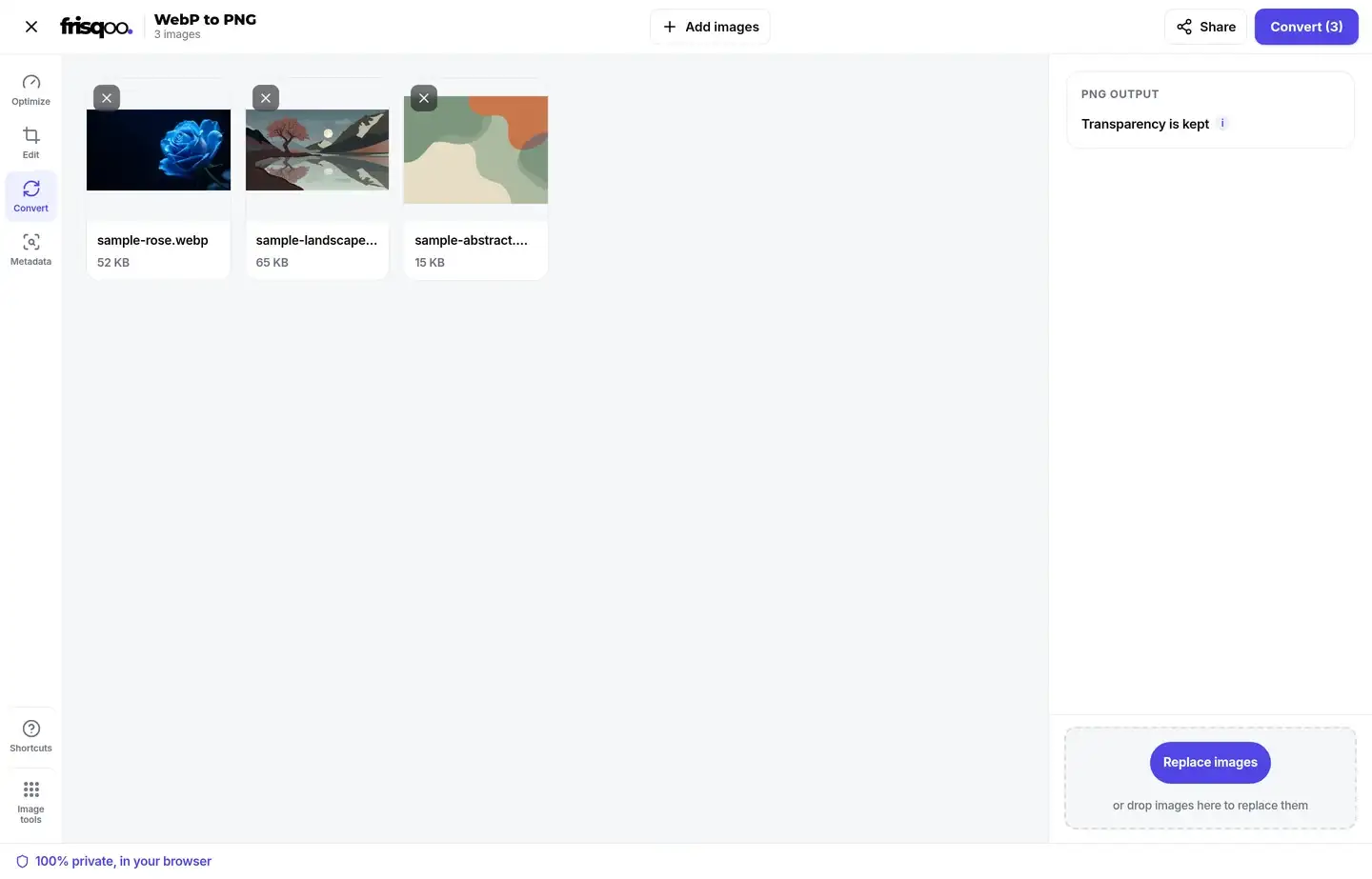
Turn WebP images into lossless PNG files that keep every transparent area. Add your WebP files, then press Convert. It all runs in your browser, so Frisqoo processes the files locally without uploading them.
100% private. Your files are processed entirely in your browser and never uploaded.
Why convert WebP to PNG with frisqoo
Local processing
Processing runs locally in your browser. Frisqoo does not upload source files for this task.
Transparency kept
Clear and partly clear pixels stay transparent, so logos and cut-outs keep their edges.
Lossless PNG output
The PNG save does not add another round of lossy compression to the decoded picture.
Wider app support
PNG opens in older editors and upload forms that may refuse a WebP file.
Convert in bulk
Process several WebP files together, then download one PNG or the whole batch.
Free to use
There is no account, watermark or daily quota. Available browser memory is the practical limit.
How to convert WebP to PNG
- Add your WebP images. Drop them on the box or pick them from your device, one or many.
- Press Convert. Each WebP becomes a lossless PNG that keeps any transparent background.
- Download. Save each PNG on its own or get them all in a zip.

When to convert WebP to PNG
Convert a WebP when an editor, upload form or older desktop app will not accept it. PNG is also useful as a working file when a logo, icon or cut-out needs a transparent background and repeated edits.
Keep the WebP when the image is already working on a website and file size matters. WebP normally stores the same visible picture in less space. A PNG is easier to share with older software, but it often takes more storage and longer to send.
Conversion changes the file format. It does not improve the source. If the WebP was saved with lossy compression, missing detail stays missing. The PNG avoids a new lossy save, but it cannot rebuild what was removed earlier.
WebP and PNG serve different jobs
WebP was made for efficient delivery on the web. It can use lossy or lossless compression, and it can store transparent pixels. PNG always uses lossless compression and also supports transparency. That makes PNG predictable for graphics work, but not always small.
A photograph used on a site is usually better left as WebP. A transparent logo that must open in an older editor may be easier to handle as PNG. The right choice depends on the next app, not on one format being better for every image.
What the converter does to each file
Your browser decodes the WebP into visible pixels, places those pixels on a fresh image surface and writes a new PNG. The conversion starts only after you press Convert. Nothing is sent away for a server to process.
The result keeps the decoded width and height. A 1600 by 1100 WebP therefore becomes a 1600 by 1100 PNG unless you resize it in a separate step. Clear pixels stay clear, and partly transparent edges keep their soft fade.
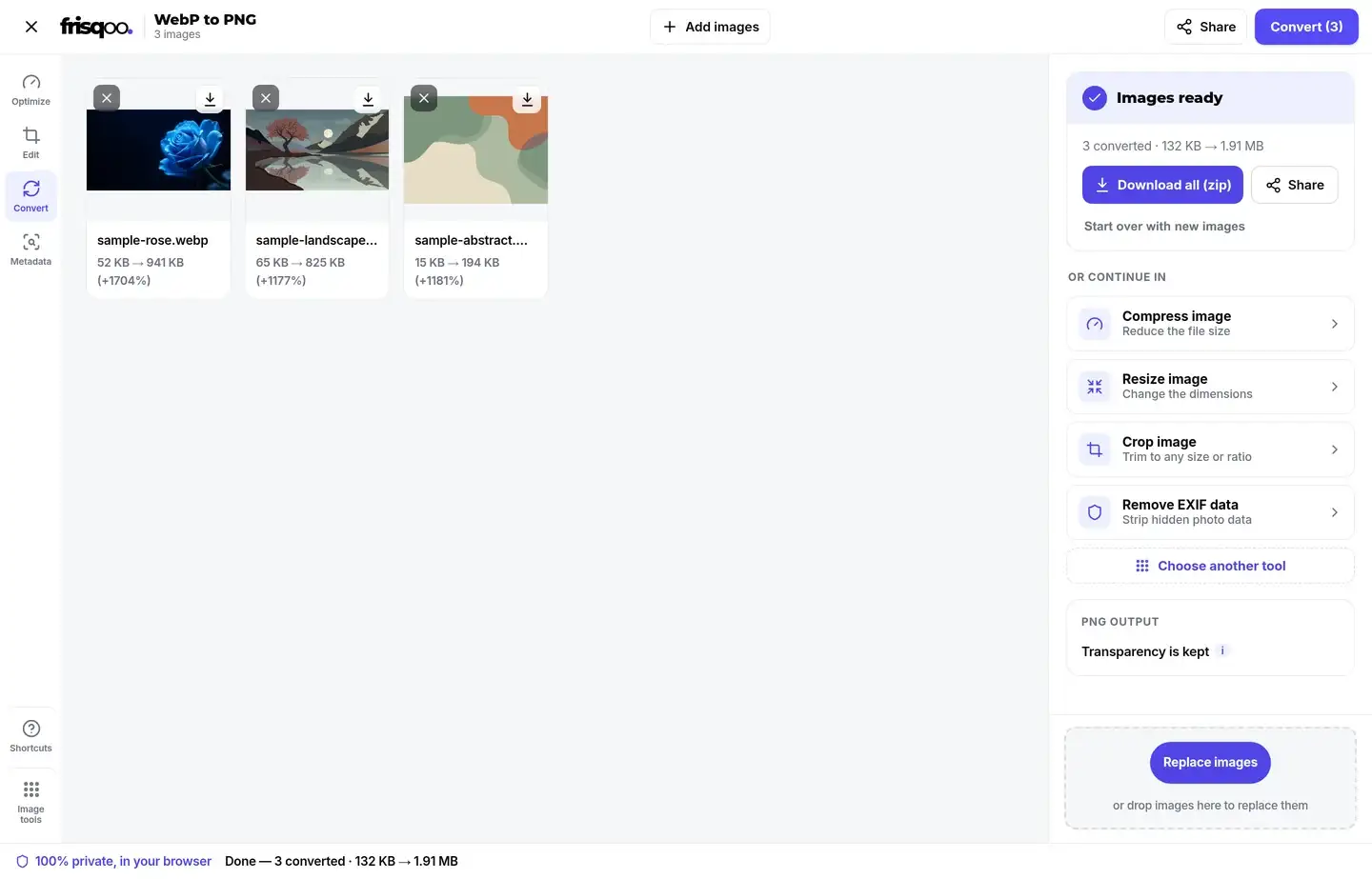
The new file uses the original base name with a `.png` extension. The result card shows the old and new sizes, then gives you a Download button for that image.
How transparency is preserved
Both formats can store an alpha channel. This value tells the browser whether each pixel is solid, partly clear or fully clear. The converter carries those decoded alpha values into the PNG instead of filling them with a colour.
A transparent logo therefore stays ready to place over a dark or light page. Soft shadows and anti-aliased edges also remain partly clear. There is no background selector because PNG does not need one for this job.
If you need a solid background and a smaller photo file, use WebP to JPG. That tool lets you choose the colour that replaces transparent areas.
Why the PNG can be much larger
WebP uses newer compression and may throw away small changes that are hard to notice. PNG stores every decoded pixel without that kind of loss. The PNG can therefore grow even though the image looks the same and keeps the same dimensions.
In a current browser test, a 52 KB WebP became a 941 KB PNG. That is one example, not a promised result. Flat graphics may grow less, while detailed photos and large transparent images may grow more.
A larger result is not a failed conversion. It is the normal cost of a lossless PNG. If the receiving app accepts WebP, keeping the original may be the better choice. If it needs PNG but the result is too large, use the image compressor after conversion.
Why there is no quality slider
PNG output is lossless, so this converter has no quality control. A quality slider would suggest that a lower setting creates a smaller PNG by dropping picture detail, which is not how this output is written.
The tool instead makes one clear choice: preserve the decoded pixels and transparency. For a smaller adjustable output, choose WebP or JPG, where a quality setting has a real effect.
Image dimensions stay the same
Changing the format does not resize the picture. Pixel width, pixel height and orientation stay as the browser decoded them. This matters when an upload form asks for an exact size, because converting alone will not make an image fit a new width or aspect ratio.
Use Resize image when the PNG must be smaller or larger in pixels. Use Crop image when the shape or framing must change. Those are separate edits, so you can decide whether to make them before or after conversion.
Metadata is not copied into the PNG
The converter builds a fresh PNG from the decoded picture. WebP text notes, camera details and other format metadata are not copied across. The visible pixels are the source for the new file.
This is useful when you only need the picture, but it also means conversion is not a metadata-preserving archive step. Keep the original WebP if its hidden details matter. To inspect a photo before sharing it, use the EXIF data viewer.
Animated WebP becomes one still PNG
PNG output from this converter is a single image. If the WebP contains animation, the browser supplies one decoded frame for the PNG save and the motion is not carried into the result.
This is useful when you need a still frame for a document, thumbnail or upload form. It is not the right path when the animation must keep playing. Keep the animated WebP or use a tool designed to export every frame.
Convert a batch and download one zip
Add several WebP files and the main button changes to show how many are ready. Press Convert once. Each card then reports its own new size and provides its own download control.
The completed panel also shows Download all (zip). It saves the batch as frisqoo_webp-to-png.zip, with the original base names and new `.png` extensions. This is useful for a folder of product images, icons or downloaded web graphics.
Files are handled on your device, so a large batch uses more browser memory. If an older phone slows down, convert a few images at a time rather than forcing the whole folder through at once.
Use the PNG in editors and upload forms
PNG is widely accepted by design tools, office apps, content systems and profile-image forms. Converting can solve a format warning when the same app refuses WebP. The image still has to meet that app's limits for pixel size and file size.
Some sites accept PNG but reject a large result. Check the limit shown by the form before converting a whole batch. Resize or compress the PNG when needed, then return to the form with the smaller copy.
Keep the original WebP beside the converted file. The WebP is often the better web-delivery copy, while the PNG becomes the editing or compatibility copy.
Convert WebP to PNG on a phone
Open the page in a current mobile browser, tap the drop area and choose the WebP files from Photos or Files. Press Convert, then use the browser's download control to save each PNG or the zip.
No app or account is required. The work stays in the mobile browser, which also means the phone supplies the memory. Smaller batches are more reliable on an older device or when several other apps are open.
Formats you can convert
- WebP: accepted as the source format, including images with transparency.
- Other formats: use the matching converter for JPG, PNG, AVIF or SVG files.
Is it safe to convert images here?
The conversion runs in your browser and the images are not uploaded to a conversion server. This reduces the number of places that can hold a private logo, draft design or personal photo.
The first visit still downloads the page and its tool code. After that code is available, your files are processed on the device. As with any download, choose the right destination folder if other people share the device.
Common uses for WebP to PNG
- Opening a saved web image in an editor that does not accept WebP.
- Keeping a clear background on a logo, icon, sticker or product cut-out.
- Making a still PNG from an animated WebP for a document or thumbnail.
- Preparing an image for a form that accepts PNG but rejects WebP.
- Converting a folder and downloading the results together as a zip.
FAQs about WebP to PNG
How do I convert WebP to PNG?
Add your WebP images, then press Convert. Each image is converted on your device, and you can save them one by one or all together as a zip.
Is it free to use?
Yes. There is no sign-up, watermark or daily quota. Your device memory is the practical limit because all the work happens in your browser.
Are my images uploaded anywhere?
No. Your browser reads and converts them on your device. Nothing is sent to a conversion server.
Does it keep a transparent background?
Yes. PNG supports transparency, so clear and partly clear pixels in a WebP stay transparent in the PNG.
Will converting lose quality?
The PNG step does not add lossy compression. It keeps the pixels your browser decoded from the WebP, but it cannot restore detail that an earlier lossy WebP save removed.
Why is my PNG larger than the WebP?
WebP uses newer compression and may also be lossy. PNG stores the decoded image without further loss, so the result is often much larger.
Can I convert many WebP files at once?
Yes. Add several files, convert them together, then download one PNG at a time or save the batch as frisqoo_webp-to-png.zip.
Does it work on my phone?
Yes. Use a current browser on a phone or tablet. Large images and large batches need more memory, so smaller groups work better on older devices.
Does the PNG keep metadata from the WebP?
No. The browser rebuilds the picture from decoded pixels. Text notes, camera details and other WebP metadata are not copied into the new PNG.
Can every browser open WebP files?
Current browsers support WebP, but some older desktop apps and upload forms still reject it. PNG is useful when wider app support matters.
Can I turn the PNG back into WebP?
Yes. Use the PNG to WebP tool when you want a smaller web-ready copy. Turning it back cannot restore detail lost before the PNG was made.
What is the biggest image I can convert?
There is no fixed upload cap because the file is not uploaded. The real limit is the memory available to your browser.
Does an animated WebP stay animated?
No. PNG output from this converter is a single still image. Use another animation format or a frame-based tool when the motion must remain.